If I'm understanding your question correctly, you want to click once (and once only) to delete a specific image backup from a USB external hard drive. Let's examine how you're going to find the image backup.
1. External drive needs to be plugged in to PC
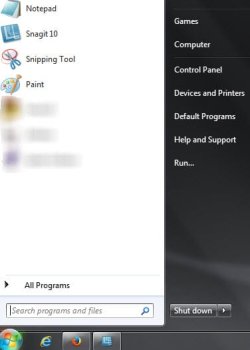
2. You then have to locate the external drive by clicking Start button > then clicking Computer (in start menu)
(2 clicks)
3. A screen will open showing all available hard drives
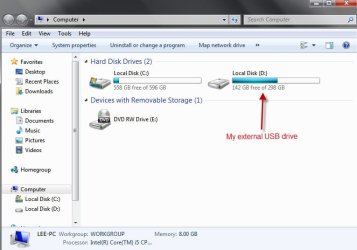
4. You then have to select which drive you want to use by double clicking it
(2 clicks)
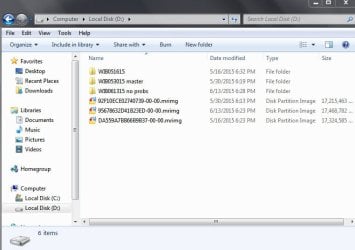
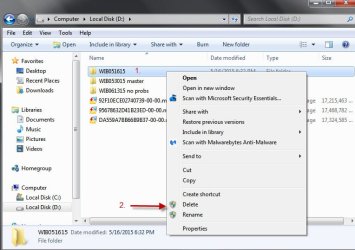
5. Once the drive is selected another screen opens showing what images are available. Then you have to right-click the image you want to delete
(1 click) to access and click on the actual delete command
(1 more click).
6. When you click the Delete command, the image will either go directly to your recycle bin or, if it's too large, you'll get a prompt asking if you really want to delete it without going to the recycle bin. In any case, you'll have to do more clicking.
I really don't see a way to shorten these multiple clicks to just one click. But as I said, I might be misunderstanding your question and if I am, I sincerely apologize.

