- Local time
- 9:04 AM
- Messages
- 173
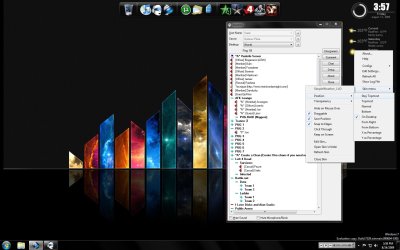
Hey I've got both Rocketdock and Rainmeter running on my Desktop. They look great and I enjoy both of them a lot. But I am looking to change a setting or a fix for them.
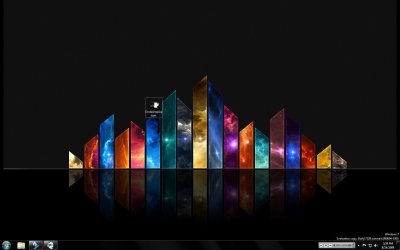
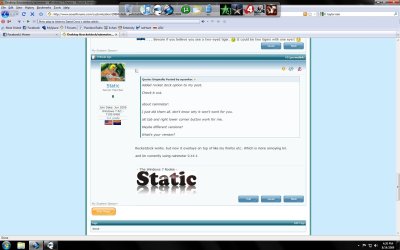
They are currently on my desktop, only they aren't. Meaning when I minimize my other programs etc and look at my desktop, I see both programs running wonderfully. But when I use alt tab or the windows minimizer button on the bottom right corner of the superbar, it ONLY shows my background wallpaper and not rocketdock or Rainmeter.
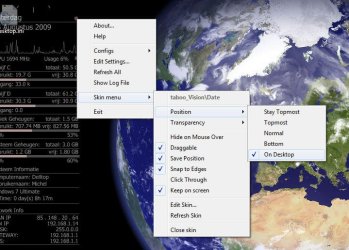
So, how do I set or adjust either program to actually be 100% incorporated on the same level as my desktop so that when I alt-tab etc, I see both or either program?
Picture of my desktop for visual and informational purposes.

They are currently on my desktop, only they aren't. Meaning when I minimize my other programs etc and look at my desktop, I see both programs running wonderfully. But when I use alt tab or the windows minimizer button on the bottom right corner of the superbar, it ONLY shows my background wallpaper and not rocketdock or Rainmeter.
So, how do I set or adjust either program to actually be 100% incorporated on the same level as my desktop so that when I alt-tab etc, I see both or either program?
Picture of my desktop for visual and informational purposes.
My Computer
- OS
- Windows 7 RC - 7100 64bit
- CPU
- AMD Athlon(tm) 64 x2 4800+ 2.50Ghz Dual Core
- Motherboard
- Hewlett Packard
- Memory
- 4 gig Kingston DDR2
- Graphics Card(s)
- XFX Nvidia GeForce GTS 250
- Sound Card
- na
- Monitor(s) Displays
- 22" Samsung LCD Syncmaster
- Screen Resolution
- 1680x1050
- Hard Drives
- 300gig Western Digital
- PSU
- BFG Tech 550watt
- Case
- Crap stock Dell
- Cooling
- Side panel open on case, and a box fan blowing in.
- Keyboard
- G15
- Mouse
- G9
- Internet Speed
- Bike Messenger