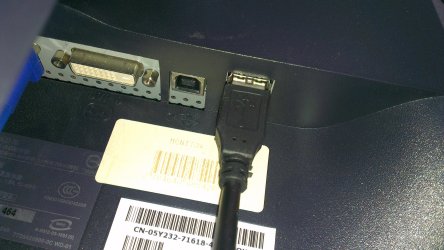
It depends on the connections you have at the monitor. The link I provided for the 1901 states that it has both,
- 4 x Hi-Speed USB downstream - 4 pin USB Type A
- 1 x Hi-Speed USB upstream - 4 pin USB Type B
But, I've seen sites that say it only has 4

This is a 3.0 cable also called standard B (3.0-B)
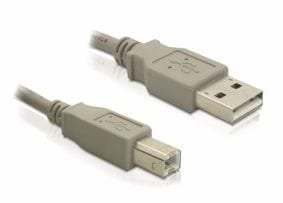
This is a 2.0 cable also called standard A (2.0-A)
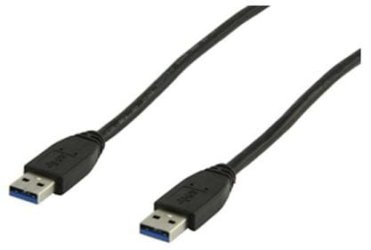
Do you have both, what type of cabling came with the 1901?
This site shows three USB connections on your 5110, one on each side, left and right, and one in the back. If you look closely the one on the right and the one on the back are marked with a SS (
Super Speed) which signifies they are 3.0ports, the one on the left has no markings and is the 2.0port, and they are all rectangular.
Because I can't seem to find a good image of the 1901 check the back were the connections are. It looks to me that the USB connections in the back are the rectangular type, but you need to check to see if they are.
Then all you need to do is match up the connectors. 3.0 is backward compatible with 2.0, but for best performance you should try to stay with the 3.0ports.
To see if you can enhance performance try different connections, as long as the connectors fit
do not force any of them,
do not try to force a type B into a type A or
vice versa.
I'm not sure if the 5110 and 1901 are hot-swappable you may not want to take that chance on ruining them and change or add the connectors while shut down.



 Thank you for pitching in madcratebuilder while I was asleep.
