Hi all,
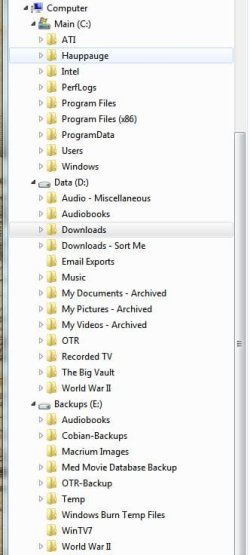
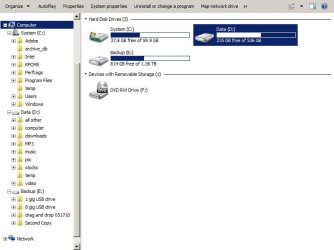
After reading on this forum about the performance of SSD's I have a 60Gb drive on order. What I would like to know now is the best way to set up the 3 drives that will now reside in my machine (60Gb SSD, 640Gb HDD, and 1Tb HDD). Currently everything (230Gb) is on the 1Tb drive, the largest and slowest drive, and my backup data (140Gb) is on the 640Gb drive. I obviously want to install my OS on the new SSD, and any other programs that will benefit from the speed of the drive, but i would like recomendations on how to partition the other drives for user data, backups, and other programs. Pls excuse my ignorance as this is my first build , and thanks for any help.
After reading on this forum about the performance of SSD's I have a 60Gb drive on order. What I would like to know now is the best way to set up the 3 drives that will now reside in my machine (60Gb SSD, 640Gb HDD, and 1Tb HDD). Currently everything (230Gb) is on the 1Tb drive, the largest and slowest drive, and my backup data (140Gb) is on the 640Gb drive. I obviously want to install my OS on the new SSD, and any other programs that will benefit from the speed of the drive, but i would like recomendations on how to partition the other drives for user data, backups, and other programs. Pls excuse my ignorance as this is my first build
, and thanks for any help.My Computer
- Computer Manufacturer/Model Number
- N/A
- OS
- Windows 7 Home Premium X64
- CPU
- Intel Q9550
- Motherboard
- Intel DP45SG
- Memory
- G Skill 4GB DDR3 SDRAM 1333
- Graphics Card(s)
- Sappire Radeon HD3870
- Sound Card
- N/A
- Monitor(s) Displays
- Samsung 26" LCD HDTV
- Screen Resolution
- 1920x1200
- Hard Drives
- WD 1TB 7200 rpm
WD 640GB 7200 rpm
OCZ Vertex 2 60GB SSD
- PSU
- 750w Cooler Master
- Case
- Cooler Master
- Cooling
- Cooler Master
- Keyboard
- Logitech Wireless Desktop
- Mouse
- Logitech Wireless Desktop