Excessive Read Write overloading HDD

Hi again! So many replies and so nice of all of you to write back to me!

In regards to your safe mode question, I don't know anyone who operates their computer exclusively in safe mode.

Well I guess I'll be the first! I must be taking the course here: "Adventures in Random Computing Processes"


I said that little joke above so I can get serious here! Thanks for the reference! I appreciate and understand a lot more now. I know the meanings of many of those words, just been so long since I actually used them in a real world example that I miss the ramifications of actually operarting or performing processes while using unusual constraintes on the normal processes as occurs in Safe Mode!

Marie SWE! Great list!

I'll comment on many of them as you requested: (maybe you'll be sorry you did! just kidding):

Never disable anything that you do not know what it is for. Ask if you're unsure.:)

Remember I told everyone (like 10 posts ago) that I shortened stuff so you would not have too much to read though?

Well, this all happened it seemed when I got 1 download "important" it said, from Microsoft so I put it in.....

Then all this crazy stuff happened...

I was going to write to my nice helpers here at WindowsSevenForum (as searching Microsoft in my primitive methods I could not find anything wrong with the update/download to worry me so I took it in...I always wait a while and check to be sure that nothing BOLD bad is happening to others who take the same download)

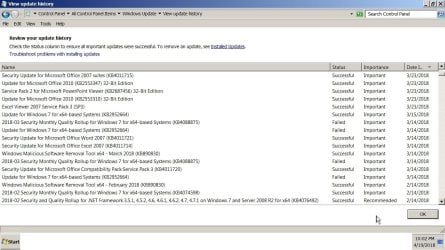
Anyway... I quickly got I think it was 7 (!) new important downloads from Microsoft. I didn't have the time to research each one....and assumed it was because the one I did caused so much pain and misery with others.... some with me...that they quickly made a patch...so I took all 7 in!

THEN i got messages from places like "Windows Defender" (which I did remember turning off..but the latest patch turned it "on" ? how is that possible ? without asking me first?? :confused:

So I did not touch it..... did nothing and maybe it ran the HDD or interfered with the Norton and Malwarebytes and that war has been the source of the Orange HDD light?

What do you think Marie SWE? and others?

Thanks for explaining this all in your post above:

Windows Defender. Disable and scan ones a day, or every other day. Or change to 10-15 Minutes inactivity(if you ave an other AV disable this one)

So as a result of reading that I guess I'll disable it the next itme I see it---it comes and goes now causing more activity to ove3rload my regular WIndows sessions (or go into services as you said I can and disable it from there...I hope!

* * * *

Services under Administrator Tools
Microsoft.NET. I have changed it to manual

I have so many different .NET's
Many of the programs I use and frequent have different .NET requirements! Whenever one says its old or outdated I am instructed to follow links to Microsoft and download the latest .NET framework (aha, see? I recalled that word just now) . They use it for something...in GUI not sure what...

I'd like to change it to manual if that helps...but since I have no idea which programs are using it (I can't just type it in the search bar, correct? and ask the computer so which one of you 300+ programs really needs to have the .NET framework on auto and not manual! Until I turn it on a month or three from now and wonder "why" its not working.

Believe me....even with all your wonderful work and assistance to me and remembering your name and what you offered me in that list will be saved in the "to do" section here on my computer... I may forget that I switched it to "manual" ....

So other than yourself Marie SWE...
Here is a general question too for everyone
How does someone determine when you change a parameter like this...which programs actually "use" something that I'm changing the parameter of>?

When I had the "free" 90 days or so of telephone service to install many programs years ago....of course they came into the computer remotely and fast as lightening!
without explaining what they were doing!
set all these parameters and numbers and timers for "me"

The remote technicians from the third party programs :
1. Did not give me a list of the changes.
2. Never told me why they changed things
3. Never told me what I must "never" touch.
4. (one said never upgrade the BIOS on the laptop....but that I'll ask the guy who is actually installing the new HDD unless...unless.. I do it myself... then I have to "figure out" why they cautioned me "never" to upgrade the BIOS and what hardware or software would become obsolete by doing that step!
5. Norton technicians were especially cryptic in what they did and I asked a lot of questions while they did things to make Norton Internet Security "run" well on the laptop when it had problems a few years back...
6. Then again, via Email Malwarebytes...told me to change a lot of these parameters so that Malwarebytes could run

OK Sorry Marie SWE to dump all this so fast on your nice list and great work in trying to help me! I'm not looking a gift ...you know the rest...
I would like to do what you suggest and see if it fixes stuff... but worried about what other effects it has as you are
so
100%
correct when you said:
......since we all have different things installed on our computers. Then look into your scheduled activities if you have other things enabled.

This I wrote stands for me. I have done this because I hate when the hard disk runs constantly in the background

I know what you mean. I swapped out my slow HDD when I purcahsed the laptop for a faster one (7200 was the max at the time) just so that I would not have ti funning all the time as it would do its operations "faster" ......

Oh and yes I read what The Deer Dude said:

However, after formatting and running chkdsk on the hard drive I mentioned, the bad sectors grew from 200 to 4000.

AND because I got "frozen" so many times
and because
I did Hard Power button off so many times...
in the past three months I must have run "Checkdisk C:" [It is highly recommended that you run this program because there might be inconsistencies in the disk" I dont' have exact quote as I can't screen shot under DOS but you all know what it says I hope!]

So I must have run Checkdisk C over a dozen times.... is that a lot? Did I destroy the HDD by following the instructions????

Will I also go from just 2 sectors to 4000 if I do Checkdisk on a dying HDD??

I know checkdisk runs a long long time (I usually quit and go to sleep....watching a pot boil they say means it enver gets done so I never know "how" long it actually takes).

If anyone is complaining that I left out these important facts (i.e. about the Windows Defender errors and too many Checkdisks C due to my installing and uninstalling iTunes etc apple products 100+ times as they failed under Windows 7 "Professional" version only they tell me and iCloud too failed to coordinate with iTunes).... then this is my fault for trying to write the initial "welcome to my personal problem" message shorter than 10 pages :lol: So sorry....

Now you know I had "more" than just orange light signs there were things cooking in the HDD since "Janaury 2018, which is why I did the Macrium without erasing the older one....in case it already was corrupted and now I have "no" room on the existing backup External HDD so that is why I was contemplating buying a new one just to store this messed up version of the HDD and still keep the "two" maximum that fit ont he other HDD under Macrium without erasing either one... unless I'd like to go backwards to October 2017 or use the messed up January 2018 one!
Whew! Took a lot out of my remembering everything to write that ... I'm sure I messed up the words somewhere.... but you all get the idea.... I don't know which copy of Macrium I need to keep in case the HDD actually does fail in the next day or two..or week... :eek:
 
Last edited:

My Computer

Computer type
Laptop
Computer Manufacturer/Model Number
SONY VAIO VPCS111FM
OS
Windows7 Professional 64bit
CPU
Intel(R) Core (TM) i5 CPU M 430 @2.27 Ghz
Memory
8.0 GB
Hard Drives
Seagate 500GB Momentus
Cooling
Internal fan
Mouse
Logitech bluetooth trackball
Browser
Pale Moon Browser for x64
I posted this separately so The Deer Dude and others can find it easil

I responded to The Deer Dude's suggestion separately so he can skip right to here!

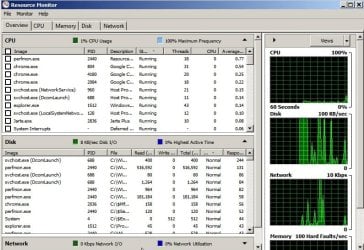
Another thing you could try, is have a look in the Resource Monitor in the "Disk" tab to see which process is reading/writing to the hard drive so intensly. To open resource monitor, hold down the windows key on your keyboard and press "R" (win+r) in the "Run" dialogue box that appears, type in "resmon" and press enter.

Thanks for the suggestion and description of how I do it

Ok did and done....

All say "normal" in both Safe Mode and Regular mode.

I'd post screen shots but you know the list is huge and would cover many screens... Can I copy and paste the list?

I guess I can!

But its NOT in neat columns like

Resource Meter showing the neat columns PS35479.jpg

I tried to re-format the copied stuff using comma delineated word processing....sorry took too much effort to straighten it out... anyone got short cut to make the columns line up automatically without hand doing each line?

I hate doing this to nice people like you but here is the "Data dump" of the copy and paste----- GIGO

Safe Mode listing for "Disk" tab;

Image PID File Read (B/sec) Write (B/sec) Total (B/sec) I/O Priority Response Time (ms)
System 4 C:\ProgramData\Malwarebytes\MBAMService\config 0 69 69 Normal 44
System 4 C:\Users\ 0 81 81 Normal 43
System 4 C:\Users\\AppData\Local\Google\Chrome\User Data\Default\Current Session 0 5,077 5,077 Normal 17
System 4 C:\Users\\AppData\Local\Google\Chrome\User Data\Default\Cache\data_2 0 6,729 6,729 Normal 17
System 4 C:\$BitMap (NTFS Free Space Map) 0 206 206 Normal 15
chrome.exe 2036 C:\$LogFile (NTFS Volume Log) 0 1,570 1,570 Normal 12
System 4 C:\Users\\AppData\Local\Google\Chrome\User Data\Default\Cache\data_3 0 24,869 24,869 Normal 12
System 4 C:\Users\\AppData\Local\Google\Chrome\User Data\Default\Cache\f_001e18 2,048 23,488 25,536 Normal 12
chrome.exe 2036 C:\Users\\AppData\Local\Google\Chrome\User Data\Default\Cache\data_2 549 549 1,097 Normal 8
System 4 C:\Users\\AppData\Roaming\Jarte\Document Backups\Crash Recovery Files\Current Session\Windows 7 on JARTE re Excessive Read Write overloading HDD 4-15-18 C JARTE - c0866d51-9890-496c-84b0-5fea27aa9a55.rtf 8,192 80,896 89,088 Normal 8
System 4 C:\ProgramData\Malwarebytes\MBAMService\config\MbamClientConfig.json 0 9 9 Normal 7
System 4 C:\$LogFile (NTFS Volume Log) 0 4,370 4,370 Normal 5
chrome.exe 2036 C:\Users\\AppData\Local\Google\Chrome\User Data\Default\Cookies-journal 546 7,100 7,646 Normal 5
System 4 C:\Users\\AppData\Local\Google\Chrome\User Data\Default\Cache\data_0 0 4,369 4,369 Normal 5
chrome.exe 2036 C:\Users\\AppData\Local\Google\Chrome\User Data\Default\Cache\data_3 866 866 1,733 Normal 4
System 4 C:\Users\\AppData\Local\Google\Chrome\User Data\Default\Cache\f_001e17 1,365 1,451 2,816 Normal 4
System 4 C:\Users\\AppData\Local\Google\Chrome\User Data\Default\Cache\data_1 0 5,413 5,413 Normal 3
System 4 C:\Users\\AppData\Local\Google\Chrome\User Data\Default\Local Storage\leveldb\000216.log 0 256 256 Normal 3
System 4 C:\Users\\ntuser.dat.LOG1 0 939 939 Normal 3
System 4 C:\Users\\AppData\Local\Google\Chrome\User Data\Default\Cache\f_001e16 0 5,675 5,675 Normal 3
System 4 C:\$Mft (NTFS Master File Table) 0 1,029 1,029 Normal 2
System 4 C:\Windows\System32\LogFiles\WMI\RtBackup\EtwRTDiagLog.etl 0 341 341 Normal 2
System 4 C:\Windows\System32\config\software 0 223 223 Normal 1
System 4 C:\System Volume Information\{80d8e26a-40b3-11e8-9051-f07bcbe10be0}{3808876b-c176-4e48-b7ae-04046e6cc752} 0 8,192 8,192 Normal 1
chrome.exe 2036 C:\Users\\AppData\Local\Google\Chrome\User Data\Default\Cookies 0 6,895 6,895 Normal 1
System 4 C:\Users\\AppData\Local\Google\Chrome\User Data\Default 0 202 202 Normal 1
chrome.exe 2036 C:\Users\\AppData\Local\Google\Chrome\User Data\Default\9cbf2757-fe14-4b6b-ba79-27436cbd1c23.tmp 0 15,565 15,565 Normal 1
System 4 C:\Users\\ntuser.dat 0 478 478 Normal 1
System 4 C:\American Systems BF SAVING FILES 1 0 69 69 Normal 1
chrome.exe 2036 C:\Users\\AppData\Local\Google\Chrome\User Data\Default\be2789f9-1519-43c9-8a55-af46af8a00ab.tmp 0 12,288 12,288 Normal 1
System 4 C:\Windows\System32\winevt\Logs\Microsoft-Windows-NetworkProfile%4Operational.evtx 0 68 68 Normal 1
System 4 C:\Windows\System32\config 0 614 614 Normal 1
System 4 C:\Windows\System32\config\system 0 446 446 Normal 1
System 4 C:\Users\\AppData\Local\Google\Chrome\User Data\ShaderCache\GPUCache\data_1 0 73 73 Normal 1
System 4 C:\Users\ \AppData\Local\Google\Chrome\User Data\Default\GPUCache\data_1 0 76 76 Normal 1
System 4 C:\$Extend\$UsnJrnl:$J 0 34 34 Normal 1
svchost.exe (LocalServiceNetworkRestricted) 852 C:\Windows\ServiceProfiles\LocalService\AppData\Local\lastalive0.dat 0 15 15 Normal 0
System 4 C:\Windows\System32\config\SYSTEM.LOG1 0 646 646 Normal 0
System 4 C:\Windows\System32\config\SOFTWARE.LOG1 0 844 844 Normal 0
-----------------

and
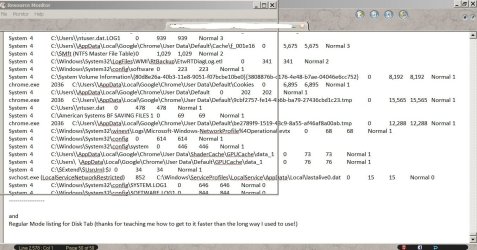
Regular Mode listing for Disk Tab (thanks for teaching me how to get to it faster than the long way I used to use!)

No results as:
I finally got screenshot of the --frame-- GUI of the Resource monitor in regular mode overlayed my word processor that is why you see the results of the Safe Mode version in it

So unfortunately, during the regular operation of the Windows 7 OS, I can't observe and copy off a read out for you of what is going on and if anything is not "Normal" as in the Safe Mode above.

I finally got screenshot of the --frame-- GUI of the Resource monitor in regular mode overlayed .jpg

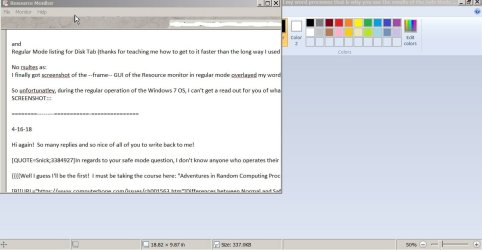
and after writing the words I wanted to post , I had to go back into Safe Mode to turn on the browser and post to the WindowSevenForum site.

So I took one more Screenshot showing that No matter how long I kept Resource Monitor up it never showed anything so I quit trying note my draft copy of what I wrote to you is "under" the window.

No matter how long I kept Resource Monitor up it never showed anything so I quit trying note my .jpg
 

My Computer

Computer type
Laptop
Computer Manufacturer/Model Number
SONY VAIO VPCS111FM
OS
Windows7 Professional 64bit
CPU
Intel(R) Core (TM) i5 CPU M 430 @2.27 Ghz
Memory
8.0 GB
Hard Drives
Seagate 500GB Momentus
Cooling
Internal fan
Mouse
Logitech bluetooth trackball
Browser
Pale Moon Browser for x64
4. (one said never upgrade the BIOS on the laptop....but that I'll ask the guy who is actually installing the new HDD unless...unless.. I do it myself... then I have to "figure out" why they cautioned me "never" to upgrade the BIOS and what hardware or software would become obsolete by doing that step!

I honestly can't be sure, but I believe that upgrading BIOS will not make any of your software/hardware obsolete. It has nothing to do with the software running on your computer - BIOS works between the OS and the hardware (I think, please someone correct me if I'm wrong - I don't wish to be misleading anyone) and the OEM manufacturers are not going to release new BIOS that will make any hardware that previously worked with it, no longer work.

I personally updated BIOSes on two of my laptops, and never had any such problems, I don't know who told you such nonsense..

Say, if the BIOS was the same all these years while the laptop worked okay, could it really be the cause of this problem?

So I must have run Checkdisk C over a dozen times.... is that a lot? Did I destroy the HDD by following the instructions????
Will I also go from just 2 sectors to 4000 if I do Checkdisk on a dying HDD??

Oh no, no, you can run CHKDSK all you want, it will not destroy your hard drive - however, it is likely to uncover the damage that has already been done. Well, if the hard drive is slowly destroying itself, it can make it worse - but we don't have to worry about that - since you've already backed up your data?

I think I saw Marie Excessive Read Write overloading HDD - Page 2 - Windows 7 Help Forums suggest you run system file checker and a full chkdsk scan? I'm not sure. Have you done these? (preferably in safe mode)

It would be interesting to see if the S.M.A.R.T. attributes change, after the scan.

I responded to The Deer Dude's suggestion separately so he can skip right to here!

No results as:
I finally got screenshot of the --frame-- GUI of the Resource monitor in regular mode overlayed my word processor that is why you see the results of the Safe Mode version in it

So unfortunately, during the regular operation of the Windows 7 OS, I can't observe and copy off a read out for you of what is going on and if anything is not "Normal" as in the Safe Mode above.

I feel both special and rude now, haha, thank you. I don't think (again I'm no specialist) anything looks out of the ordinary, in safe mode's Resource Monitor. That's very interesting. So, we can't check what's using the hard drive when not in safe mode, as Resource Monitor refuses to show anything.
 
Last edited:

My Computer

OS
Windows 7 x64
Bios.. I never update it. The only times I update the bios in a computer if it's from a safety point of view, or if the manufacturer recommend it to solve hardware problems.
If it works, don't fix it. ;)

One short question before I get into the rest.
How long time ago did you installed Windows on that computer?

I would like you to do the following.
Start the computer in safe mode.
open command prompt as administrator. (right click and run as administrator)
chkdsk c: /f
After it is ready run.
sfc/scannow
And after all this is ready As TheDeerDude wrote: "It would be interesting to see if the S.M.A.R.T. attributes change, after the scan."

chkdsk and sfc/scannow can take some time, so take the opportunity to grab something to eat or a cup of coffee in peace and quiet... or a good book. :)
 

My Computer

Computer type
PC/Desktop
Computer Manufacturer/Model Number
AsusX53, Aspire E1-572. AsusUX32A, HP Pro3130mt+3010mt, HP Proliant ML150G3, 3xCustom, i3, i5, i7
OS
Linux:Debian, Kali.. 2xWin8.1,2x,1x7Pro, Retro:1x2003server.1xXPpro, 1xW2k,1x98SE,1x95,1x3.11
CPU
cpu's intel 8088 up to intel i7 gen9.. dual xenon on server
Motherboard
a lot of them :-)
Memory
oldest 1024KB newest 64GB
Graphics Card(s)
mostly internals i don't game
Sound Card
old retro=soundblaster.. newer ones internal
Monitor(s) Displays
smalest 12" largest 26"
Internet Speed
100/100
Antivirus
NortonInternetSecurity, MS, Avast, (not on the same computer
Browser
IE8, IE9. IE11, Firefox
Other Info
I can't fit all info on all my computers in these fields :-D
Hi Marie SWE & The Deer Dude!

Again! I bow down to such knowledgeable people helping me in my time of need....

Thank you to The Deer Dude and Marie SWE for your posts and continued interest.

I'll answer two quick items that stood out for me before I go "line by line" through the items and hopefully take a break to go try what Marie SWE suggested I do (since it would do no harm in Safe Mode [fingers crossed---outch! How DO people do that?]

One short question before I get into the rest.
How long time ago did you installed Windows on that computer?

Brief History!
Laptop necessary for "new" iPad to back it up in 2010 (gen 1)
Laptop necessary to have a Windows program on it as everyone else uses Windows and hates our using Apple products for creating items to be shared across platforms (technobabble can be inserted here if you want as to why).

Best Buy had brand new Windows Seven in 2010.
Best Buy had new Sony VAIO at the time... OK got two new items (we like "new technology")
Oh oh... it came with "Windows 7 Home Basic" [rip it out please we said]
Windows 7 Professional x64 version was installed by Best Buy Geek Squad people.
THEY DID NOT KNOW HOW TO DO IT!
I was there for TWO DAYS! [see footnote 1] With a conference call with Microsoft HQ in Redmond, Washington State... instructing them how to do it.
I wanted the VM for XP too... They messed that up royally until they got it to work.
(:lol: now you know the source of my User Name I got stuck with here as I typed my first questions in August 2012 too quickly to notice... "XP VM User" )

So others who have looked at this laptop and operated it in person at various times all have said maybe they [Best Buy w Microsoft on phone!] still installed it "incorrectly".
Advice from far too many people (see my comment directly below as it relates to this long history)... I got was "uninstall" 100% of WIndows. Format HDD. Reinstall Windows and at that time c. 150+ programs I had laboriously transferred over from my older XP program getting new Product Keys for $$$ as now the programs refused to work detecting they were in a "new" person's computer.

Ok? Had enough?

Read below please (not looking for any sympathy...its what happened so I've told it so many times already to real in person helpers at various places).

I personally updated BIOSes on two of my laptops, and never had any such problems, I don't know who told you such nonsense..

Well, now you know "who" some of these people were.
Geek Squad we had on "contract for first 2 years of service. Then.... SONY tells us to continue for next "year" and thereafter we have to pay
(are you sitting down?)
$200 a year for "Software advice by phone" as many questions as you want.
$300 a year for "Hardware advice by phone" as many questions as you want.
(From owning a Dell that did that same charging (at far cheaper rates!) to me I know I can't just get "one" of them.... as they know which one I did not pay for....and will blame "that" for whatever problems I'm calling about so they don't have to fix it for free).

Anyway...where was I?
$500 a year means in 2 years I could have purchased a brand new laptop with a 2 year warranty (I think it is $100 extra to be truthful) with Geek Squad for carry in service to the store.....
So I asked around at everyone (who I meet physically so I'm certain they are actually running a "computer repair store" and not just someone I meet at a fast food place, etc. offering advice.

There is your answer! I have had sooo many different people with different backgrounds giving me advice on the laptop.
I really want to go back to my Tower (built it myself, sort of). Then I had the company that provided the parts 100% behind me for as long as I owned it.
And I can just read and stick in and out anything I want to solve whatever problem is occurring via hardware or software third party solutions.
Seems to be much more difficult on a laptop. Less options for solutions.

So I'm very pleased to have discovered WindowsSevenForum and will use you whenever I upgrade to Windows 10 and also 15 or 20 :)

-------
Ok, here are some answers to the other questions:

First I'll remind you and myself that after I type and post this long discussion, I'm going to follow Marie SWE's very clear and simple to try suggestions:

I would like you to do the following.
Start the computer in safe mode.
open command prompt as administrator. (right click and run as administrator)
chkdsk c: /f


What does the /f attribute do again? ---guess I'll find out

Google is not much help--referred me to a Microsoft article after this snippet:

chkdsk /r does the same thing as chkdsk /f only it also checks for bad sectors on the disk and recovers any readable information. Running chkdsk /r implies that also chkdsk /f is run. chkdsk /f only checks for disk errors, not bad sectors.

After it is ready run.
sfc/scannow
And after all this is ready As TheDeerDude wrote: "It would be interesting to see if the S.M.A.R.T. attributes change, after the scan."


So I can answer Marie SWE and The Deer Dude's excellent points..
I'm curious too!
Hopefully I'll get some answers and post them in next posting....

Was that messed up copying and pasting the results from using Resource Monitor in Safe Mode that I did in Post # 22 ok to read? Everything said "Normal" which I assumed was the most important item you all were looking for.

* * * * *
I put this all at end in case anyone wants to skip it.

1. And we have a legal footnote here... Two days? Yes, once the purchase was finalized, I lived there at Best Buy store from the moment it opened till the moment the store closed going back and forth asking questions and doing calls. Why? Legal requirement of the store to "rip out Home Basic" was that you had to take "full purchase possession" of the Laptop! OK. Only problem, is that there is a clear 7 day period for return/exchange if there is anything "wrong" with it that only can be revealed when you have the operating OS installed and actually use and test features (and we had to get the SIM card installed too---9 pm on the day I got it they kept the Phone company techs running over time on that one too)
Anyway... Picked wrong day to buy it since store is not open all seven days of the week so we'd lose a day too if we waited to install Windows 7 Professional. And whatever day it was, was the "first" day that they had the blue boxes from Microsoft with the rounded corner (still have box) containing the upgrade versions of Windows 7, including Professional.

There was practically no one to ask before that day. No one had actually used it other than the beta testers on the Microsoft page and the early reports I read in the PC magazines back then, so it was all a guess to get it installed. Definitely, was informed by everyone including Microsoft that taking Home Basic home and doing "anything" other than "looking" at the screen would not be able to be transferred that high and upgrade to Professional. It had to be removed 100% and reformatted drive before we begin again. I put this all at end in case anyone wants to skip it.
 
Last edited:

My Computer

Computer type
Laptop
Computer Manufacturer/Model Number
SONY VAIO VPCS111FM
OS
Windows7 Professional 64bit
CPU
Intel(R) Core (TM) i5 CPU M 430 @2.27 Ghz
Memory
8.0 GB
Hard Drives
Seagate 500GB Momentus
Cooling
Internal fan
Mouse
Logitech bluetooth trackball
Browser
Pale Moon Browser for x64
My Computer

Computer type
PC/Desktop
Computer Manufacturer/Model Number
HP Desktop & Compaq Laptop
OS
Win 10 x64, Linux Lite, Win 7 x64, BlackArch, & Kali
Hard Drives
Samsung 850 Pro 256Gb,
Hitachi HDD 1Tb,
Crucial MX SSD 250Gb
Segate 3Tb USB 3.0 Ext. Backup HDD
Internet Speed
150Mbps dn, 20Mbps up
Antivirus
Avast Free, Malwarebytes Anti-Exploit & Anti-Ransomware
Browser
Firefox, Chrome, Opera, & VPN
Results of sfc /scannow only

I followed the following instructions:

I would like you to do the following.
Start the computer in safe mode.
open command prompt as administrator. (right click and run as administrator)
chkdsk c: /f
After it is ready run.
sfc/scannow
And after all this is ready As TheDeerDude wrote: "It would be interesting to see if the S.M.A.R.T. attributes change, after the scan."


Here is a printout of the Command Prompt window (misspelled the first time I typed scanow without extra "n")

* * * * * * *

Microsoft Windows [Version 6.1.7601]
Copyright (c) 2009 Microsoft Corporation. All rights reserved.

C:\Users\ >chkdsk c: /f
The type of the file system is NTFS.
Cannot lock current drive.

Chkdsk cannot run because the volume is in use by another
process. Would you like to schedule this volume to be
checked the next time the system restarts? (Y/N) y

This volume will be checked the next time the system restarts.

C:\Users\>

* * * * * *
restarted in safe mode = no checkdisk running!

* * * * * *
Microsoft Windows [Version 6.1.7601]
Copyright (c) 2009 Microsoft Corporation. All rights reserved.

C:\Users\ >chkdsk C: /f
The type of the file system is NTFS.
Cannot lock current drive.

Chkdsk cannot run because the volume is in use by another
process. Would you like to schedule this volume to be
checked the next time the system restarts? (Y/N) Y

This volume will be checked the next time the system restarts.

C:\Users\ >sfc/scanow

* * * * * *
THIS WORKED

Here is result of sfc/scannow

* * * * *

Microsoft Windows [Version 6.1.7601]
Copyright (c) 2009 Microsoft Corporation. All rights reserved.

C:\Users\ >chkdsk C: /f
The type of the file system is NTFS.
Cannot lock current drive.

Chkdsk cannot run because the volume is in use by another
process. Would you like to schedule this volume to be
checked the next time the system restarts? (Y/N) Y

This volume will be checked the next time the system restarts.

C:\Users\ >sfc/scanow

* * * * * *

Microsoft (R) Windows (R) Resource Checker Version 6.0
Copyright (c) 2006 Microsoft Corporation. All rights reserved.

Scans the integrity of all protected system files and replaces incorrect version
s with
correct Microsoft versions.

SFC [/SCANNOW] [/VERIFYONLY] [/SCANFILE=<file>] [/VERIFYFILE=<file>]
[/OFFWINDIR=<offline windows directory> /OFFBOOTDIR=<offline boot directory>
]

/SCANNOW Scans integrity of all protected system files and repairs files
with
problems when possible.
/VERIFYONLY Scans integrity of all protected system files. No repair operati
on is
performed.
/SCANFILE Scans integrity of the referenced file, repairs file if problems
are
identified. Specify full path <file>
/VERIFYFILE Verifies the integrity of the file with full path <file>. No re
pair
operation is performed.
/OFFBOOTDIR For offline repair specify the location of the offline boot dire
ctory
/OFFWINDIR For offline repair specify the location of the offline windows d
irectory

e.g.

sfc /SCANNOW
sfc /VERIFYFILE=c:\windows\system32\kernel32.dll
sfc /SCANFILE=d:\windows\system32\kernel32.dll /OFFBOOTDIR=d:\ /OFFWINDI
R=d:\windows
sfc /VERIFYONLY

C:\Users\ >

* * * * * * *
Microsoft Windows [Version 6.1.7601]
Copyright (c) 2009 Microsoft Corporation. All rights reserved.

C:\Users\ >chkdsk C: /f
The type of the file system is NTFS.
Cannot lock current drive.

Chkdsk cannot run because the volume is in use by another
process. Would you like to schedule this volume to be
checked the next time the system restarts? (Y/N) Y

This volume will be checked the next time the system restarts.

C:\Users\ >sfc/scanow

Microsoft (R) Windows (R) Resource Checker Version 6.0
Copyright (c) 2006 Microsoft Corporation. All rights reserved.

Scans the integrity of all protected system files and replaces incorrect version
s with
correct Microsoft versions.

SFC [/SCANNOW] [/VERIFYONLY] [/SCANFILE=<file>] [/VERIFYFILE=<file>]
[/OFFWINDIR=<offline windows directory> /OFFBOOTDIR=<offline boot directory>
]

/SCANNOW Scans integrity of all protected system files and repairs files
with
problems when possible.
/VERIFYONLY Scans integrity of all protected system files. No repair operati
on is
performed.
/SCANFILE Scans integrity of the referenced file, repairs file if problems
are
identified. Specify full path <file>
/VERIFYFILE Verifies the integrity of the file with full path <file>. No re
pair
operation is performed.
/OFFBOOTDIR For offline repair specify the location of the offline boot dire
ctory
/OFFWINDIR For offline repair specify the location of the offline windows d
irectory

e.g.

sfc /SCANNOW
sfc /VERIFYFILE=c:\windows\system32\kernel32.dll
sfc /SCANFILE=d:\windows\system32\kernel32.dll /OFFBOOTDIR=d:\ /OFFWINDI
R=d:\windows
sfc /VERIFYONLY

C:\Users\ >sfc /scannow

Beginning system scan. This process will take some time.

Beginning verification phase of system scan.
Verification 1% complete.

* * * * * *

Microsoft Windows [Version 6.1.7601]
Copyright (c) 2009 Microsoft Corporation. All rights reserved.

C:\Users\ >chkdsk C: /f
The type of the file system is NTFS.
Cannot lock current drive.

Chkdsk cannot run because the volume is in use by another
process. Would you like to schedule this volume to be
checked the next time the system restarts? (Y/N) Y

This volume will be checked the next time the system restarts.

C:\Users\ >sfc/scanow

Microsoft (R) Windows (R) Resource Checker Version 6.0
Copyright (c) 2006 Microsoft Corporation. All rights reserved.

Scans the integrity of all protected system files and replaces incorrect version
s with
correct Microsoft versions.

SFC [/SCANNOW] [/VERIFYONLY] [/SCANFILE=<file>] [/VERIFYFILE=<file>]
[/OFFWINDIR=<offline windows directory> /OFFBOOTDIR=<offline boot directory>
]

/SCANNOW Scans integrity of all protected system files and repairs files
with
problems when possible.
/VERIFYONLY Scans integrity of all protected system files. No repair operati
on is
performed.
/SCANFILE Scans integrity of the referenced file, repairs file if problems
are
identified. Specify full path <file>
/VERIFYFILE Verifies the integrity of the file with full path <file>. No re
pair
operation is performed.
/OFFBOOTDIR For offline repair specify the location of the offline boot dire
ctory
/OFFWINDIR For offline repair specify the location of the offline windows d
irectory

e.g.

sfc /SCANNOW
sfc /VERIFYFILE=c:\windows\system32\kernel32.dll
sfc /SCANFILE=d:\windows\system32\kernel32.dll /OFFBOOTDIR=d:\ /OFFWINDI
R=d:\windows
sfc /VERIFYONLY

C:\Users\ >sfc /scannow

Beginning system scan. This process will take some time.

Beginning verification phase of system scan.
Verification 100% complete.

Windows Resource Protection did not find any integrity violations.

C:\Users\ >


---------------------------
Questions!

So it won't let me run chkdsk in Safe Mode.
It only will do it upon restart (which I tried, but I can't get it to run pressing F8 for Safe Mode--that interrupts the command to do chkdsk.

I have no idea what process is running and keeping it from doing chkdsk while the Command Prompt window is open (I remember it can do that while the system is on----or at least it USED to be able to do that)

P.S. Strange event! (I have event recorder on desktop so I checked and nothing special in there)
I shut down after doing scannow as I needed Safe Mode "with networking" on in order to go to the WindowsSevenForum site to post my resuts (above).
I left the computer at 2 am saying "please wait" and the list of drivers being loaded..... It was half and hour and I just would not stay up watching it "wait"

I got up at 6 30 am and FOUND the computer in regular mode!
Now I didn't do that.
How did it switch by itself from Safe Mode to regular mode?
Is there a screen with a timer that automatically launches regular mode if I do "nothing"?
I never saw such a screen.
I see screens when the computer comes out of a crash saying its going to give me a choice of safe mode or regular mode and counts down.
But that is not what I did.
I chose F8
and chose Safe Mode "with networking" so I could use the web to send my results to you.

Oh and by the way...
Orange light is OUT!
Flashes a little as I type and paste! as It should!
What happened?
Thanks for everything?
Lets investigate why is it working "now"? in regular mode ok?

(Norton said it had finished its performance tests (4 am or so) when I got up and activated screen from its dark state and I saw the sign appear and vanish announcing/notifying me about the finishing of Norton. (So I always knew when Norton was "running" in the background and of course I was complaining that the Orange light was still on even though neither Norton AV or Malwarebytes programs were "scanning" the drive.

Someone please explain and let me know how I can check for "what happened?" without damaging the current condition (good) of the computer!!!!!

OK I feel emboldened!
I went WIn+R
typed "resmon" for Resources Monitor and....

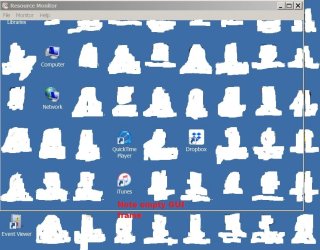
It still DOES NOT FUNCTION! Only the empty GUI window frame appears showing whatever is under the window. See Screenshot I did using my desktop as a background instead of the word processor as maybe you didn't understand what I was looking at or wanted to show (see above Resource Monitor screenshot very well hidden in Post # 22 to compare....both show it not functioning! I do have "other" objects doing same thing...

OK so I posted BOTH screenshots here for you to compare as they show same problem!


I finally got screenshot of the --frame-- GUI of the Resource monitor in regular mode overlayed .jpg

Resource Monitor STILL EMPTY FRAME 4-17-18 PS35507.jpg


so it might be signs of something still going very very wrong with my laptop!

So this is not marked "solved" just yet...

But we're really really close!


As I finally am back on regular mode typing on the word processor and posting it when I want to on the WindowsSevenForum!
 
Last edited:

My Computer

Computer type
Laptop
Computer Manufacturer/Model Number
SONY VAIO VPCS111FM
OS
Windows7 Professional 64bit
CPU
Intel(R) Core (TM) i5 CPU M 430 @2.27 Ghz
Memory
8.0 GB
Hard Drives
Seagate 500GB Momentus
Cooling
Internal fan
Mouse
Logitech bluetooth trackball
Browser
Pale Moon Browser for x64
Separate Message to everyone!

Thanks for making me use Safe Mode 100%

I've had a "broken" Google Chrome and wanted to use only that during my sessions with Safe Mode so I would not break the Browser I use most often "Pale Moon Browser for x64 computers"

So you forced me to go to Google help and knowledge base (no human people there to ask , and no phone number and my typing long messages (as always) on the Google community are never answered like they are here at WindowsSevenForum).

So I was able to "fix" the Google Chrome so that even though I always had the button checked to "restore" last session---it never worked.

Now it does. So I don't have to start off each day's use of Google with a totally empty history totally empty set of tabs. Now it works like the others do.

No idea yet why it was broken....just undid everything and re-instated everything like the knowledge base suggested...and vola! it works again! (for how long I wonder.....)


------------------
Also:


Thanks Snick for article about updating of the BIOS and why its done.

I seem to recall some dim memory (or is it my old tower that had this problem?)

Replacing a HD used a different "pin" configuration for some reason. So the reason why I was told NOT to update BIOS was that (just as your instruction #11 says) that you might have to reset the order of the drives. So if I update the BIOS then I would lose the correct order of the drives and would not get back to the correct order and therefore the drives would become inaccessible because the guy did a "workaround" after struggling for hours on it and why the new drive was NOT being read by the OLD BIOS .... so he "fixed" it and informed me... don't update the BIOS as you will lose the correct order and someone (not him!) will have to go through and create the workaround all over again...

SO that maybe why I recall it. I don't remember if it was the Geek Sqaud guy or the Tower Guy who replaced a Motherboard and its onboard BIOS as one chip failed--really rare but had to replace mother board with exact duplicate but it was model D or E and I had Model A earlier one in that long name series.... so I don't touch BIOS of Laptop or Tower just to be "certain"
If it has to be done, I'm certain that someone with hands on experience will just do it and I'll warn them why I was told this... and let them decide at that yet far off date in future or maybe never at all.... if they really need to update the BIOS to provide new features i.e. USB 3? I can't think what else this Laptop is missing....has everything I wanted connectivity with other media devices with lots of ports and choices built in buttons etc....

So thanks for article I'll save it somewhere....
 
Last edited:

My Computer

Computer type
Laptop
Computer Manufacturer/Model Number
SONY VAIO VPCS111FM
OS
Windows7 Professional 64bit
CPU
Intel(R) Core (TM) i5 CPU M 430 @2.27 Ghz
Memory
8.0 GB
Hard Drives
Seagate 500GB Momentus
Cooling
Internal fan
Mouse
Logitech bluetooth trackball
Browser
Pale Moon Browser for x64
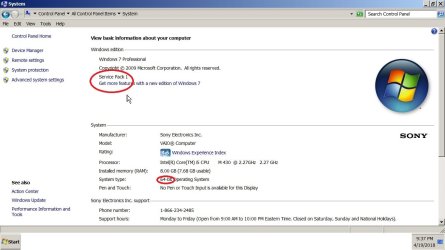
I do believe the laptop could benefit from a fresh install of Windows 7 Professional x64 (what OP currently has on it) - for that, he would need to find the license key. I think the OP should be capable of doing this on its own, I believe in him :) (+installing drivers)

We could help him find the right ISO and he could use the Windows USB/DVD Download Tool

I also think that, it's possible that the issue OP is having with the laptop, could go away with a fresh install of Windows.

If the issue persists, the OP could continue to troubleshoot the hard drive - to tell if it needs replacing. I do think, that it is worth replacing it anyway - because it's old, and already has bad sectors. I have previously linked to a guide on how to do this - here
 

My Computer

OS
Windows 7 x64
If laptop is OEM win7 install, you CANNOT use M$ download tool to obtain a copy of Win7. M$ removed OEM users from being able to access ISO. Microsoft Windows and Office ISO Download Tool - HeiDoc.net is blocked (windows OS only). Digital River (official M$ download site) is defunct as well.
Go to TechBench All editions ( pro, home premium, etc ) can be made available from any windows 7 iso - either by removing the ei.cfg file from the sources folder, or by using
[FONT=&quot]eicfg_removal_utility.zip
You can use MagicJellybean to locate your 25-character product key, if your laptop sticker is unreadable or missing, which is either on the rear or under battery.[/FONT]
[FONT=&quot]Here's links to WD drive diagnostics video and download
[/FONT]Testing a drive for problems using Data Lifeguard ... - WD Support
I'd run SMART and Short Test, if either or both fail (your drive will soon become inaccessible). You need create a full system image ASAP and install a new drive.
[FONT=&quot][/FONT]
 

My Computer

Computer type
PC/Desktop
Computer Manufacturer/Model Number
HP Desktop & Compaq Laptop
OS
Win 10 x64, Linux Lite, Win 7 x64, BlackArch, & Kali
Hard Drives
Samsung 850 Pro 256Gb,
Hitachi HDD 1Tb,
Crucial MX SSD 250Gb
Segate 3Tb USB 3.0 Ext. Backup HDD
Internet Speed
150Mbps dn, 20Mbps up
Antivirus
Avast Free, Malwarebytes Anti-Exploit & Anti-Ransomware
Browser
Firefox, Chrome, Opera, & VPN
I do believe the laptop could benefit from a fresh install of Windows 7 Professional x64 (what OP currently has on it) - for that, he would need to find the license key. I think the OP should be capable of doing this on its own, I believe in him :) (+installing drivers)

We could help him find the right ISO and he could use the Windows USB/DVD Download Tool

I also think that, it's possible that the issue OP is having with the laptop, could go away with a fresh install of Windows.

If the issue persists, the OP could continue to troubleshoot the hard drive - to tell if it needs replacing. I do think, that it is worth replacing it anyway - because it's old, and already has bad sectors. I have previously linked to a guide on how to do this - here

I also believe the easiest/fastest way is to reinstall the computer on a new hard drive. To solve this requires some hands on of someone with experience of the whole file system and regfiles... and it will take a long time to figure out everything that is going on in that file system.:huh:

But one good question is.... If there is a installation disk or some sort of recovery discs.
The computer was installed by (Best Buy Geek Squad people). so a recovery partition on the disk is probably a pretty small chance.. but not impossible.
But it should be some sort of installation disk or a set of recovery discs or files on the disk, as well as the product key. If they didn't sent anything with the computer, then they don't sound so serious.
But before a installation, all data must be backed up, check what all drivers and programs are called and versions... download all current drivers that are included in the device manager. (and write down all serial/product keys, as a precaution and save the old disk in case of something is missed.)
Then have plentyyyyy of time, and the opportunity to have another computer/device online if drivers or guidance is required.

Oh yes, I also believe OP is capable of doing a reinstallation.
With a new disk and a new fresh install.. This computer is going to be like new again. :D
 

My Computer

Computer type
PC/Desktop
Computer Manufacturer/Model Number
AsusX53, Aspire E1-572. AsusUX32A, HP Pro3130mt+3010mt, HP Proliant ML150G3, 3xCustom, i3, i5, i7
OS
Linux:Debian, Kali.. 2xWin8.1,2x,1x7Pro, Retro:1x2003server.1xXPpro, 1xW2k,1x98SE,1x95,1x3.11
CPU
cpu's intel 8088 up to intel i7 gen9.. dual xenon on server
Motherboard
a lot of them :-)
Memory
oldest 1024KB newest 64GB
Graphics Card(s)
mostly internals i don't game
Sound Card
old retro=soundblaster.. newer ones internal
Monitor(s) Displays
smalest 12" largest 26"
Internet Speed
100/100
Antivirus
NortonInternetSecurity, MS, Avast, (not on the same computer
Browser
IE8, IE9. IE11, Firefox
Other Info
I can't fit all info on all my computers in these fields :-D
Why go though all that techno-stuff, plethora of this and that!

  1. CMD chkdsk /r
  2. Disk Cleanup : Extended
  3. defragment (not if SSD)
  4. Repair Install
  5. new HDD/SSD
  6. AOMEI Backupper (simple GUI) system image, restore to new HDD, or migrate/clone HDD to SSD (if that's new drive choice)
  7. problem solved
OP should have no problem with this procedure's simplicity!

I have version if AOMEI which includes migration tool (free) no hack!
 
Last edited:

My Computer

Computer type
PC/Desktop
Computer Manufacturer/Model Number
HP Desktop & Compaq Laptop
OS
Win 10 x64, Linux Lite, Win 7 x64, BlackArch, & Kali
Hard Drives
Samsung 850 Pro 256Gb,
Hitachi HDD 1Tb,
Crucial MX SSD 250Gb
Segate 3Tb USB 3.0 Ext. Backup HDD
Internet Speed
150Mbps dn, 20Mbps up
Antivirus
Avast Free, Malwarebytes Anti-Exploit & Anti-Ransomware
Browser
Firefox, Chrome, Opera, & VPN
Apologies for long post but I felt all four postings deserved replying

Thank you !!! everyone for your confidence in me!

:) :) :) :) :) :) :)

Posting #29

I do believe the laptop could benefit from a fresh install of Windows 7 Professional x64 (what OP currently has on it) - for that, he would need to find the license key. I think the OP should be capable of doing this on its own, I believe in him :) (+installing drivers)

I Actually have so much to say from that one sentence I delayed posting anything while I wrote and made a new "thread" for that discussion..... as it will digress from the main thought here...

Here it is: Reinstalling Win 7 professional over old Win 7 Professional without - Windows 7 Help Forums

about my "license key" for Windows Professional x64 in the Retail box I purchased August 2010).

We could help him find the right ISO and he could use the Windows USB/DVD Download Tool

I also think that, it's possible that the issue OP is having with the laptop, could go away with a fresh install of Windows.

GREAT ! I agree so whatever happens next its either Windows Professional x64 reinstalled on this old drive or...

If the issue persists, the OP could continue to troubleshoot the hard drive - to tell if it needs replacing. I do think, that it is worth replacing it anyway - because it's old, and already has bad sectors. I have previously linked to a guide on how to do this - here

I would like to know... I have HD Tune and still wading through the instruction manual. I did not get SMART to work in the regular edition of Windows 7, so someone has to tell me how long I have with 2 sectors bad...

My Computer science skills are rusty..... If any of those two sectors had a key sequence (for example the boot sequence of just 64kb) would it not render the whole Windows 7 inoperative? I don't need 200 or 4000 sectors to be bad....

Unless Microsoft has a self repair feature I don't know or am not familiar with (it never called or asked me for original disk lately, so its not deriving the OS to repair itself from any outside source---unless it does it secretly over the internet....

But then again... who knows what information goes back and forth over the Internet between computer and Microsoft HQ?


Posting #30

If laptop is OEM win7 install, you CANNOT use M$ download tool to obtain a copy of Win7. M$ removed OEM users from being able to access ISO.

Not to worry I don't have OEM. I checked.
I have the original box (its not OEM) I did that route "once" that that was enough!

Microsoft Windows and Office ISO Download Tool - HeiDoc.net is blocked (windows OS only). Digital River (official M$ download site) is defunct as well.


Thank you for information about "Digital River"!

I have 20++ programs that depend upon digital river being alive so I can update the product code if I switch the program to a new HDD or new OS i.e. Windows 10.


Go to TechBench All editions ( pro, home premium, etc ) can be made available from any windows 7 iso - either by removing the ei.cfg file from the sources folder, or by using
[FONT=&quot]eicfg_removal_utility.zip
You can use MagicJellybean to locate your 25-character product key, if your laptop sticker is unreadable or missing, which is either on the rear or under battery.[/FONT]

Yes, I have seen that when I went in to replace the memory sticks myself for an upgrade of RAM to 8 GB... of course the 25 character product key inside the laptop is for the "Home Basic" version which it came preloaded "OEM" and which I had Best Buy (a store that also sells computer here in the US) swap out the HDD for a faster 500GB one in August 2010 using their "Geek Squad" ----a repair group that occupy's part of the store and services what Best Buy (or anyone else) sells. Hope that explains the two terms to those who are not in the US and not familiar with the names ---sorry for not explaining earlier.. I have to pay attention to the Nation Flags below your Avatars proudly waving your Country for everyone to know!


[FONT=&quot]Here's links to WD drive diagnostics video and download
[/FONT]Testing a drive for problems using Data Lifeguard ... - WD Support
I'd run SMART and Short Test, if either or both fail (your drive will soon become inaccessible).

Yes I'd love to! But we already treid that.. SMART and other things like "Resource Meter" only worked in the "safe mode" and said everything but two sectors was ok "normal".


You need create a full system image ASAP and install a new drive.
[FONT=&quot][/FONT]

YES YES I agree I have a new iPad (which I still don't know how to use... so its not helpful to contact web or fix things yet until I get lessons in this IOS 11---I'm coming from IOS 5 and the jump up is massive to me) It has 512 GB Storage so my 500 GB HDD in the laptop will not be enough to hold everything in the future and even now its only 80 GB free and I have old iPad still to fill it up with 50 GB old data stuff "whew"

So yes yes yes!
I definitely would like to install a 1 TB or 1.5 better! TB knowing that it might be full eventually at 1 TB and leave me as I am today, struggling to remove items....

And....
I have to buy larger than a 1 TB external drive to hold one or two versions of the Macrium back up (as well as AOMEI) but I think I wrote to one of you earlier in another post you sent me a ISO with AOMEI on it version 4... But I have it in the CD Drive and there is no AOMEI ver 4 on it... unless I didn't know how to do the ISO properly.. I do it soooo infrequently..

And that answers that part of your post Snick above about ISO availability.


Posting #31

I also believe the easiest/fastest way is to reinstall the computer on a new hard drive. To solve this requires some hands on of someone with experience of the whole file system and regfiles... and it will take a long time to figure out everything that is going on in that file system.:huh:

YES of course Marie SWE! I'd love to accomplish this very much! Learning curve is high but that doesn't stop me as long as I have a backup (oh that's right.... I'm out of new back up room as my two old ones were working FAR better than any backup I do today with 2 bad sectors after all the damage was done and attempts at repair with all your help...I'm certain I don't want "THIS" as my backup!!

But then I'd lose all my notes and files and photos and screenshots I made and stored here in creating all of these posts for past three/four months

As well as all my help articles and other things I was sent by Apple technicians to help me with serious Apple problems from 2017 on old iPad.

So all that will be lost in time if I don't keep the January one and has to delete it to replace it with a "new" one

does all my writing BOLD make sense to anyone? If it does not please tell me and I'l rephrase it over again!

In the end I need to temporarily get some space... I need to spend for (not a new 2 TB HD external etc that I will eventually require to purchase---- but some (WD or Seagate only) temporary drive... cheap.... just to hold the current contents one or twice.... before the HDD melts down and self destructs.....

and I still won't know which of those many copies and back up images on MACRIUM I'd chose to be the one I'd give to the new clean install of Windows 7 PRofessional.

Decisions
Decisions
Decisions! :confused:

But one good question is.... If there is a installation disk or some sort of recovery discs.

Yes to both (I did many series of "recovery disks" just following instructions from the program! But with all the sets I have I've never done a recovery! I have no idea what I did... I just stuck in some CD's until the computer said "ok you're protected" and stuffed them with dates on them somewhere...

I did it numerous times as I was unsure what version of MACRIUM should be the final one that the recovery disks would be used for.

Oh by the way.. in my HDD there are three partitions!

I copied it off for you:
I can post a Screenshot but it was faster and easier to just write the 3 Partitions!

1. Recovery(none) NFTS Primary 8.63 GB
2. System Reserved (none) NTFS Active 100 MB
3. Main Drive letter (C : ) 457 GB 372 Filled up c. 84 Free


So does that count for anything?

Did I do this new type of Macrium imaging correctly/accurately to have created those??

The computer was installed by (Best Buy Geek Squad people). so a recovery partition on the disk is probably a pretty small chance.. but not impossible.

I hope its there... as I did the recovery disks myself several times when Macrium and AOMEI asked that I do a "new" one each time I got a new version of the program (each of them until AOMEI failed to upgrade as I don't have the key anywhere.. and they don't answer my email without listing my Key and I can't get into the old version 2 and the online instructions say only version 3 keeps the key inside the program so I'm out of luck there

I always like having TWO backup programs! For just this reason!

I now only have "one"!

Its a good thing in my prior thread about choosing a backup program I decided to use BOTH AOMEI and MACRIUM for the first few years of keeping the laptop....


But it should be some sort of installation disk or a set of recovery discs or files on the disk, as well as the product key. If they didn't sent anything with the computer, then they don't sound so serious.

Yes I got everything. That is why I dealt with them. They are a big chain store here selling appliances and audio/video/media/TV etc items as well......but Marie SWE .. you really have to read my brand new thread.... then you'll understand why I'm so hesitant on the re-installation of the Windows using my existing Retail original holographic design Microsoft disk


IT IS HERE::::::::::::::::::::::::::: COPY LINK HERE


But before a installation, all data must be backed up, check what all drivers and programs are called and versions... download all current drivers that are included in the device manager. (and write down all serial/product keys, as a precaution and save the old disk in case of something is missed.)

Thanks again Marie SWE! I checked a few other threads and I found you love making such lists!!
I like lists too!
But unfortunately such a list might take what few dozen years of life I have left to accomplish!

Unless you can teach my computer how to cut and paste on "read only" display windows.... you can't copy and paste such information!

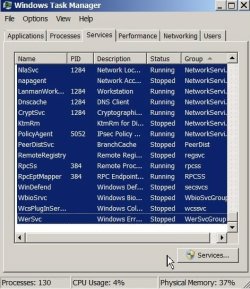
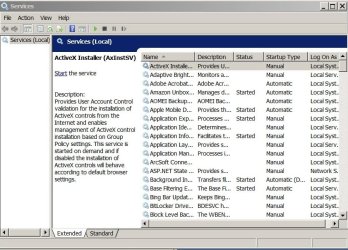
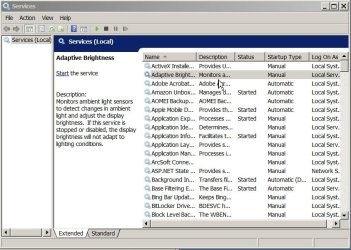
See the following three series of Screenshots I took of my many "Services" which contain too many pieces of information for me to type as I found out and you can see my attempt at trying to copy this information and paste it.... Typing it by hand line by line is forever!

Typing a list of Services to share p 1 PS35530.jpg

(Just noticed I copied by accident in the above screenshot: "Windows Defender" says it "stopped" but since I have two other AV's that should be deleted? or Cancelled? or whatever setting it should be as it was jolted awake by the latest series of Windows 7 Updates).

Typing a list of Services to share p 2 services with information PS35531.jpg

Typing a list of Services to share p 3 services with information PS35532.jpg

I always have to write it down on paper or use a Notepad to copy it off into the small window before moving to the next item in these types of computer internal listings...

And using a program called Driver Tuner ---that was supposed to check out if my drivers are up to date is now out of the question! My Norton AV program just removed it entirely from my Desktop last year! I didn't know they did that . It was good, they said but now the information is that its so full of PUPs and viruses and key loggers that using it is advised against so Norton removed all parts of the program "for me" and put it in quarantine.. automatically > I woke up one day and the spot was empty on the Desktop! I had to check out what it was from prior screenshots and explore Norton as to why it did that... whew! again and again I'm spending all my days just "IT" work on the laptop!

I don't think I have any time to actually use the laptop for anything!! in past year or so with so many other computer programs and Apple iPad dying problems too involving the iTunes and memory space here on the HDD for storing the iPad backups [ now you see how complicated this one little laptop is and how connected it is into everything else].


Then have plentyyyyy of time, and the opportunity to have another computer/device online if drivers or guidance is required.

I Have iPad that can go online (others are too old....I really should create a new thread----is there a limit to how many threads I can have?? but I never found a XP version of these Forum pages to ask a very important question: That "patch" Microsoft created for XP
to patch up the "Wannacry" Ransomeware virus etc..
I can't find the correct version for my XP Professional version
I can't risk using the Internet on that so its now 100% off line and Norton and everything else has been screaming for Internet access for months now (and I've been busy with iPad and Windows 7 Professional problems!!! too much at once to keep track of that..
and
and (there is more)

I never installed Service Pack 3 so I have to find someone expert in XP to find out answer if the "patch" which says it requires Service Pack 3 will NOT attempt to load in Service Pack 3 into my existing Windows XP Professional...
and if it did ...
I have consulted over the years, knowledge bases for dozens of third party programs that say NEVER install the Service Pack 3 as their programs were never designed for using Service Pack 3 and it will cause them to crash and become useless!

So any files I made with them will be useless!

So unless I make a brand new computer with just XP Professional Service Pack 2 in it...and re-do another new one with less programs that will crash and find out which ones they are and install Service Pack 3 just so I can get online again with XP Professional...
But
I see the error in that thinking is that I will still have a Service Pack 2 that is unable to accept the "patch" for the Wannacry ransomware!

---ok don't mind my digression... It seems to me that I just wrote the whole thread and I'll copy it off from this document/posting someday and make a new thread if I find where there is a XP Forum site still operating....

sigh...

sigh..

sigh... I'm hopeless! I write tooo long.

Oh yes, I also believe OP is capable of doing a reinstallation.
With a new disk and a new fresh install.. This computer is going to be like new again. :D

I thank you soooooo much Marie SWE for that confidence in me! (after you just read how many problems I have been having

and my regular daily problem of writing tooo long...

I never text.... I can't fit all my long sentences into just 144/280 characters of twitter :lol:


Posting #32

Why go though all that techno-stuff, plethora of this and that!

  1. CMD chkdsk /r
  2. Disk Cleanup : Extended
  3. defragment
  4. Repair Install
  5. new HDD/SSD
  6. AOMEI Backupper (simple GUI) system image, restore to new HDD, or migrate/clone HDD to SSD (if that's new drive choice)
  7. problem solved
OP should have no problem with this procedure's simplicity!

I have version if AOMEI which includes migration tool (free) no hack!

THANK you Snick for offering that...

I think you did that already..

I downloaded a link

I attempted to make an ISO disk

I ahve that ISO disk in my laptop CD Drive

But it does not have the AOMEI version 4 on it... (free)

I paid for a version of AOMEI which upgraded to version 2 (I can't get "in" anymore so I have no idea what exact number just that its version 2)

And I said it elsewhere... that Version 3 has the Product Key auto installed so when it upgrades it automatically enters it...

But for Version 2 and lower..

I needed to find the original Email I paid for and got the Product key in it...

I tried 3 Email accounts, searching for the word: "AOMEI" and no luck..... 7 more to go..... its hopeless....they sent it from a site that does not have AOMEI int he subject line or in the "to" line so I can't find it and I paid for it too!

And so I tried to write to AOMEI for help
Sent it several times... but without the product code they never responded back to me thinking I'm trying to steal their product by lying about it...

So I have to finud that code else I can't access my 2 AOMEI saving on another external HDD! This one also is the HDD with the two Macrium saved backups on it.... All of the AOMEI versions are locked out unless I have a working AOMEI and it won't let me past the "STOP! You must upgrade first" Screen to continue using AOMEI (I'm afriad to turn it on as its hard to tell it "no" and get rid of it off the screen----I resort many times to pressing Hard Power Button off just to get rid of a stubborn program asking me to make a decision forever that I can't ask someone right then and there what to do! Sigh
Sigh
Yes I do the worst things when I'm given two choices and no way to decide!

And of course I read all the warnings before I do that .... so I never pressed "yes" as I do not have at the ready the product code
And again I am sorry to complain that there is no one immediately available to help me... (sad emojii face).


I'll be posting huge posts in another related thread: Upgrade Windows 10 (Snick is already here) OP banned spammer So if you would like to read those too.

I'll still answer to any direct questions here in this topic relating to what I wrote above......


=======================

I'll be posting huge posts in another related thread: Upgrade Windows 10 (Snick is already here) OP banned spammer So if you would like to read those too.

I'll still answer to any direct questions relating to this current thread!

Thanks everyone for reading to the end of a long posting!
:thumbsup:
 
Last edited:

My Computer

Computer type
Laptop
Computer Manufacturer/Model Number
SONY VAIO VPCS111FM
OS
Windows7 Professional 64bit
CPU
Intel(R) Core (TM) i5 CPU M 430 @2.27 Ghz
Memory
8.0 GB
Hard Drives
Seagate 500GB Momentus
Cooling
Internal fan
Mouse
Logitech bluetooth trackball
Browser
Pale Moon Browser for x64
P.P.S. to the above long post

Guess what?

Using Google Chrome now that it 'works" I opened too many windows I guess as I vainly struggled, attempting to catch up on everything I’ve not done for past week or two that I've had a non-functioning PC and still have work that can only be done on it/online.. All in one day? Yes!

I got low memory warning and “bit mapped window not found” or something like that no screenshot as its not working either....

I closed programs (chrome shut down all by itself) to get out of this problem and shut down computer. The words “shutting down stayed on screen for a while... maybe 10? 20 minutes...
Then all ok and all dark. I let everything cool off for an hour or so before re-starting computer

On start up of power button
Says “Starting Windows”. Always a good sign to see four colors and window....
Never got to desktop

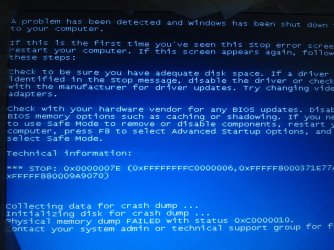
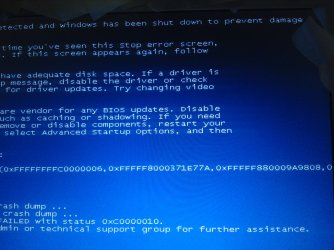
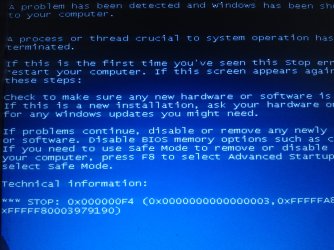
I got the BSOD!
“ A. Problem has been detected and windows has shot down to protect damage to your computer”

Ill try to post a screen shot with a camera!

Done! See the two below:

BSOD from Low Memory restart Page 1 DSC00057.jpg

BSOD from Low Memory restart Page 2  DSC00058.jpg


At end collecting data for Crash Dump

Initializing disk for crash dump
Physical Memory dump FAILED w status. 0xC0000010

(I’ve looked them up before...it’s always. “Some unknown error” so lots of help from the Microsoft data base!) :lol:

Says:
Contact your system administrator or. Technical service group for a solution.

I.e. you?
So I’m back here for the experts who are better than Microsoft.
———
So I shut down computer again.
———
Then. Upon startup. I got the choice to startup repair versus restore

No one to “ask”.
Just sits there on the screen
Can’t decide!
No time for typing pro con notes and asking questions as. There is no operating computer to ask online for help until I “fix” this one....

I can’t just leave it “running” while I consider all the two choices... fix up start up or restore back to some last
Unknown”. Good condition. (I can’t see which one the OS will choose its out of my hands and I’m in the dark about how its done!!

So I chose the coward’s way out

Had it do half and hour of unsuccessful
Start up repair”. I know the answer...
It can’t be repaired.

Finally it says using similar words on the BSOD: Please find someone to help you.

* * *
Thanks for your opinions at this point!

(P.S. of course the computer is back operating again so I was able to rapidly post this and the above long post before it again breaks down on me!).
 

My Computer

Computer type
Laptop
Computer Manufacturer/Model Number
SONY VAIO VPCS111FM
OS
Windows7 Professional 64bit
CPU
Intel(R) Core (TM) i5 CPU M 430 @2.27 Ghz
Memory
8.0 GB
Hard Drives
Seagate 500GB Momentus
Cooling
Internal fan
Mouse
Logitech bluetooth trackball
Browser
Pale Moon Browser for x64
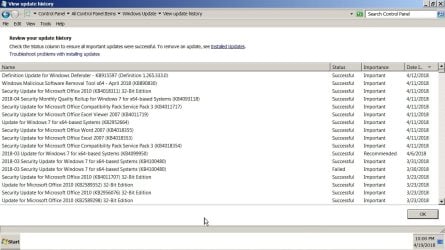
You shouldn't be running more than 1 Anti-virus at a time, that in and of itself, can cause your performance problem. No, in this case, more is not better. If you wish to have a better look at your BSOD error, download, install and run
BlueScreenView - NirSoft
If the site doesn't provide enough pertinent info to get you up to speed so to speak, try a few googles on it.

My opinion after reading your plethora of issues, Repair Install, be sure you have your 25-character product key written down somewhere safe.
Repair Install to Fix Windows 7 Without Reformatting by Britec - YouTube

Always, always, always, make a full system backup before attempting this or any other major change to your system, and relatively frequent backup as a general rule.
Win7 ISO
TechBench
All editions ( pro, home premium, etc ) can be made available from any windows 7 iso - either by removing the ei.cfg file from the sources folder, or by using
[FONT=&quot]eicfg_removal_utility.zip[/FONT]
 

My Computer

Computer type
PC/Desktop
Computer Manufacturer/Model Number
HP Desktop & Compaq Laptop
OS
Win 10 x64, Linux Lite, Win 7 x64, BlackArch, & Kali
Hard Drives
Samsung 850 Pro 256Gb,
Hitachi HDD 1Tb,
Crucial MX SSD 250Gb
Segate 3Tb USB 3.0 Ext. Backup HDD
Internet Speed
150Mbps dn, 20Mbps up
Antivirus
Avast Free, Malwarebytes Anti-Exploit & Anti-Ransomware
Browser
Firefox, Chrome, Opera, & VPN
Snick if I may ask, what is the benefit of performing an in-place upgrade repair install over a normal format and fresh install?
 

My Computer

OS
Windows 7 x64
Posted here the corrections I was going to do above so they are cleare

Reprinted Title of this post so you can read it: Posted here the corrections I was going to do above so they are clearer and stand out rather than hide them inside all the other text above in my prior post to this one.


Hi everyone!

Sorry I took too long to post and fix my errors in the long post (Post #33) above...

First error (filled in the blank new thread with this link)

Reinstalling Win 7 professional over old Win 7 Professional without - Windows 7 Help Forums

Hope that helps explain some of the difficulties I had with the existing version of Windows 7 Professional since the day it was installled.

(I relate it there in a separate category as its a different problem and may prevent me from actually successfully completing the re-installing of the Windows 7 over the old Windows 7 and I want to be 100% aware of what potential problems might occur for me having gone through them already).

* * * * *
I was going to insert the corrections (all of them) into the post, but decided that since Snick already had read it and one concerned him... I'd better separte it out and list it here:

In this thread: Snick suggested:

Why don't you purchase a USB 3.0 external hard drive, you can get 4tb of storage, see: Seagate external hard drives
You can purchase a portable (easily carry it with you) or one that sits on your desk, etc. on the cheap. I have a Seagate 3tb HDD USB 3.0 that I purchased 2 years ago which I keep my computers, both, backups on. I'd purchase an external hard drive HDD not solid state drive SSD due to the longevity of the device. SSDs tend to wear out quicker or, since it operates similar to a flash drive, data corruption.

So in the above thread where I was talking about getting a 1.5 to 2 TB HDD I agree with Snick that I'd try to get a 4 TB HD. (I already ahve two with the old Apple, so I am certainly a long writer....so I could fill that up quickly enough with data and backup copie(s)

* * * * *

and :

Crucial Website[/URL]

I have 2 crucial 1tb SSDs for my laptop and Samsung 850 Evo 2tb for my desktop with 4tb HDD as 2nd drive. Desktop is Quad core AMD so I oped for the faster more expensive Samsung. My Laptop has a dual core Intel, slower CPU front side bus, so the cheaper Crucials were the choice there.


Thanks for suggestion I go to "crucial", but with my computer failing so much I can't take the time to dream of bigger internal HDD's and do your suggested search and program run just yet... I have not forgotten it! Just copied it over to the current thread I'm running now to share your advice with others who are reading this long one as well.

* * * * *

APologies for mixing your user name with SIW2's name and post.

I did not correct the above post as you seem to have read it already...

I will correct it here with apologies:

Please see prior topic of discussion 04 November 2017:

Operating System Not Found(After weeks of unrepaired Start up problem)
Operating System Not Found(After weeks of un repaired Start up problem)

Hi again all and especially SIW2:

Thanks for helping me fix the Laptop so I can work on my broken iPad to restore/data recovery from it.
About AOMEI:

You Posted:
You can borrow a copy of my boot media. It has lots of repair tolls in it, ( including Aomei Backupper 4.06 ).

Boot it up. then have a look with Aomei part assist or disk management and post a screenshot of what they show.

17514x64-v5.iso
I have currently Professional Edition 2.2

Which says when you click on icon that it refuses to save anything new until I update it (to Ver 3 last time I checked).....it says version 4.0.6 is available now)

They say on website if yu don't have Version 3 or higher installed you must find the original license number when you got the AOMEI....that is somewhere hidden back in 2014? 2015? Emails but not under AOMEI topic...I tried in 10 Emails... no one from AOMEI sent me anything and they ddidn't respond to my twice sent request back in 2017 for help getting my license number so I can upgrade from 2.2 Professional Edition (which I paid for) up to new one..

Version 3 and higher "remembers" your License number so you don't need to "find" the original Email you received as a receipt!
So I really
Really!
Appreciated your .iso disk.

I downloaded and created the boot disk.

[off topic} I got super occupied trying to restore iPad1 that refused to get out of stuck restore loop.... (and sync saved files were corrupted on last 10 or 15 months so can't be used!) Its ok...got through it all by self with help from free outside people (like yourself) on the Apple side of the Computer world.... so I was able to restore it without paying for a complete expensive Data Recovery process so I can now buy a brand new iPad with the money and download a saved copy of the missing data to it. [end off topic]

I only related that to let you know where I was since November 2017, all this time...

I created a new thread as I'm certain adding to a thread that was not mentioned since November 2017 would just get my new post lost....so sorry to have to "re-invent" the topic.....

Anyway... why I write today is when I opened the .iso boot disk....I expected to find AOMEI Folder with version 4.2 in it... not true....

SO maybe I saved and created the .iso the wrong way.... I went over the instructions and there were really no "choices" I had other than to burn disk which I did.

Have any suggestions for me?

(I know I promised to rep you (and others) but since the .iso disk did not work as intended I did not do it on that post number #5 04 November 2017.)

Operating System Not Found(After weeks of unrepaired Start up problem)

So SIW2 was the one who sent me the link and I made the .iso disk correctly or incorrectly..... Either way the anticipated version 4 of AOMEI is not on it...and I don't even know what to do with it to make it work here so I can view my old saved AOMEI backups and create new ones so I ahve two of them always.

[I read too fast....someone somewhere mentioned how using AOMEI you have to be careful which drive to aim the "restore" command to as sometimes you can restore the wrong drive as it does not work the way it should......
Hope that jogs someone's memory...

Maybe after all this writing and work, I should just ABANDON AOMEI totally...
What good does a backup program do if I can't use it properly or make it go to the correct HD and I might have several connected together to accomplish a backup restore to a laptop HDD.

See what I mean? I may know a lot but if you don't know WHAT you're doing at every step

you can really damage all your carefully saved data when trying to replace it back!

* * * * * *

And of course...

Going in and out of Google Chrome browser and turning off the Laptop when I get memory warnings... caused these BSOD's to appear upon one of the start ups today

and I'm adding them into the current list of BSOD's I receive until the computer just does not work anymore....... sigh....

Here they are from camera photos:

Another Low Memory BSOD upon start up p1 DSC00059.jpg

Another Low Memory BSOD upon start up p2  DSC00060.jpg
 

My Computer

Computer type
Laptop
Computer Manufacturer/Model Number
SONY VAIO VPCS111FM
OS
Windows7 Professional 64bit
CPU
Intel(R) Core (TM) i5 CPU M 430 @2.27 Ghz
Memory
8.0 GB
Hard Drives
Seagate 500GB Momentus
Cooling
Internal fan
Mouse
Logitech bluetooth trackball
Browser
Pale Moon Browser for x64
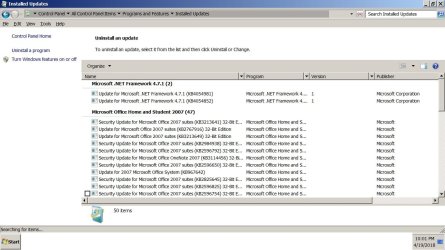
@TheDeerDude,
Repair Install
Repair Install to Fix Windows 7 Without Reformatting by Britec - YouTube

You don't format the drive, therfore, you keep all your files, folders, pictures, installed programs, videos, desktop settings, icons, etc., it only replaces Windows OS. Corrects many issues, registry, win update, missing or corrupt system files, etc. Saves having to reinstall all YOUR installations. It doesn't save all the windows updates. You can use convenience rollup to reinstall win updates to, I believe, April 2016, (200+) providing you install prerequisites.

How to Update Windows 7 All at Once with Microsoft's Convenience ...

And, if you have considerable system file corruption, Repair Install may fail, necessitating further assistance.
 

My Computer

Computer type
PC/Desktop
Computer Manufacturer/Model Number
HP Desktop & Compaq Laptop
OS
Win 10 x64, Linux Lite, Win 7 x64, BlackArch, & Kali
Hard Drives
Samsung 850 Pro 256Gb,
Hitachi HDD 1Tb,
Crucial MX SSD 250Gb
Segate 3Tb USB 3.0 Ext. Backup HDD
Internet Speed
150Mbps dn, 20Mbps up
Antivirus
Avast Free, Malwarebytes Anti-Exploit & Anti-Ransomware
Browser
Firefox, Chrome, Opera, & VPN

My Computers

System One System Two

  • Computer type
    PC/Desktop
    Computer Manufacturer/Model Number
    custom build
    OS
    Windows 7 HP 64
    CPU
    i5 6600K - 800MHz to 4200MHz
    Motherboard
    GA-Z170-HD3P
    Memory
    4+4G GSkill DDR4 3000
    Graphics Card(s)
    IG - Intel 530
    Monitor(s) Displays
    Samsung 226BW
    Screen Resolution
    1680x1050
    Hard Drives
    (1) -1 SM951 – 128GB M.2 AHCI PCIe SSD drive for Windows 7 and Lubuntu
    (2) -1 WD SATA 3 - 1T for Data
    (3) -1 WD SATA 3 - 1T for backup
    PSU
    Thermaltake 450W TR2 gold
    Keyboard
    Old and good Chicony mechanical keyboard
    Mouse
    Logitech mX performance - 9 buttons (had to disable some)
    Internet Speed
    500Mb/s
    Browser
    Firefox 64
    Other Info
    TinyWall firewall
  • Computer type
    Laptop
    System Manufacturer/Model Number
    Asus Q550LF
    OS
    Windows 7 Pro
    CPU
    i7-4500U 800MHz to 3.0GHz
    Motherboard
    Asus Q550LF
    Memory
    (4+4)G DDR3 1600
    Graphics Card(s)
    IG intel 4400 + NVIDIA GeForce GT 745M
    Sound Card
    Realtek
    Monitor(s) Displays
    LG Display LP156WF4-SPH1
    Screen Resolution
    1920 x 1080
    Hard Drives
    BX500 120G SSD for Windows and programs +
    1T HDD for data
    Internet Speed
    500 Mb/s
    Browser
    Firefox
    Other Info
    TinyWall firewall
What the???????

I'm going to jump ahead and just reply quick as I can to Post #39

Hi Megahertz07!

You posted:

Repair Install - Windows 7 Help Forums must be launched from running windows. If you can't boot into windows, boot a Linux CD or USB flash disk, save all your data on an external disk and do a Clean Install Windows 7 - Windows 7 Help Forums.
Use the offline SP2 update and the security only updates. MS releases SP2 for Windows 7 - Windows 7 Help Forums

Good ideas.... I can boot into windows so "repair" sounds good

Have to "first" purchase a new HDD

So I can save "somewhere" Using MACRIUM, my existing, badly corrupted, version of Windows 7 Professional (x64) without having me erase an earlier save of a Macrium that might work better but has less data and is less up to date on it....as ext Drive is full....and have to erase a back up to make room for a new one!

But I have for you!
An Even bigger question!

Was I asleep at the switch?

I always have Microsoft "notify" me of updates, never auto install so something bad can't be auto-installed before I check it out and can stop it!

so where does:

Use the offline SP2 update and the security only updates. MS releases SP2 for Windows 7 - Windows 7 Help Forums

This fit in?

I have:

OH OH Am I missing SP2 When did that come out for x 64 PS35551.jpg


Did I miss an important update with SP2?

Everyone! Maybe that is why my whole system is malfunctioning! If I'm behind on an important update, but the screen just says "optional updates" no more "important updates : (I can provide that screenshot if someone says I really missed SP2 for Windows 7! And this is why everything is crashing around me!

Thanks for answering this Megaherz07!


I am confused so I dumped a whole bunch of screenshots here....

I have two different locations it seems for holding "windows update items"

I can['t even begin to search for the KB items you mentioned in your link above: MS releases SP2 for Windows 7 - Windows 7 Help Forums

I'm just a mini-geek lost in the weeds here... bowing down to the superior forces that know their way through this maze.

(I always "looked" but never really memorized what items were here or why I downloaded each one...just approved each one as long as the Microsoft sites said they were "ok" free of bugs and viruses to download and use them)

Screenshots!

Win Updates p1 PS35555.jpg

Win Updates p2 PS35556.jpg

Win Updates p3 PS35557.jpg

Win Updates p4 PS35558.jpg

Win Updates p5 PS35559.jpg

Win Updates p6 PS35560.jpg


(I stopped doing this! I can't cut and paste everything at once....and doing it this way a few at a time... I probably duplicated some of them and I can't even know that for certain I'm not good at this detail work.....
AND I only went back to December 31st 2017... do you know how far this history stretches back to? Because I don't. One screen slowly loads at once (you can't go to "last" or "first" as in the Windows Seven Forum Website (unless I missed a button somewhere here ---stupid me!).....
 
Last edited:

My Computer

Computer type
Laptop
Computer Manufacturer/Model Number
SONY VAIO VPCS111FM
OS
Windows7 Professional 64bit
CPU
Intel(R) Core (TM) i5 CPU M 430 @2.27 Ghz
Memory
8.0 GB
Hard Drives
Seagate 500GB Momentus
Cooling
Internal fan
Mouse
Logitech bluetooth trackball
Browser
Pale Moon Browser for x64
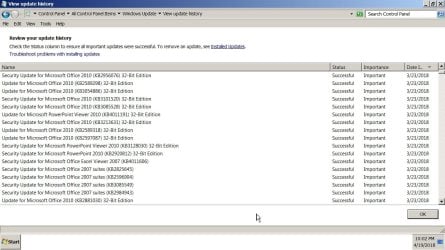
Back
Top