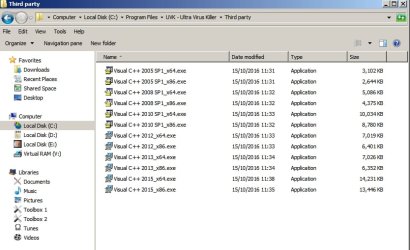
well lve just run the explorer.exe monitoring to my laptop (as lm doing my weekly update check and VPS backups) have also uninstalled all C++ stuff there and reinstalled using the methods previously mentioned tho downloaded both 64/32bit versions and installed them of the 2015 versions so l should see pretty much what you would expect.
will keep the programs around for further notes for future install/reinstalls. tho for the time being l'll keep monitoring explorer.exe to see if any more crashes occur on either system (one of the main reasons l dont suspect gfx is my PC uses intel drives and my laptop used AMD ones).
================
EDIT: as previously stated l setup the same monitoring of my laptops explorer.exe (the only difference being that l uninstalled and reinstalled C++ runtimes with the methods stated within this topic), its giving off the same event log error that was given by my PC (previously stated within this topic) however lm able to provide the crash dump of my laptops explorer.exe dmp file quicker this time.
might be interesting to see if there is a common element.. tho l will note both crashes were while l was using teracopy to copy files at the time (this is the comment element between tonights crashes, tho l have had my PC give off an explorer crash while browsing once). lve attached the dump file from my laptop (the previously posted one was from my PC tho its already been uploaded l have uploaded both noting which of my systems they came from the PC one being the one you have already seen, tho the PC one is prior to reinstall of C++ the laptop one was created after running the same update/reinstalls of C++) l wonder if there is a common element.
=======
EDIT 2: l was randomly looking around thinking about common elements.. and l came across a user who was having the same issue (there are quite a few of them) however this specific user had something in common with me.. namely Google Drive, and truth be told l dont remember many crashes before my usage of ninite updater which l use to update multiple things but the one thing l can say is both systems use google drive (before l wouldnt leave it running on my PC because my ram usage kept on growing but now with 32GB it doesnt bother me) either way l have disabled right click context menus for google drive as mentioned
here, just scroll up for the rest of the thread, lm hoping the explorer crash doesnt happen any more but will see how things go, tho either way it will be interesting to compare both my laptop and PCs crashes.