
I'm getting the following error message.
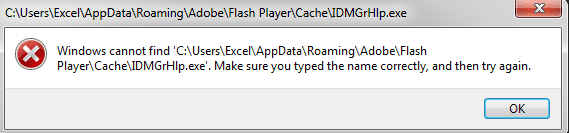
Yesterday when I was forced to reboot my machine, I got an error saying that the same file was not valid, so i deleted it. Now, yes it's gone, and it's still causing a problem. How can I resolve this issue permanently?
Thanks so much!
Yesterday when I was forced to reboot my machine, I got an error saying that the same file was not valid, so i deleted it. Now, yes it's gone, and it's still causing a problem. How can I resolve this issue permanently?
Thanks so much!
My Computer
At a glance
Windows7
- Computer type
- PC/Desktop
- Computer Manufacturer/Model Number
- Lenovo
- OS
- Windows7


