formatting new ssd

kaschiro

New member
Member
VIP
Local time
6:54 AM
Messages
101
Today I will be getting my new ssd samsung 820 120gb. My question is

1. I made a dell system recovery disk, will that disk format the ssd automatically or must the new ssd be formatted using a program.

2. the program I am going use is called "partition wizard" and the disk is a boot disk. Can I use that to pre format , prior to using the system recovery disk? I have used this on other hdd and it does the job. Then use the recovery disk to install the OS

Given the above the above scenario which is the best way to proceed
Kas
 

My Computer

Computer type
Laptop
Computer Manufacturer/Model Number
dell inspiron 17r n7110
OS
win 7
CPU
intel i5
Motherboard
dell
Memory
6 gig

Attachments

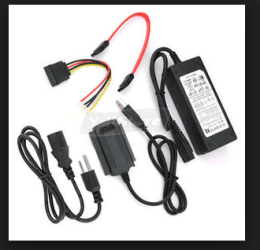
  • ADAPTOR.PNG
    ADAPTOR.PNG
    30.6 KB · Views: 45

My Computer

Computer type
PC/Desktop
Computer Manufacturer/Model Number
Own build (new) Desk1 / Asus ROG Win 7 / Desk2 1st build
OS
Desk1 7 Home Prem / Desk2 10 Pro / Main lap Asus ROG 10 Pro 2 laptop Toshiba 7 Pro Asus P2520 7 & 10
CPU
Desk1 i5 3750K / Laptop i7 GTX 860M / Desk2 i5 2500
Motherboard
Desk1 Asus P877-V / Desk2 Gigabyte H67 UD3H / Laptop ?
Memory
Desk1 8GB (1866) / Desk2 16GB (1333) / Laptop 8Gb DDR3
Graphics Card(s)
Desk 1& 2NVidia GTX 650 & Laptops on board Intel
Sound Card
Desk 1 & 2 -XONAR DG Realtek High Def audio Laptop
Monitor(s) Displays
Desk 1 Benq HD 2450 / Desk2 Philips 24" / Laptop 17.5"
Screen Resolution
1920x1080 D1 & D2 & Laptop 1
Hard Drives
Desk1 Samsung 120GB 830 SSD
Asus ROG 256GB 850 Pro SSD
Desk2 Samsung 840 256 SSD
Toshiba 120GB EVO
PSU
Desk 1 Corsair HX 1050/ Laptop ? / Desk 2 Corsair HX 650
Case
Desk 1 Cooler HAF XM ? Toshiba laptop / Desk2 Coolermaster
Cooling
Fans on all Desk1 -2 Desk2 - all Coolermasters 5 Laptop ?
Keyboard
Desk 1 MS Sidewinder X6 Desk 2 MS Sidewinder X 4
Mouse
Desk 1&2 - Gigabyte MS 900 gamer - laptop - Logitec wireless
Internet Speed
ADSL2+
Other Info
One other Desktop (tester) and spare Toshba laptop both with SSD's
Running Kaspersky 2016 ISS on all machines config'd identically
Logitec audio stereo systems on each machine (x3)
Canon MG5250MFC
Router/modem TP-Link running WPA2SK
Today I will be getting my new ssd samsung 820 120gb. My question is

1. I made a dell system recovery disk, will that disk format the ssd automatically or must the new ssd be formatted using a program.

2. the program I am going use is called "partition wizard" and the disk is a boot disk. Can I use that to pre format , prior to using the system recovery disk? I have used this on other hdd and it does the job. Then use the recovery disk to install the OS

Given the above the above scenario which is the best way to proceed
Kas


Basically you want to swap your current HDD with SSD? "dell system recovery disk" will bring the computer in same state as at the time you bought it. Not what you want I assume (?)
 

My Computer

Computer type
Laptop
Computer Manufacturer/Model Number
ACER ASPIRE 5742G
OS
Microsoft Windows 7 Home Premium 64-bits 7601 Multiprocessor Free Service Pack 1
CPU
Intel(R) Core(TM) i3 CPU M 370 @ 2.40GHz
Motherboard
Acer Aspire 5742G
Memory
4,00 GB
Graphics Card(s)
ATI Mobility Radeon HD 5400 Series
Sound Card
(1) AMD High Definition Audio Device (2) Realtek High Defi
Screen Resolution
1366 x 768 x 32 bits (4294967296 colors) @ 60 Hz
Hard Drives
WDC WD5000BEVT-22ZAT0

My Computer

Computer Manufacturer/Model Number
HP, Dell, Gateway, Toshiba - 4 laptops and 2 desktops
OS
Vista, Windows7, Mint Mate, Zorin, Windows 8
CPU
from 1.6GHz Duo to i7
Monitor(s) Displays
2x HP w2207
Hard Drives
5x HDD, 7x SSD, 12x Externals
Keyboard
with trackball - no mices
Mouse
Trackball mice
Internet Speed
DSL 6000
Today I will be getting my new ssd samsung 820 120gb. My question is

1. I made a dell system recovery disk, will that disk format the ssd automatically or must the new ssd be formatted using a program.

2. the program I am going use is called "partition wizard" and the disk is a boot disk. Can I use that to pre format , prior to using the system recovery disk? I have used this on other hdd and it does the job. Then use the recovery disk to install the OS

Given the above the above scenario which is the best way to proceed
Kas


Basically you want to swap your current HDD with SSD? "dell system recovery disk" will bring the computer in same state as at the time you bought it. Not what you want I assume (?)

Basically that is correct, I want all the drivers just the way they are now! Dell bloat ware is going to be taken out....I have added a number programs this way I can clean them all out and start over again with what I want..As I understand it the old programs will not be installed..is this correct? yes or no

Come to think of it, will the Dell bloat ware be reintalled? yes or no
 

My Computer

Computer type
Laptop
Computer Manufacturer/Model Number
dell inspiron 17r n7110
OS
win 7
CPU
intel i5
Motherboard
dell
Memory
6 gig
So new SSD is 120GB.
Can you post a screenshot of current hard drive layout? So post screenshot of Disk Management please.
If I know the old disk layout I can give you instructions how to clone for free.

======
"dell system recovery disk"=>it will install everything ... just like you just bought it. Don't do it!! Getting rid of bloatware is just this: investigate what you don't want.... uninstall what you don't want.
 

My Computer

Computer type
Laptop
Computer Manufacturer/Model Number
ACER ASPIRE 5742G
OS
Microsoft Windows 7 Home Premium 64-bits 7601 Multiprocessor Free Service Pack 1
CPU
Intel(R) Core(TM) i3 CPU M 370 @ 2.40GHz
Motherboard
Acer Aspire 5742G
Memory
4,00 GB
Graphics Card(s)
ATI Mobility Radeon HD 5400 Series
Sound Card
(1) AMD High Definition Audio Device (2) Realtek High Defi
Screen Resolution
1366 x 768 x 32 bits (4294967296 colors) @ 60 Hz
Hard Drives
WDC WD5000BEVT-22ZAT0
Today I will be getting my new ssd samsung 820 120gb. My question is

1. I made a dell system recovery disk, will that disk format the ssd automatically or must the new ssd be formatted using a program.

2. the program I am going use is called "partition wizard" and the disk is a boot disk. Can I use that to pre format , prior to using the system recovery disk? I have used this on other hdd and it does the job. Then use the recovery disk to install the OS

Given the above the above scenario which is the best way to proceed
Kas


Basically you want to swap your current HDD with SSD? "dell system recovery disk" will bring the computer in same state as at the time you bought it. Not what you want I assume (?)

Basically that is correct, I want all the drivers just the way they are now! Dell bloat ware is going to be taken out....I have added a number programs this way I can clean them all out and start over again with what I want..As I understand it the old programs will not be installed..is this correct? yes or no

Come to think of it, will the Dell bloat ware be reintalled? yes or no
If all you want is a clean install then look at this http://www.sevenforums.com/tutorials/219487-clean-reinstall-factory-oem-windows-7-a.html make sure of the edition and it doesn't have an "N" or "old" marked alongside it and it is the language you want and you will get not bloat at all.

As for formatting it we have already given you several options to do that so have you tried any of them yet??
 

My Computer

Computer type
PC/Desktop
Computer Manufacturer/Model Number
Own build (new) Desk1 / Asus ROG Win 7 / Desk2 1st build
OS
Desk1 7 Home Prem / Desk2 10 Pro / Main lap Asus ROG 10 Pro 2 laptop Toshiba 7 Pro Asus P2520 7 & 10
CPU
Desk1 i5 3750K / Laptop i7 GTX 860M / Desk2 i5 2500
Motherboard
Desk1 Asus P877-V / Desk2 Gigabyte H67 UD3H / Laptop ?
Memory
Desk1 8GB (1866) / Desk2 16GB (1333) / Laptop 8Gb DDR3
Graphics Card(s)
Desk 1& 2NVidia GTX 650 & Laptops on board Intel
Sound Card
Desk 1 & 2 -XONAR DG Realtek High Def audio Laptop
Monitor(s) Displays
Desk 1 Benq HD 2450 / Desk2 Philips 24" / Laptop 17.5"
Screen Resolution
1920x1080 D1 & D2 & Laptop 1
Hard Drives
Desk1 Samsung 120GB 830 SSD
Asus ROG 256GB 850 Pro SSD
Desk2 Samsung 840 256 SSD
Toshiba 120GB EVO
PSU
Desk 1 Corsair HX 1050/ Laptop ? / Desk 2 Corsair HX 650
Case
Desk 1 Cooler HAF XM ? Toshiba laptop / Desk2 Coolermaster
Cooling
Fans on all Desk1 -2 Desk2 - all Coolermasters 5 Laptop ?
Keyboard
Desk 1 MS Sidewinder X6 Desk 2 MS Sidewinder X 4
Mouse
Desk 1&2 - Gigabyte MS 900 gamer - laptop - Logitec wireless
Internet Speed
ADSL2+
Other Info
One other Desktop (tester) and spare Toshba laptop both with SSD's
Running Kaspersky 2016 ISS on all machines config'd identically
Logitec audio stereo systems on each machine (x3)
Canon MG5250MFC
Router/modem TP-Link running WPA2SK
Today I will be getting my new ssd samsung 820 120gb. My question is

1. I made a dell system recovery disk, will that disk format the ssd automatically or must the new ssd be formatted using a program.

2. the program I am going use is called "partition wizard" and the disk is a boot disk. Can I use that to pre format , prior to using the system recovery disk? I have used this on other hdd and it does the job. Then use the recovery disk to install the OS

Given the above the above scenario which is the best way to proceed
Kas

Hi Kas,

You should try many perfect ideas suggested here. And if you wish to clean both the disks and start completely new then you can check this :

http://www.sevenforums.com/tutorials/306285-install-windows-msata-ssd-drive.html

NOTE: Ignore the steps for ISRT as they might not be applicable for you.

This would format both your drives and you can use the SSD as boot disk and HDD for data storage.

Keep us posted with the results so we can advise you further.
 

My Computer

Computer type
PC/Desktop
OS
Winndows 7 32 bit
Back
Top