
My Computer
- OS
- Windows 7 Ultimate 7100



No, you cannot upgrade from 32 bit to 64 bit without doing a "clean install" That's why I suggested you switch now if you plan to switch to 64 bit later.
It sounds like it's going to bother you. I would get the 64 bit DVD and do a clean install now. That way you can get used to it, use all of your RAM and do another clean install to the RTM when it comes out later this year.
I hope this has helped you. You can also read a number of threads on 32 vs 64 bit on this forum. There is some very good information here. Just search for 64 vs 32 bit and two or three will come up if you want to know more.
I would just switch now and be done with it so you can use your hardware to the fullest.
Hope this helped. Have a great day.


.i read all some threads here and it seems like i won't be losing anything for installing the 64bits edition... i will give it a try , thanks guys

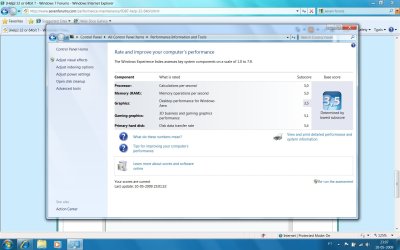
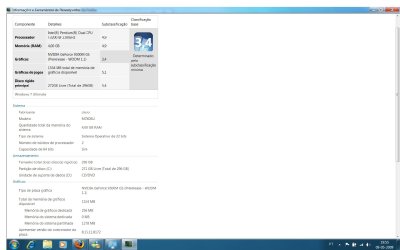
.So it's basically a slow video card that's also preventing you from using a portion of your RAM. But, if the video card is using shared video memory (a part of your RAM), then it's possible that that part of your RAM is being used in the reserved address space for the video card. What this means is that any performance increase caused by switching to x64 could be less than expected.
Finally, if this is a laptop, then I'd wonder about the availability of larger RAM modules for it.

 ). If you have more than 3 GB. of RAM, you need an x64 edition of Windows. If you intall a 32 bits edition, you will be wasting a couple of megabytes there.