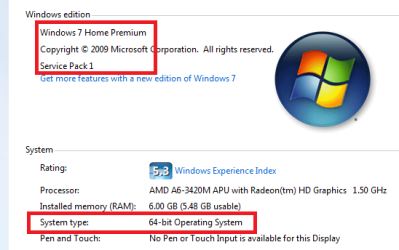
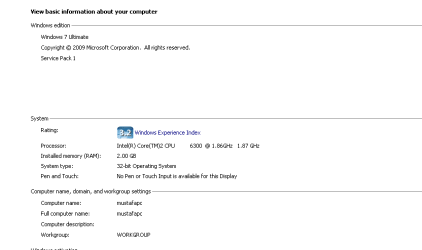
If you could fill in the model number of the HP Desktop, then it will be ok.
Without the model number, members are hard pressed to find information specific to your machine.
Please add that information to this field:
System Manufacturer/Model Number HP
The tool in the tutorial would have made it a little easier, but even that doesn't fill in the model number.
Thanks for filling in your System specs.
Are there any error msgs displayed when the freeze happens?
Look in the Event Viewer for error, critical, and warning msgs
In the Start Menu search box, type
Event Viewer
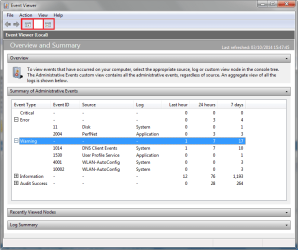
Event Viewer should be highlighted at the top of the results - you can just hit enter to launch it (you can also double click it)
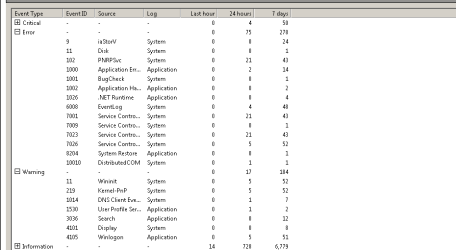
Maximize the Event Viewer window and expand the three categories (don't worry about informational or audit entries)
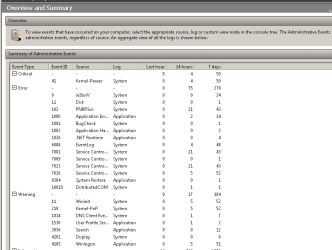
Collapse the other two panes (Recently Viewed nodes and Log summary) to display the most information in the Summary pane
Drag the column headings to the right so that all of the text in the column entries is displayed (it should all fit in a maximized window). The most important columns are Event Type, Event ID, and Source.
Th event logs might give members something to chew on.
You can also try a few things while you wait:
Some of the steps are more than what is initially required (re-install Windows is after a lot of other things have been tried and failed to resolve the issue - that's why it is stated as "consider....")
Keep this side of your monitor informed as to what steps in which tutorial you have tried and the results. Some of this is wait-and-see, apply one change, see how your system behaves:
- better? stop trying other things.
- not better, try the next step in the tutorial or the next tutorial.
Take things slow and easy, one step at a time. Doing too much at once might not tell you which step solved the issue and it might get confusing even though the tutorials are well written step-by-step instructions.
If you're not sure about a step ask first so you understand what you're doing. Tutorials have some utilities or Windows references that are seldom used by the average user.
Bill
.