IE-9 favorites

karen367

New member
Local time
3:28 PM
Messages
3
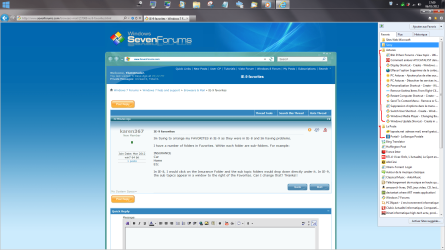
Im trying to arrange my FAVORITES in IE-9 as they were in IE-8 and Im having problems.

I have a number of folders in Favorites. Within each folder are sub-folders. For example:

INSURANCE
Car
Home
Etc

In IE-8, I would click on the Insurance Folder and the sub topic folders would drop down directly under it. In IE-9, the sub topics appear in a window to the right of the Favorites. Can I change that? THanks!!
 

My Computer My Computer

At a glance

win7 64 bit
Computer Manufacturer/Model Number
HP Laptop
OS
win7 64 bit
Hi,
Strange, for me it's ok.
Is it with your favorites toolbar or your favorites menu (like me)?
 

Attachments

  • Sans titre1.png
    Sans titre1.png
    165.4 KB · Views: 31

My Computer My Computer

At a glance

Windows Seven Familiale Premium 64i5 5204GbATI Radeon HD 5650
OS
Windows Seven Familiale Premium 64
CPU
i5 520
Memory
4Gb
Graphics Card(s)
ATI Radeon HD 5650
Screen Resolution
1920x1080
Its in favorites.
 

My Computer My Computer

At a glance

win7 64 bit
Computer Manufacturer/Model Number
HP Laptop
OS
win7 64 bit
Hi, new to 'threads' - regarding 'Favorites' in IE9 - I too have no problem. Folders within folders just drop underneath one another as you seem to say. It is only when you go to 'Add to favorites' and click open where you want to add, does it show folders dropped at angles to the right.? Why not save your favourites (clilck open File and cllick open Export/Import) and click on 'Favorites' to export it to your hard drive. Then download IE9 again to see what happens. You can then click on 'File' in IE9 and go down the list but this time on the 'Export/Import' click to import favorites. Always good idea to save your favorites in a separate folder on your hard drive.
Best of luck,
Malcolm
 

My Computer My Computer

At a glance

Windows 7 Home Premium 64 bitYes8 GbYes
Computer Manufacturer/Model Number
Dell
OS
Windows 7 Home Premium 64 bit
CPU
Yes
Motherboard
Yes
Memory
8 Gb
Graphics Card(s)
Yes
Sound Card
Yes
Monitor(s) Displays
one
Hard Drives
1 GB
PSU
yes
Case
yes
Cooling
yes
IE-9 Favorites

Intruder and Malpat..Thanks for the replies. Intruder: the problem is in favorites...not Fav tool bar. And, Malpat...thanks for the suggestion but I dont want to go thru exporting Favorites to hard drive to save and downloading IE9 again. I was hopeful that there was an easy fix to this.
 

My Computer My Computer

At a glance

win7 64 bit
Computer Manufacturer/Model Number
HP Laptop
OS
win7 64 bit
Welcome to Seven Forums karen367. This is normal behavior for IE9. It has "fly out" menus that open to the right (or left if you have the menu on the right), instead of cascading menus underneath. I know of no way to change this default behavior. A Guy
 

My Computer My Computer

At a glance

Windows 10 Home x64INTEL Core i5-750 Quad-Core 3.37GHzHyperX Fury Black Series 8GB (2 x 4GB) 1866MhzEVGA GeForce GTX 750 Superclocked 1GB 128-Bit...
Computer type
PC/Desktop
OS
Windows 10 Home x64
CPU
INTEL Core i5-750 Quad-Core 3.37GHz
Motherboard
ASUS P7P55D
Memory
HyperX Fury Black Series 8GB (2 x 4GB) 1866Mhz
Graphics Card(s)
EVGA GeForce GTX 750 Superclocked 1GB 128-Bit GDDR5
Monitor(s) Displays
LG 32MA68HY 32" IPS
Screen Resolution
1920 x 1080
Hard Drives
Samsung 840 Evo 120GB, SEAGATE 500GB Barracuda® 7200.12, SATA 3 Gb/s, 7200 RPM, 16MB cache
PSU
ANTEC TruePower New TP-550, 80 PLUS, 550W
Case
ANTEC Three Hundred Illusion
Cooling
COOLER MASTER Hyper 212 Plus, 4 x 120mm 1 x 140mm Noctua's
Internet Speed
85 + Mbps
Antivirus
Avast
Browser
Vivaldi
Back
Top