
Latency Issues. Nvidia Kernal Mode Driver.

Volumes

New member
Local time
3:32 AM
Messages
16
How do I go about fixing the Nvidia Kernal Mode driver and the NDIS driver. I suspect these two drivers are causing all my latency issues after installing Win7.

I'm running:

Windows 7 Home Premium
HP Pavilion dv7 notebook PC
Intel Core 2Duo T6400 @ 2.00 Ghz

I've installed the latest drivers for everything possible, including flashing my BIOS.
 

Attachments
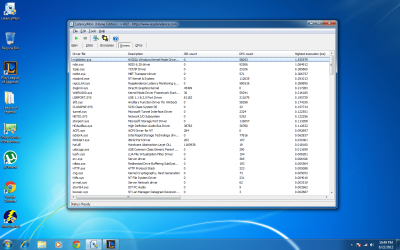
  • latencymon.png
    latencymon.png
    213.5 KB · Views: 36

My Computer

OS
Windows 7 Ultimate x64
Latency issue for what ??????

What are you trying to deduce from it ???

both of them show under 1.5 latency....thats for god sake in ms (millisecond).....
 

My Computer

Computer Manufacturer/Model Number
Nothing specific....what ever the clients provide for Repair
OS
Windows 7 ultimate x64
whenever i play online games my ping spikes every 20 or so seconds, from 19 ping to 60-100 ping...so annoying.
 

My Computer

OS
Windows 7 Ultimate x64
Hi

Based on what you said above it looks like a network lag.... not sure why you took the pain of using a latency monitor... which is more used for Audio....:confused:

So answer the below...

1. how are you connected ?? wired or wireless

2. What kind of internet connection do you have ???

3. What kind of router do you have ??

4. What kind of online games are you playing ??

5. Do a simple ping test to the game server....whats the output ???
 

My Computer

Computer Manufacturer/Model Number
Nothing specific....what ever the clients provide for Repair
OS
Windows 7 ultimate x64
Oh, I didn't know it was for audio lag :/ i'm not really that familiar with all the tech business.

I am connected through wireless connection via a Netgear WNR1000v3 router.

I have time warner cable internet , according to speedtest.net I am getting 18 ping, with 18mb download and .98mb upload.

The only game I play is League of Legends.

The game will start up, I'll have 18-20 ping, and about 2 minutes into the game, I'll spike up to 70-90 ping for a few seconds, then back down, and it will constantly do this.

It all happened after I installed Win7. I was using Vista with no latency issues before. I've updated every driver possible, I even updated the firmware on my router yesterday. I've even tried installing a Windows XP driver in compatibility mode for my wireless driver.

I just can't seem to figure out the issue. Maybe its just time for a new computer.
 

My Computer

OS
Windows 7 Ultimate x64
70-90 ping isnt bad. ive had pings over 700 and still able to play online. i also have TW cable
 

My Computer

Computer Manufacturer/Model Number
asus k53e bbr23 laptop
OS
windows 7 x64 pro sp1
CPU
intel i5 2540m
Motherboard
asus
Memory
8 gig ddr3 12800
Graphics Card(s)
intel hd 3000
Sound Card
realtek hd audio
Screen Resolution
1366*768 hd
Hard Drives
(1) ST3250312AS ATA Device (2) TOSHIBA External USB 3.0 USB Device
Mouse
lenovo usb mouse
Internet Speed
20Mbps/1Mbps
Well I know my ping isn't bad, its just the fact that it wont stay constant like it did on Vista.

It's really annoying. Especially when it runs smooth as butter, and I am trying to 'last hit' minions, which is one of the more important aspects of the game, and then all the sudden I have this delay when I click and minor stutters sometimes as well.

It may sound minor but it does effect the gameplay. And I do play the game competitively, not just casually.
 

My Computer

OS
Windows 7 Ultimate x64
wireless is fine .... but it is always preferred to use wired ethernet.... when you playing online. Please use a cat 6 ethernet cable between your router and laptop

try this and tell me how the lag goes...
 

My Computer

Computer Manufacturer/Model Number
Nothing specific....what ever the clients provide for Repair
OS
Windows 7 ultimate x64
Back
Top