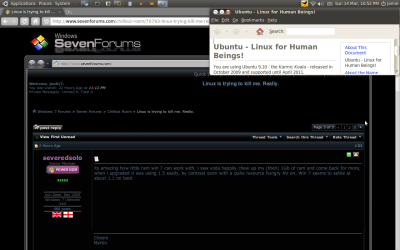
Linux is trying to kill me. Really.

its amazing how little ram win 7 can work with, i saw vista happily chew up my (then) 1Gb of ram and come back for more, when i upgraded it was using 1.5 easily, by contrast even with a quite resource hungry AV on, Win 7 seems to settle at about 1.1 on boot
 

My Computer

Computer type
PC/Desktop
Computer Manufacturer/Model Number
Medion Erazer (note to self: insert model number) - with custom additions
OS
Windows 10 Pro x64
CPU
Intel Core i5 7400 @ 3.00GHz
Motherboard
OEM supllied with PC
Memory
8GB 2133Mhz DDR4 (OEM supplied)
Graphics Card(s)
Gygabyte Windforce GTX 1050Ti (Factory Overclocked)
Sound Card
Realtek
Monitor(s) Displays
Acer Al1980 + HKC
Screen Resolution
1360*768(HKC) / 1280*1024(Acer)
Hard Drives
1TB Toshiba
1TB WD Caviar Green
120GB Samsung Evo 840
PSU
OEM supplied (no power rating on case)
Case
OEM Supplied
Cooling
Stock
Keyboard
Logitech Wireless
Mouse
Logitect Wireless
Internet Speed
40Mb/s Down 10Mb/s Up
Antivirus
Defender
Browser
Firefox
512MB on 7? That would be one step from going backwards. As for Linux I use it on an old laptop for downloading and a little bit of C programming. I prefer 7, just because its well, 7. GCC works reasonably well too. I can't be bothered with virtualization - 7 has a permanent exclamation mark offline due to the network adaptor, assuming that the program works properly, USB and all.

The thing that kept me from feeling at home on Linux was the text editors. I came from Dos/Windows/OS2. On Linux I had to think about physically doing the editing rather than the text or code I was writing. The only time I really relaxed programming was when I tried Kylix. Just because the editing keys were the same. If I had started out with Emacs or vi it would be another story.

Still, it sure is a great platform for boot discs.

btw while on the mixed OS subject, if anyone has used the Linux Boot Diskette that booted the Linux installation from the HD, you can do the same thing for Windows with a USB key. Check out the BootLand site. Somewhere on there, if you search MilesAhead you should find where I ask for links to how to set it up. It's pretty cool. If your boot manager program on the HD gets hosed, you insert the USB stick and boot it. You get the same boot manager menu, just like the way Linux did it.
 

My Computer

Computer Manufacturer/Model Number
HP Media Center
OS
Windows 7 32 bit
CPU
AMD 5200+ dual core
Memory
2 GB
Graphics Card(s)
NVidia GeForce 6150SE 128 MB
Monitor(s) Displays
CRT
Screen Resolution
1280x1024
Hard Drives
500 GB Sata internal :

SIIG USB 3.0 docking stations w/WD Caviar Black 6 Gb/s drives
Keyboard
PS/2
Mouse
PS/2 Wheel Mouse
Other Info
SIIG USB 3.0 PCIexpress card.
Screenshot.png
I Have been trying linux for a little bit and like to use virtualbox when trying a new distribution and depending on how i get on with it will depend if i duel boot it with windows 7 and i am currently duel booting with ubuntu
 

My Computer

Computer Manufacturer/Model Number
sony vaio VGN-NR32L
OS
vista 32bit
View attachment 60876
I Have been trying linux for a little bit and like to use virtualbox when trying a new distribution and depending on how i get on with it will depend if i duel boot it with windows 7 and i am currently duel booting with ubuntu
Hi Jay, looking at the picture, it doesnt look like you're using Ubuntu. How did you change the old ugly yellow color?
 

My Computer

Computer Manufacturer/Model Number
Samsung NP530U4B-S02IN
OS
Windows® 8 Pro (64-bit)
CPU
Intel® Core™ i5 Processor 2467M (1.60GHz, 3MB L3 Cache)
Motherboard
Samsung Electronics
Memory
6GB DDR3 System Memory at 1,333MHz (on BD 4GB + 2GB x 1)
Graphics Card(s)
AMD Radeon™ HD7550M 1GB DDR3 (Ext. Graphic)
Sound Card
Realtek High Definition Audio
Monitor(s) Displays
35.56cm (14.0) SuperBright 300nit HD LED Display
Screen Resolution
1366x768
Hard Drives
1TB S-ATA II Hard Drive (5400RPM) with ExpressCache 16GB SSD
Internet Speed
sucks
Antivirus
Microsoft Security Essentials
Browser
Google Chrome (Sync enabled)
View attachment 60876
I Have been trying linux for a little bit and like to use virtualbox when trying a new distribution and depending on how i get on with it will depend if i duel boot it with windows 7 and i am currently duel booting with ubuntu
Hi Jay, looking at the picture, it doesnt look like you're using Ubuntu. How did you change the old ugly yellow color?

Its the new Default theme rolling out for 10.04. One of two actually.

You could always change the colors though.
 

My Computer

Computer Manufacturer/Model Number
Custom | Whitebox
OS
Windows 7 Ultimate, OS X 10.7, Ubuntu 11.04
CPU
Intel E6750 @ 3.80GHz
Motherboard
Gigabyte GA-EP45-UD3L (Revision 1.1)
Memory
2x2GB & 2x1GB (6GB) OCZ Reaper 1066MHz @ 1080MHz
Graphics Card(s)
EVGA nVidia GTX 260 896mb (216 Core) FTW Edition
Sound Card
Realtek ALC888
Monitor(s) Displays
21" VIZIO TV
Screen Resolution
1680x1050 @ 60Hz
Hard Drives
Western Digital WD6401AALS - 640GB
Hitachi HDP725016GLA380 - 160GB
PSU
Corsair 750W
Case
NZXT Nemesis Elite
Cooling
Thermaltake SpinQ
Keyboard
Logitech Wireless S520
Mouse
Logitech Wireless S520 - Microsoft Wireless Arc Mouse
Internet Speed
Download: 20mbps, Upload: 3mbps
View attachment 60876
I Have been trying linux for a little bit and like to use virtualbox when trying a new distribution and depending on how i get on with it will depend if i duel boot it with windows 7 and i am currently duel booting with ubuntu
Hi Jay, looking at the picture, it doesnt look like you're using Ubuntu. How did you change the old ugly yellow color?

Its the new Default theme rolling out for 10.04. One of two actually.

You could always change the colors though.
I m eagerly waiting to try the Lucid beta.
 

My Computer

Computer Manufacturer/Model Number
Samsung NP530U4B-S02IN
OS
Windows® 8 Pro (64-bit)
CPU
Intel® Core™ i5 Processor 2467M (1.60GHz, 3MB L3 Cache)
Motherboard
Samsung Electronics
Memory
6GB DDR3 System Memory at 1,333MHz (on BD 4GB + 2GB x 1)
Graphics Card(s)
AMD Radeon™ HD7550M 1GB DDR3 (Ext. Graphic)
Sound Card
Realtek High Definition Audio
Monitor(s) Displays
35.56cm (14.0) SuperBright 300nit HD LED Display
Screen Resolution
1366x768
Hard Drives
1TB S-ATA II Hard Drive (5400RPM) with ExpressCache 16GB SSD
Internet Speed
sucks
Antivirus
Microsoft Security Essentials
Browser
Google Chrome (Sync enabled)

My Computer

Computer Manufacturer/Model Number
Custom | Whitebox
OS
Windows 7 Ultimate, OS X 10.7, Ubuntu 11.04
CPU
Intel E6750 @ 3.80GHz
Motherboard
Gigabyte GA-EP45-UD3L (Revision 1.1)
Memory
2x2GB & 2x1GB (6GB) OCZ Reaper 1066MHz @ 1080MHz
Graphics Card(s)
EVGA nVidia GTX 260 896mb (216 Core) FTW Edition
Sound Card
Realtek ALC888
Monitor(s) Displays
21" VIZIO TV
Screen Resolution
1680x1050 @ 60Hz
Hard Drives
Western Digital WD6401AALS - 640GB
Hitachi HDP725016GLA380 - 160GB
PSU
Corsair 750W
Case
NZXT Nemesis Elite
Cooling
Thermaltake SpinQ
Keyboard
Logitech Wireless S520
Mouse
Logitech Wireless S520 - Microsoft Wireless Arc Mouse
Internet Speed
Download: 20mbps, Upload: 3mbps
A few months ago I decided to try Linux as well.

First I tried Ubuntu. I could never get the graphics to work right... whenever I closed a window, the space where the window was would stay black. I figured it was because the computer was old, with an old onboard graphics chip, and couldn't handle the latest Ubuntu.

So then I tried Fedora, and it worked great... until I tried to wirelessly connect to the internet. It would connect for a few minutes, and then it would crowd out all of my other pc and freeze them out, even the wired ones, and then it would freeze itself out of the internet. Nobody on any Fedora sites ever heard of such a thing, and no matter which drivers I tried, the damn thing would freeze my router.

So I gave up. Maybe I'll try mint one of these days.
 

My Computer

Computer Manufacturer/Model Number
me / #1
OS
windows 7 x64 Home Premium
CPU
intel q6600
Motherboard
gigbyte ga ep45 ud3l
Memory
g.skill 8gb ddr2 1066 (pc2 8500)
Graphics Card(s)
evga geforce 9800 gtx 512 mb
Screen Resolution
1680 x 1050
Hard Drives
wd caviar black 500 gb
wd caviar black 1tb
wd elements 1tb external hd x2
PSU
raidmax 500w
Case
smilodon (yes, t'was the pretty blue lites that got me!)
@stevieray

I tried Ubuntu for a couple of days. I didn't understand what the buzz wuzz. I felt much more confident using Mandrake, or Red Hat, or Slackware. I think the distro that came up with least hassle where everything worked was Mandrake 9.1.

I've heard Mandriva, as they call it now, is still good. Seems like all these Linux flavors keep popping up where you "don't have to know anything" to use it, then they go away and another flavor pops up, that's not really solid.

I'll say one thing for Slackware 3.0. Sometimes you ripped your hair out installing and configuring stuff, and sometimes you had to spend a lot of time compiling kernels with custom modules.. but once you got something to work, it just didn't break. Then when they added journaling file systems, well that was cheating!! Way too easy!! Never even have to run fsck with those!!

But I think a lot of people are trying these dumbed down flavors and wondering what was so great about this Linux stuff they heard about. You have to take a running start, plant the pole, and clear the bar. Setting up a set of stairs next to the pole vault just ain't the same.
 

My Computer

Computer Manufacturer/Model Number
HP Media Center
OS
Windows 7 32 bit
CPU
AMD 5200+ dual core
Memory
2 GB
Graphics Card(s)
NVidia GeForce 6150SE 128 MB
Monitor(s) Displays
CRT
Screen Resolution
1280x1024
Hard Drives
500 GB Sata internal :

SIIG USB 3.0 docking stations w/WD Caviar Black 6 Gb/s drives
Keyboard
PS/2
Mouse
PS/2 Wheel Mouse
Other Info
SIIG USB 3.0 PCIexpress card.

My Computer

Computer Manufacturer/Model Number
sony vaio VGN-NR32L
OS
vista 32bit
For the past half a year, I've been infrequently been trying to install multiple "flavors" of Linux.

First try was on my XP system. Tried installing Ubuntu, had an ISO straight from the site and settings were perfect for my system. Burned it to a CD at optimal settings, slowest speed possible. Booted from the CD, tried it out with the Live CD or whatever it's called, and loved it. I wanted it on my hard drive, right then and there, until I tried some of the included programs and found they were all missing... Got rid of the disc, didn't try again.

Second Try, about a month later, I got Fedora. Burned to disc and used a USB creator (so if the CD was messing it up, I had a USB to try as well). Tried installing, Partition Manager decided to go commando on my XP partition. Wiped the hard drive, put XP back on, then upgraded to 7 shortly after. It took me approx. 5 days to get everything back in working order, and it didn't help that I was missing drivers that I couldn't find online. Had to do a hunt all over the place to get them back. So by this time, my not-so computer inclined self was very tired of Ubuntu.

Third Try, about 5 hours ago, I heard about Wubi. Tried it, seemed awesome. Installed the Ubuntu Netbook Remix. Installed perfectly, no troubles at all. Partition Manager actually worked on this one! Woo! Then it rebooted. For 10 minutes, the boot screen did nothing but show error messages that I could not understand at all. Finally, it pulled up the login screen, I logged in, and started doing the basic setup. Change the clock, set up weather, get my apps running, etc, etc. It told me that my hard drive is failing (odd, as my hard drive was running Ubuntu and is now running 7). I tried getting some help, it told me that the help files are unavailable. It didn't let me do anything else. So I tried rebooting, and it loaded to the boot screen, did the same 10 minute routine, showed the login screen, and then promptly went away before I could do anything, and gave me a recovery console.

Tried installing the Desktop version, same thing.

Linux hates me. At least it didn't delete Windows this time. I know some of this is probably user error, but still. Come on. An automated installer should do the trick.
(is about to try again)
Pity... I have had nothing but joy with Linux.
 

My Computer

Computer type
PC/Desktop
Computer Manufacturer/Model Number
Own build
OS
Windows 7 x64 Professional
CPU
Intel Core i7-870 Lynnfield 2.93 GHz
Motherboard
Intel Whitesburg P55 LGA1156
Memory
Kingston Hyper X 1333MHz DDR3 4x4Gb
Graphics Card(s)
Nvidia GTS 250
Monitor(s) Displays
AOC Q3279VWF 31.5"
Screen Resolution
2560x1440
Hard Drives
Western Digital 1000GB Hard Drive (SATA 3.0Gb/s, 7200rpm, 32MB Cache)
Verbatim 500GB (External)
PSU
650W
Case
Coolermaster HAF 912
Cooling
Stock
Keyboard
Logitech
Mouse
Logitech
Antivirus
Avira
Browser
Firefox
Other Info
LG OptDrive 24x SATA DVDRW Lightscribe
I'm running Ubuntu on an older PATA drive, and with the exception of a nasty GRUB infestation, I'm happy with the current living arraignments. I will be happier still when I can figure out how to gain access to the windows disks from within Ubuntu.
 

My Computer

Computer type
Laptop
Computer Manufacturer/Model Number
Sager NP9150
OS
Windows 7 Home x64
CPU
Intel Core i7-3610QM @ 2.3GHz x4
Motherboard
Clevo P15xEMx
Memory
16GBs
Graphics Card(s)
nVidia GeForce GTX 670M
Sound Card
Realtek High Def Audio
Monitor(s) Displays
Samsung SyncMaster S24B300 + Mobile Display
Screen Resolution
1920x1080 + 1920x1080 (running 1366x768)
Hard Drives
128GBt SSD
500GBt HDD
Keyboard
Logitech K360
Mouse
Logitech Anywhere Mouse MX
Internet Speed
Fat
Antivirus
Avast
Browser
Chrome
Im currently running Linux ultimate edition 2.04 intsalled over 2 gb of updates after full install dual boot with windows 7 aside. Ive had no problems so far. At school on my project computer I am running fedora 11 and ubuntu 9.10. Basically I have reformatted my drive so many times and installed those flavors that my drive now fails and has bad sectors lol. but yeah i highly recommend Linux Ultimate edition or even linux mint.
 

My Computer

Computer Manufacturer/Model Number
HP Pavilion
OS
Microsoft Windows 7 Ultimate
CPU
AMD Athlon(tm) 64 X2 Dual Core Processor 4200+
Motherboard
RC646AA-ABC a1626n
Memory
4GB
Graphics Card(s)
NVIDIA GeForce 210 EVGA SC
Sound Card
Conexant High Definition Audio
Monitor(s) Displays
47'' Samsung, Samsung SyncMaster 940BW/199BW/941BW
Hard Drives
1TB External
320GB Internal
250GB External
Cooling
LIQUID
Internet Speed
5.3/Mb s
Other Info
I download torrents
For the past half a year, I've been infrequently been trying to install multiple "flavors" of Linux.

I'm in about the same boat. I keep telling myself to get off the bloated commercial distros of Windows and get onto something I can customize to no end. I've probably tried just about every version of Ubuntu, strayed off into Mandrake even BSD for a while... In the end it's always the same problem... If you know linux, linux is easy, if you don't know it you're SOL for getting any good advice or documentation. That's been the problem all along... it might be the best OS on the planet but when it comes to dealing with problems you're left out to dry.

So, everytime, I end up bouncing off Linux and heading back to Windows, more or less with my tail between my legs thanks mostly to the positively lousy documentation.
 

My Computer

Computer Manufacturer/Model Number
Homebrew
OS
XP Pro SP3 X86 / Win7 Pro X86
CPU
Amd 64 x2 4200 (2.4ghz)
Motherboard
Asus M2N-MX SE Plus
Memory
Kingston DDR2 800 2gb
Graphics Card(s)
Nvidia GF-8400
Sound Card
Realtek on Motherboard
Monitor(s) Displays
Acer x-193bw
Screen Resolution
1440 x 900
Hard Drives
Western Digital 500g
PSU
350watt In-Win
Case
In-Win
Cooling
Air
Keyboard
yes
Mouse
yes
Internet Speed
5mpbs
Other Info
Also ASRock ION 330 as HTPC (on XP).
Acer Aspire as GP netbook (on XP).
So, everytime, I end up bouncing off Linux and heading back to Windows, more or less with my tail between my legs thanks mostly to the positively lousy documentation.

That matches my (rather limited) experience with Linux. I had what could have been a simple problem with wireless connectivity, but my questions at Fedora forums went mostly unanswered. Its like the Linux community wants two mutually exclusive things -- Linux to become popular, but they want to keep their own hard-won knowledge secret.

I don't get it. At forums like this place people go out of their way to help, and explain the reasons why things work or not.
 

My Computer

Computer Manufacturer/Model Number
me / #1
OS
windows 7 x64 Home Premium
CPU
intel q6600
Motherboard
gigbyte ga ep45 ud3l
Memory
g.skill 8gb ddr2 1066 (pc2 8500)
Graphics Card(s)
evga geforce 9800 gtx 512 mb
Screen Resolution
1680 x 1050
Hard Drives
wd caviar black 500 gb
wd caviar black 1tb
wd elements 1tb external hd x2
PSU
raidmax 500w
Case
smilodon (yes, t'was the pretty blue lites that got me!)
If you are interested in Linux but find it difficult to setup and use, try gOS (Good OS). It is a complete Lixux distro with the easiest possible setup. It is made for users with no Linux experience. Free download and more information: Good OS - gOS and Cloud operating systems.

Improving the Linux user experience...

Since our debut in 2007, gOS has been praised for being the most beautiful and easiest to use Linux operating system on the market. Now with our third and best version of gOS, we have carried on our effort to create a Linux for the rest of us.

Here's mine, running on VirtualBox:

GOS_1.PNG

Kari
 

My Computer

Computer type
Laptop
Computer Manufacturer/Model Number
HP ENVY 17-1150eg
OS
Windows 10 Pro x64 EN-GB
CPU
1.6 GHz Intel Core i7-720QM Processor
Memory
6 GB
Graphics Card(s)
ATI Mobility Radeon HD 5850 Graphics
Sound Card
Beats sound system with integrated subwoofer
Monitor(s) Displays
17" laptop display, 22" LED and 32" Full HD TV through HDMI
Screen Resolution
1600*900 (1), 1920*1080 (2&3)
Hard Drives
Internal: 2 x 500 GB SATA Hard Disk Drive 7200 rpm
External: 2TB for backups, 3TB USB3 network drive for media
Cooling
As Envy runs a bit warm, I have it on a Cooler Master pad
Keyboard
Logitech diNovo Media Desktop Laser (bluetooth)
Mouse
Logitech Performance Mouse MX
Internet Speed
50/10 Mbps VDSL
Antivirus
Windows Defender 4.3.9431.0
Browser
Maxthon 3.5.2., IE11
Thanks Kari, I'll try that, I think. :)
 

My Computer

Computer type
PC/Desktop
Computer Manufacturer/Model Number
Custom built
OS
Windows 8 Pro 64-bit
CPU
Intel Core i7 950 @4.4GHz
Motherboard
EVGA 131-GT-E767
Memory
12GB DDR3 1333MHz @1400 (9-9-9-24)
Graphics Card(s)
2x AMD Radeon HD 6770
Sound Card
Sound Blaster Audigy
Monitor(s) Displays
Acer S231HL + Acer E19T5W
Screen Resolution
1920x1080 + 1440x900
Hard Drives
128GB Samsung 840 Pro
1TB Seagate Barracuda 7200RPM 64mb
500GB Seagate Barracuda 7200RPM 16mb
PSU
Corsair GS800
Case
Custom-made
Cooling
CM Hyper212+, lots of fans
Keyboard
NMB RT8255C+
Mouse
Func MS-3
Internet Speed
30/1.5
Antivirus
Microsoft Security Essentials/Spybot SD/Malwarebytes
Browser
Google Chrome
Other Info
Onkyo TX-27 receiver & two Realistic Optimus T100s.
I just burned a Ubuntu 9.10 disk, stuck it in the drive, rebooted, told it what disk to install on, said "yes" to GRUB (what was Grub?) and twenty minutes later the machine rebooted giving me the option of running Win7, Vista or Ubuntu :shock:

I was astonished at how easy it was. Idiots luck I would guess :D
 

My Computer

Computer Manufacturer/Model Number
Mesh 955 XGS
OS
Windows 7 64 bit
CPU
Athlon X4 955 Black edition
Motherboard
ASUS M4A78 Pro
Memory
8GB DDR2
Graphics Card(s)
1x Radeon 4890
Monitor(s) Displays
IIyama ProLite E2208HDS
Screen Resolution
1920X1080p
Hard Drives
2x 1TB Samsung SATA2
1x 320GB IDE
PSU
600 watt
Cooling
Standard
Keyboard
MS wireless 6000
Mouse
MS wireless laser 7000
Internet Speed
Not as fast as it should be......
So, everytime, I end up bouncing off Linux and heading back to Windows, more or less with my tail between my legs thanks mostly to the positively lousy documentation.

That matches my (rather limited) experience with Linux. I had what could have been a simple problem with wireless connectivity, but my questions at Fedora forums went mostly unanswered. Its like the Linux community wants two mutually exclusive things -- Linux to become popular, but they want to keep their own hard-won knowledge secret.

I don't get it. At forums like this place people go out of their way to help, and explain the reasons why things work or not.

Sometimes I think the Linux crew has gotten lost in the minutia.

My experience on various linux forums is the same as yours StevieRay, it's either "What, You don't even know how to do that?" or "It's too complex to explain here..." and often as not I walk away from it thinking: "Yep, they didn't know the answer either."

One of the biggest problems with "Open Source" is documentation... so many cooks in the soup the recipe is lost. "Gee.. I think I know someone who might know one of the guys who has an answer for that..." isn't good enough if they want Linux to be anything but a geek's playtoy... Manpages don't cut it when you don't know what command to ask about.

Linux desperately needs comprehensive help files... but then again, so does Windows.
 

My Computer

Computer Manufacturer/Model Number
Homebrew
OS
XP Pro SP3 X86 / Win7 Pro X86
CPU
Amd 64 x2 4200 (2.4ghz)
Motherboard
Asus M2N-MX SE Plus
Memory
Kingston DDR2 800 2gb
Graphics Card(s)
Nvidia GF-8400
Sound Card
Realtek on Motherboard
Monitor(s) Displays
Acer x-193bw
Screen Resolution
1440 x 900
Hard Drives
Western Digital 500g
PSU
350watt In-Win
Case
In-Win
Cooling
Air
Keyboard
yes
Mouse
yes
Internet Speed
5mpbs
Other Info
Also ASRock ION 330 as HTPC (on XP).
Acer Aspire as GP netbook (on XP).
For me personally, OpenSuSE was the joy of my computing life (either for work purposes nor for home server). I got OpenSuSE running in several IBM servers serving for several divisions in my client's company with uptime that made ANY of my windows box (client nor server) put to shame (the last one was 400++ days, had to shut down to maintain the RAID volume, I might have to consider storage systems). At home, it's a developer rig for my work, running side by side with Windows 7 Ultimate through VirtualBox (I dedicated one 24" monitor for it). After all that, I still have another box of OpenSuSE running as a "File Server", this is a server that works like "Windows Home Server" system and then some... UPnP Media server, SAMBA Server, (s)FTP server, HTTP server, SSH + Webmin for remote management, all that serving 8 TB storage pool (in total, serving several iSCSI volumes, several SMB shares, FTP instances and web dav... had to segment the pool so that windows can "see" the volume on the iSCSI) and growing~~~

At times, I can't really comprehend my Microsoft promotes RDC 9 years ago while almost every aspect of Linux/UNIX can be managed from a console (with blazing speeds too, I guess that's what pushed MS to create PowerShell...). For those who struggles with Linux, I can only suggest that you change your mindset from being a "user" to "hacker" (not cracker, that's the dark side of hacking). Get creative, read the Linux project's history, read GNOME project's history, KDE's history, and many large projects out there. By then you might be able to grasp just a tiny glimpse of that sea of ideas called "GNU Linux".

Many of problems I find in using Linux is because I'm using "Windows" mindset, like "in windows, I need to do this, and that and that", it might work that way in Linux, it might not... By the time you "get it", your horizon of computing will expand greatly (or explode might be the right word for this). It's like when I was learning about IBM PowerVM, it was a whole new world for me (coming from managing/supporting hundreds Windows clients/servers for almost 8 years professionally). Thank god I've got my Linux "point of view" (XEN installations in OpenSuSE and VMware ESX server instances) with me, so the PowerVM technology wasn't too foreign to me.

In Windows, everything is "layered" and "compartmentalized". In Linux/UNIX everything is "linear". Everything is just there, it's up to you to grab and use it. An example, if you want to enable HTTP server, go to your package manager, install "apache", set several system variables so that it will start up upon boot up and you're done (one command in my collection of commands, six letters long). In windows, install the IIS, wait for it to install... wait for it... waiiiiittt for it... then when done, you need to check in services, make sure it's there, and configure appropriately, go to IIS management snap in to configure/add sites/etc, that's opening close to a dozen windows, clicking to many many buttons/checkboxes/etc, waiting for the system to respond to your clicks, etc... that's HARD and not to mention needs a long time. In Linux, type in some commands, edit some files, save the files, restart the daemon (service in windows language), recheck the daemon so that it runs the way you want. If not, edit some more config files, restart the daemon... MUCH EASIER.

Another example, in Windows we have UAC sandbox (weird tech if you ask me, slows things down most of the time, not even close to USER land in Linux). Every user in Windows (depending in your group) might have one or two "roles", if you have two, one is "Administrative role" and one "User role", if you have only one, then most likely it's "User role" only. In Linux your role is defined by your user group, and everyone other than "root" user is a regular user, it's very easy to understand if you used multi-user OS (UNIX/Windows NT Server systems). If you need administrative privilege, escalate your privilege by using "su" in Linux (or it's variants in GUI mode). "su" has more or less the same effect as "run-as" under Windows, but I personally feel that "run-as" is "tacked on" so that Windows can have the same "feel" as a true multi-user operating systems. It's mind boggling complicated and annoying none the less. Another example, in Windows we have "Device manager" (need to go into several layers of menus/UAC prompts/annoyingly weird messages), in Linux/UNIX we have "/dev", that's your device list right there, just type in "cd /dev" as "root", that's your devices right there... in linear fashion. If you need a software for your soundcard for example, in windows you'll be doing a driver and application installs. In Linux, you just look for your soundcard's software package (most of the time in distro repo, the driver is built in the kernel most of the time), check one checkbox, let the package manager resolve the dependencies, then sit and wait. 99.999% by the time the package manager finishes, all you need to do is either restart your computer or the device just works...

As for OP, I truly hope you find your "holy grail" in Linux. Linux is fun, it brought back many of my DOS days memories (playing with IRQ, DMA, many autoexec.bat/config.sys file versions with a custom boot menu to boot up with). Everything in Linux is always within reach (as long as you are "root", which you don't need to use unless you have to change something that's important in the system). For a production system, it's close to unbreakable. For a "hacking" station, it provides almost limitless hacking experience, there's so much to see, so much to understand, so much to try, so much to change (...and break it in the process :devil:). It's a joy...

zzz2496
 

My Computer

Computer Manufacturer/Model Number
Self Built
OS
Windows7 Ultimate 64bit
CPU
Intel Core 2 Quad Q6600
Motherboard
Abit IN9-32X-MMAX
Memory
DDR2 Adata 4GB
Graphics Card(s)
Nvidia GeForce GTX 285 1024 and Nvidia GeForce 8800GT 512
Sound Card
Asus Xonar HDAV 1.3
Monitor(s) Displays
Dell 2407WFP and BenQ 2400v and Philips 150v3
Screen Resolution
3840x1200 and 1024x768
Hard Drives
2 WDC 1TB
1 WDC 1.5TB
1 WDC 640GB
1 WDC 320GB
1 Seagate 200GB
PSU
Corsair TX 850W
Case
Cooler Master HAF932
Cooling
Arctic Cooling Freezer Extreme and plenty of fans...
Keyboard
MicrosoftNaturalKeyboard 4000/Apple Alu keyboard/Dinovo mini
Mouse
Logitech G5/MarbleMouseTrackball/PerformanceMX/SpacePilotPRO
Internet Speed
1.5Mbps down/384Kbps up
Other Info
APC SURT 1000XL
Logitech Z-560
Wiimote
Mikrotik Router
Linksys (now Cisco) SD2008 8 port Gigabit switch
Linksys WRT54G (acting as AP)
Apple wireless Aluminium keyboard
Apple Magic Mouse
Xbox360 wired controller
Back
Top