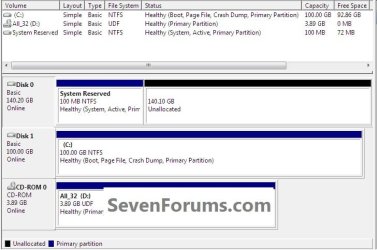
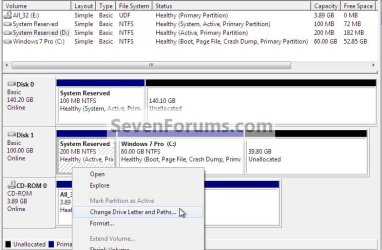
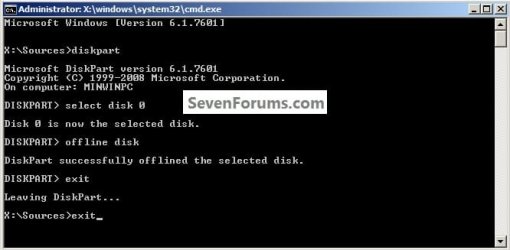
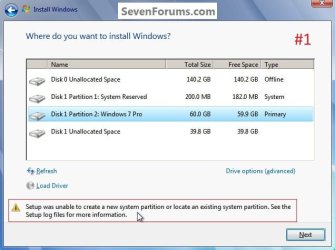
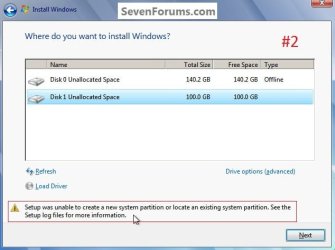
This is why I suggested he recreate the SysReserved partitiion he copied if he wants to keep it on Disk1. Be sure to mark it Active before running the Repair, or if you want to delete it mark Win7 partition Active instead.
Now that I look back I see you did.
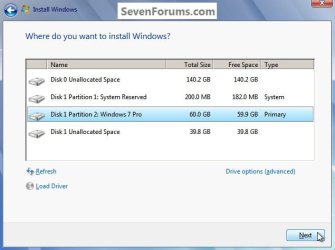
This could be used as an outline to add the SysResv to Disk 1 though Partition Wizard would have to be used to create and format the SysResv instead of using disk management as in Step Two since Windows won't boot.
System Reserved : Create for Dual Boot
I'm referring to the disk signature (4 bytes) which lives on the physical MBR (first 512 bytes). This is what Windows 7 (and Vista?) uses to avoid disk collisions and is recorded also in the registry.
A clean all (even partly run) is one of the few things to completely wipe the MBR and the old disk signature on disk 0.
Unplugging the disk 0 would have avoided this but that's history. If disk 0 is looking suspect then you'll need to do it sooner or later.
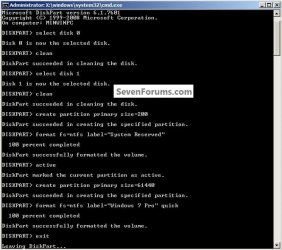
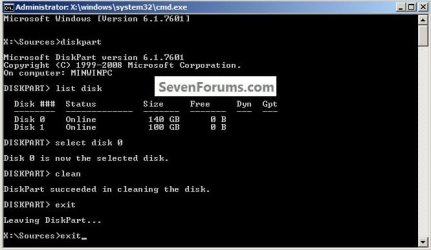
Running the clean command on Disk 0 rather than the clean all in diskpart will remove all the format configuration data and only takes seconds.
DISKPART : At PC Startup
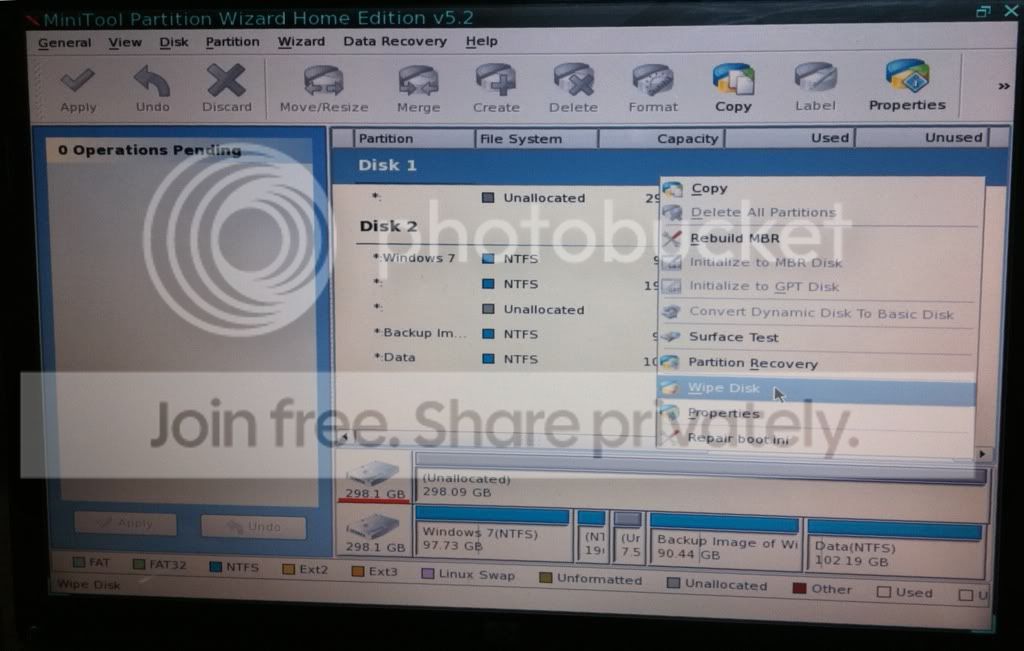
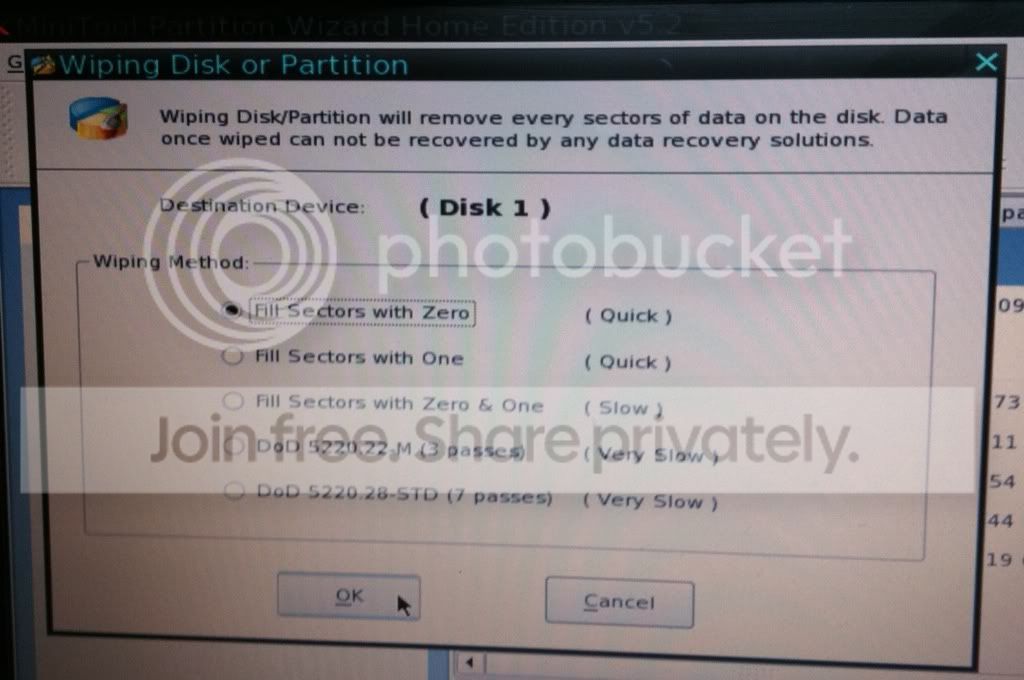
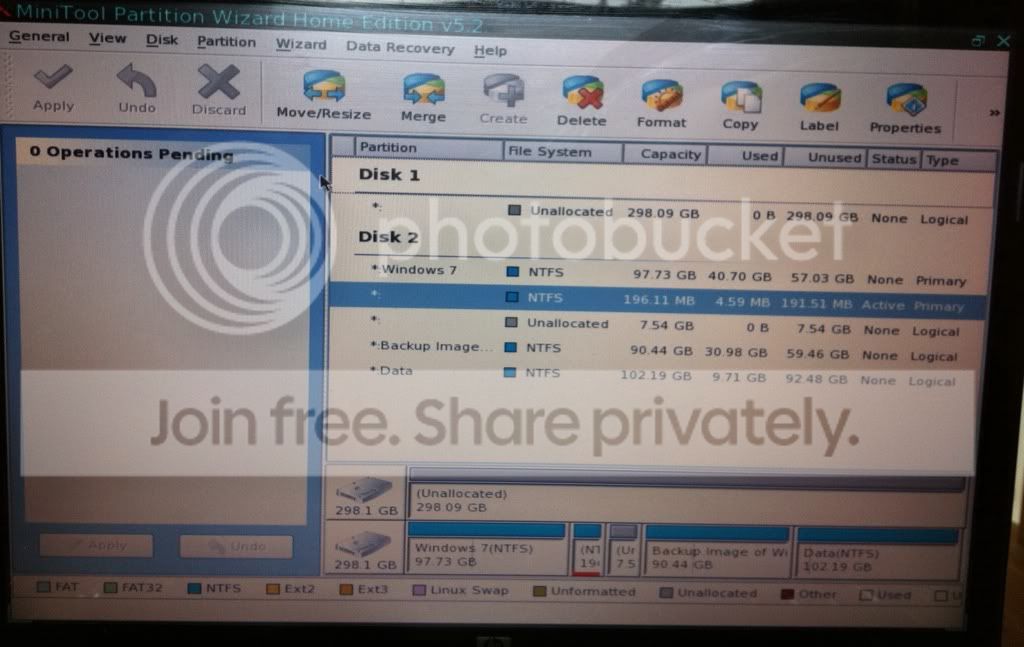
Though in this case the best way forward would be to boot the Partition Wizard boot disk and first do a wipe to write zeroes to the Disk 0 SysResv partition then delete that partition to leave unallocated space on Disk 0.
Then create, format and mark as active a new SysResv partition to the front of Disk 1 while still in Partition Wizard.
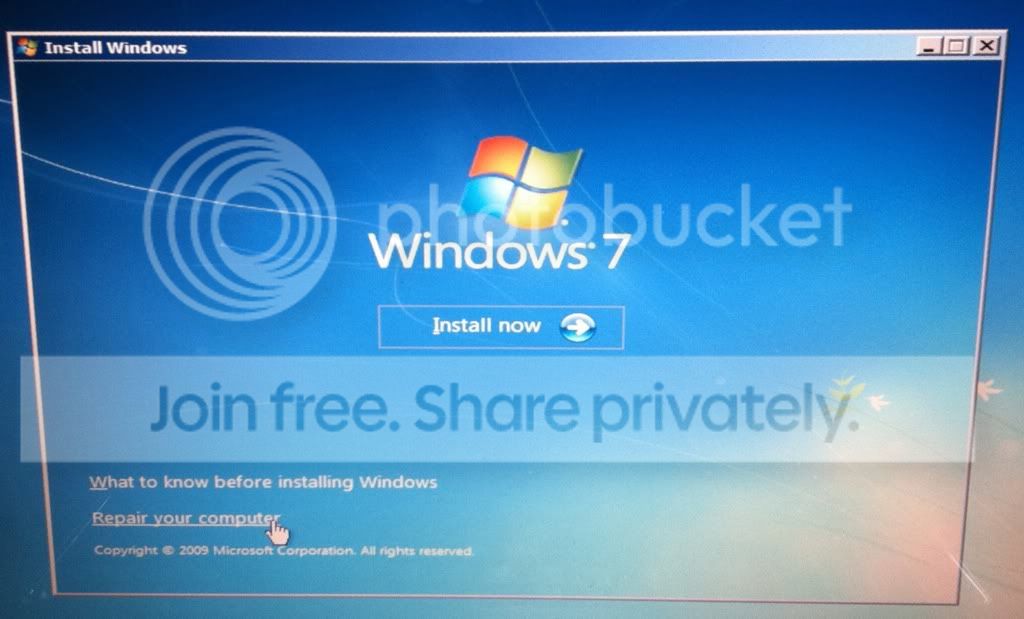
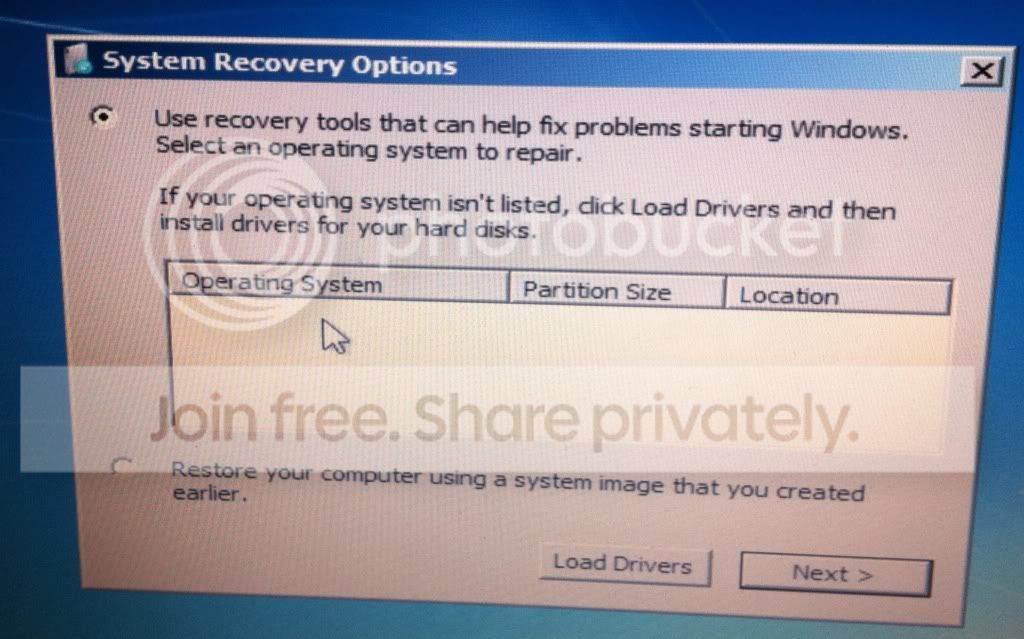
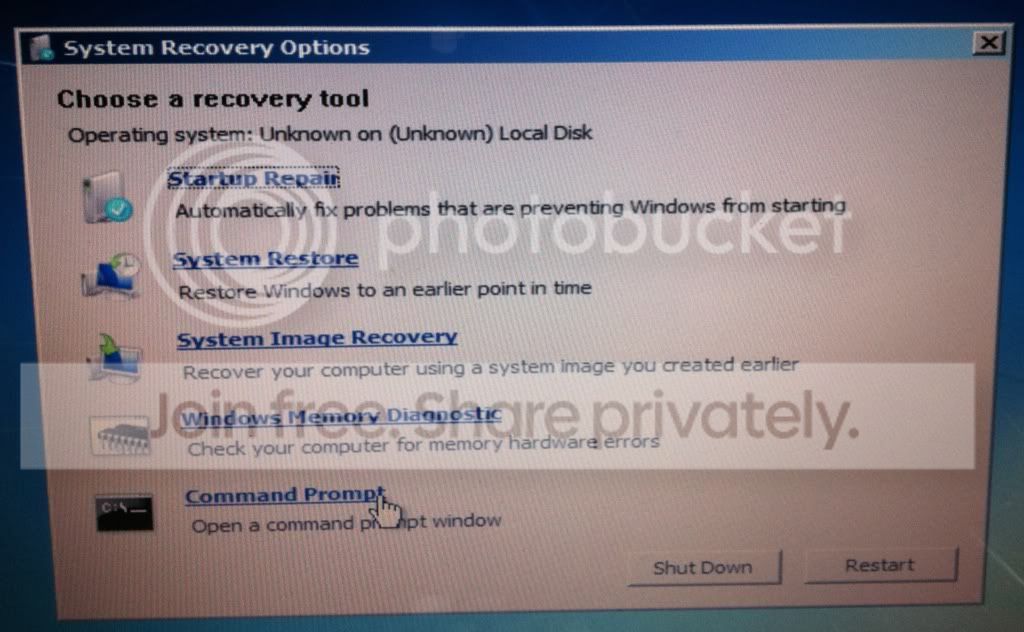
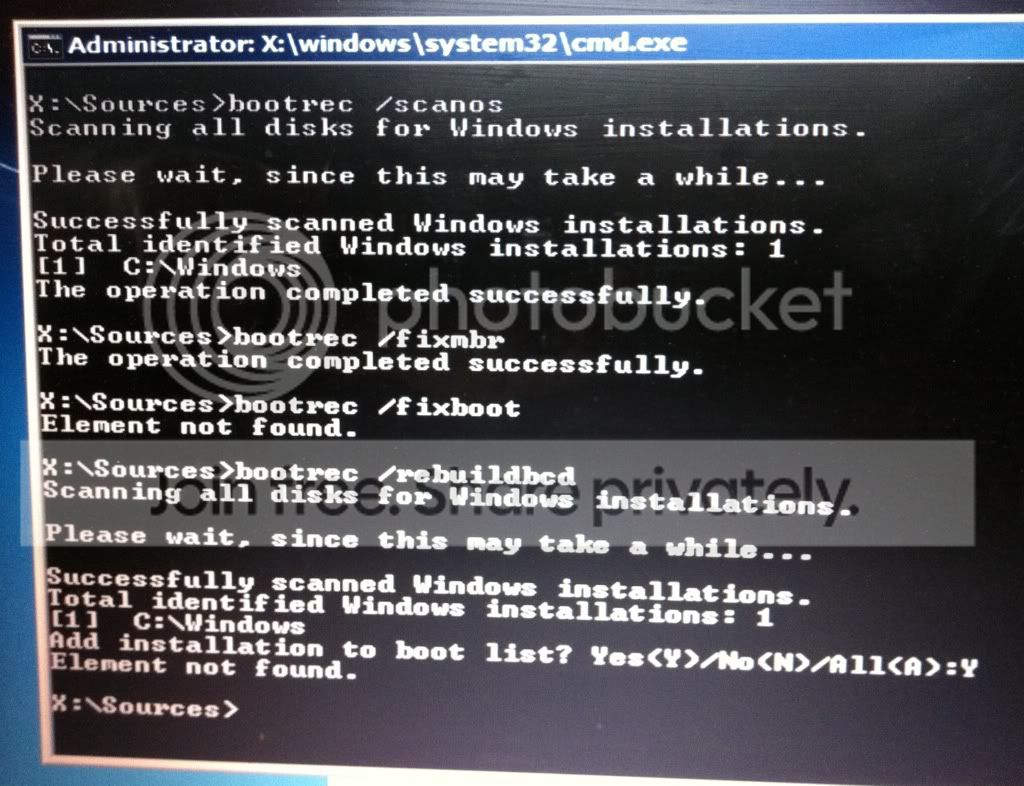
Then replace the Partition Wizard disk in the CD/DVD drive with the Windows 7 disk and restart the PC to run the 3 separate startup repairs with the restarts to the new SysResv partition on Disk 1.
Startup Repair - Run 3 Separate Times
click to enlarge
My Computer
- Computer Manufacturer/Model Number
- * BFK Customs *
- OS
- W 7 64-bit Ultimate
- CPU
- Intel Q9550 Yorkfield
- Motherboard
- ASUS P5Q Pro
- Memory
- 8GB Dominator 8500C5D
- Graphics Card(s)
- ATI : XFX 5870
- Sound Card
- Realtek HD Audio 7-1
- Monitor(s) Displays
- 1x 47" LCD HDMI & 3x 26" LCD HDMI
- Screen Resolution
- 1920x1080P & 1920x1200
- Hard Drives
- 1x 80GB Intel X25-M G2 SSD : 1x 500GB & 1x 640GB WD Caviar Black(s)
- PSU
- Corsair 620HX
- Case
- Cooler Master RC-690
- Cooling
- Tuniq Tower 120, 2x 140mm and 3x 120mm case fans
- Keyboard
- Microsoft 500
- Mouse
- Razer Diamondback 3G
- Internet Speed
- 14 Mb/s
- Other Info
- 1x Koutech 3Gb/s SATA HDD Hot Swap Rack


 to you guys for sticking with it. I appreciate the help.