
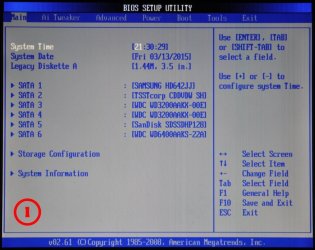
Attached is a pic of my first screen - I press DEL as instructed - this is what my manual says - this is what I described in my previous post - what other way is there to set a change of boot device? There is certainly nothing about a "one-time BIOS boot menu interrupt key" other than the DEL key I already mentioned.
Are we each describing the same process using different words?
Are we each describing the same process using different words?
Attachments

My Computer
At a glance
Windows 7 - 32bitIntel Core2Duo E84002GBAsus NVIDIA GT640
- Computer type
- PC/Desktop
- Computer Manufacturer/Model Number
- self build
- OS
- Windows 7 - 32bit
- CPU
- Intel Core2Duo E8400
- Motherboard
- ASUS P5Q SE
- Memory
- 2GB
- Graphics Card(s)
- Asus NVIDIA GT640
- Sound Card
- Realtek on mobo
- Monitor(s) Displays
- 2 identical IIyama 19"
- Screen Resolution
- 1280 x 1024
- Hard Drives
- 4 HDD + 1 SSD all SATA
- PSU
- 520W Corsair HX series modular.
- Case
- Gigabyte - Triton
- Cooling
- Fans
- Keyboard
- Logitech
- Mouse
- Logitech wireless
- Internet Speed
- 2.8M on a good day
- Browser
- IE11
- Other Info
- Wacom Bamboo Tablet CTH-470


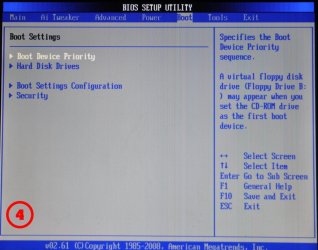
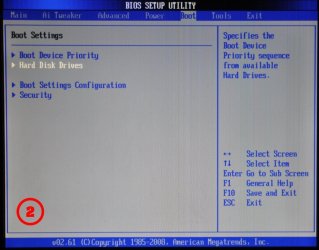
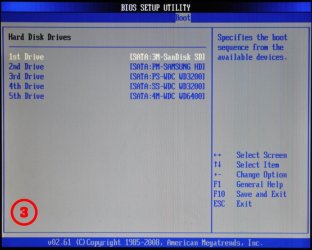
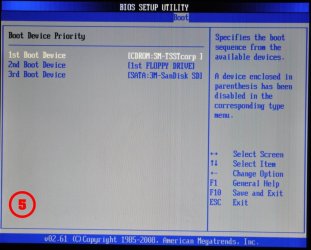
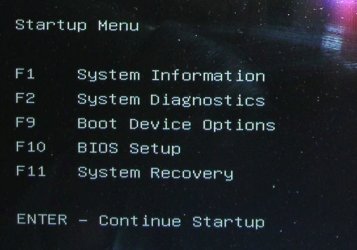


 successfully boot into XP. I set it Active but that didn't seem to do anything useful.

