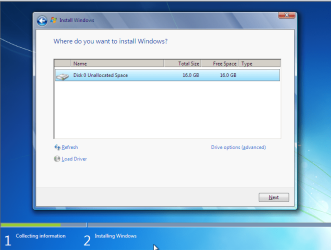
- Primary partition - a primary partition can be used to boot an Operating System. Your Windows OS is installed on a primary partition.
- Extended partition - an extended partition is used to hold logical drives.
- Logical drives - logical drives hold files unrelated to the Operating System - pretty much everything else on your computer - data, audio, video, etc.
Just to be accurate here...
The "boot" partition (a) must be marked as the "active" partition on that hard drive, and (b) must be a "primary" partition, and (c) must reside on "hard disk #1" per the BIOS. That is the definition of the "boot" partition.
This partition does NOT need to contain the Windows OS, although it can. In fact, on a brand new empty drive installation of Win7, the "boot" partition (as I've defined it above) will be that 100MB "system reserved" partition in which the Win7 boot manager files will be installed. It will satisfy all the requirements of a "boot" partition, in that the Win7 installer ensures that (a) it is "primary" rather than "logical", (b) it is marked as the "active" partition on the hard drive, and (c) it resides on "hard disk #1" per the BIOS.
Just because that's the way Microsoft did things, by default there will then be a second "primary" partition in which the Win7 operating system itself will then be placed (typically a 50GB or larger partition, or even the rest of the hard drive if you don't take the time to partition the brand new drive during the Win7 install).
But in fact, you can install the Win7 operating system itself anywhere... in any other "primary" or "logical" partition, on the "hard disk #1" hard drive or on any other hard drive. In other words you do NOT have to place the real Win7 (or WinXP) operating system in a "primary" partition". It can go into a "logical" partition and still be 100% perfectly usable. And it can go on "hard disk #1" or you can place it on any other hard drive you want to place it on.
It is the "boot" partition which is the one and only required "primary" partition in the entire environment, be it one hard drive or multiple hard drives, and it can in fact be nothing more than that 100MB "system reserved" partition in which the boot manager files are placed.
Or, it can be the current bootable WinXP partition if you're adding Win7 as a second Windows OS to an existing WinXP configuration, planting the Win7 system into either another "logical" or "primary" partition on the same hard drive as WinXP already lives, or onto a "logical" or "primary" partition on some other hard drive. In this case, the Win7 boot manager files will be planted into the existing WinXP partition, because that "boot" WinXP partition by definition MUST be the "active" partition on "hard disk #1" per the BIOS, and of course must also be of type "primary". Had WinXP been added as a second OS then it could have gone into a "logical" or "primary" partition somewhere, but as the original bootable OS on "hard disk #1" per the BIOS in a single WinXP environment, the WinXP installer would have created that partition as "primary" and also marked it "active". In this case there is no need for the 100MB "system reserved" partition.
Or, it can be the Win7 partition itself, if you use EasyBCD (or triple-repair) to plant the Win7 boot manager files into the Win7 partition itself (assuming it's "primary") and mark that partition as "active", and make sure that this hard drive is set as 'hard disk #1" in the BIOS. Then again, there is no need for the 100MB "system reserved" partition.
So... there is nothing magic about "primary" partitions that makes them and them alone eligible to hold a Windows OS system partition. In fact, Windows can be installed into either "primary" or "logical" partitions.
And, there is ZERO requirement that ANY partition be "primary", other than the one single "boot" partition which MUST be "primary", MUST be marked "active", and MUST be on "hard disk #1" per the BIOS. It is into this one and only specific partition that the Win7 installer (or
EasyBCD, or BCDEdit) will place the Win7 boot manager files.
All other partitions on this hard drive or any other hard drives can be "primary" (up to the limit of four primary partitions per hard drive) or "logical" (any number can be defined inside of the "extended partition", which is a type of "primary" partition of which one per hard drive is allowed... living within the constraint of four total primary partitions on a hard drive).
If you want, you can partition every one of your secondary hard drives to contain zero primary partitions other than the one "extended partition", and then inside that "extended partition" you can define ANY NUMBER OF "LOGICAL" PARTITIONS. In other words, every partition other than the "boot" partition can be "logical"... no matter what it contains, and no matter whether it's on "hard disk #1" or any other hard drive.
But if you define "primary" partitions then there is a limit of four maximum per hard drive, of which the "extended partition" inside of which all "logical" partitions live, counts as one of those four "primary" partitions allowed on the hard drive.