Of course not!
Just got up real late, and had work I had to goto.
I can't say I have much more to offer at this point. Have you done anything else?
One thing I read about the sfc tool both here in the tutorial and at MS, is that you "may have to run it up to 3 times before it can repair the files sometimes. I'm not sure how long it took, but it might be worth a second try to see if the log is identical.
If you would like, as you mentioned, we could just do a clean install (do you have the factory Restore CD (pretty uncommon) or did you make a set of system repair discs? maybe when you first got the computer? we don't really need them, as you should have a copy of it on your hard drive - Restore Partition. It's just not a confident feeling I get when your having possibly drive corruption (just guessing because there are corrupt system files or at least manifests for the files. I just worry that your drive becomes unusable, during the process, and then you have no backup medium such as DVDs/CDs to fix it with. If you had a copy of Win 7 Retail or Upgrade that was the same version as yours (64-bit, home premium) we could use that, to fix it, even if it was a loaner from a friend - don't worry, it's not illegal If done correctly.
We can pursue the problem in the general steps I mentioned above (posts #96 & #97) The first being the general outline I was referring to above when you asked if I had something written down, I was merely leaving you two with what I thought best, and was hoping someone would have helped you today, I guess AllOnTheBus Didn't return. I expected he would have, he must have not signed on today.
What do you want to do? Have you backed up your files? Would you like to try the system file checker again (sfc command) and see if it produces some results!
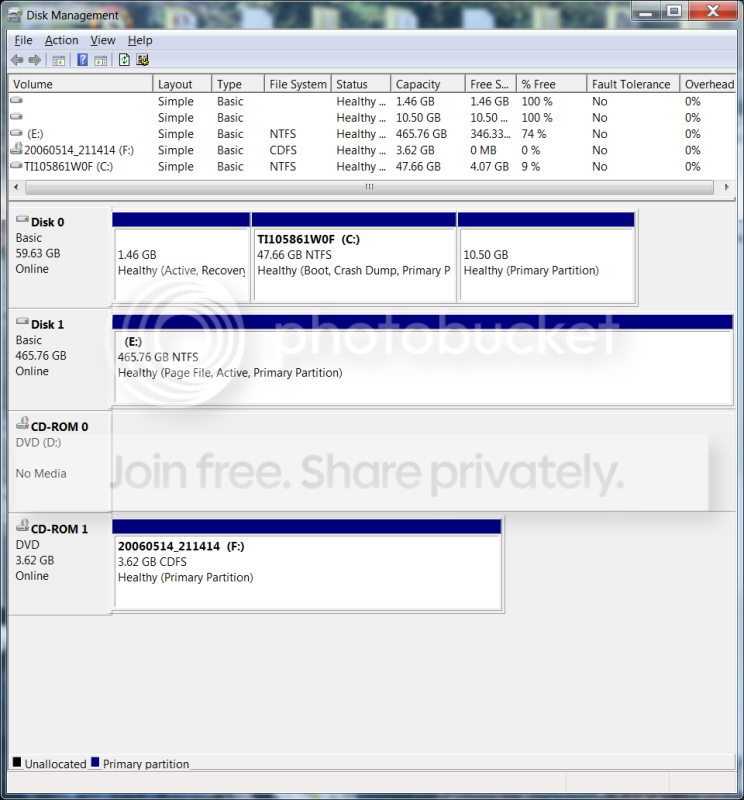
(I'm also wondering how much stuff you mutch have to backup, because you said your HDD was completely full, potentially causing this issue during SP1 downloading. (That would likely also be why you only had 2 restore points!) )
Sincerely,
Mike