
I am trying to install xp dual boot to a win7 64 ssd, I attempted the following instructions for this link - http://www.sevenforums.com/tutorials/2672-partition-volume-shrink.html and have had the following errors with each of the methods.
The error "The service cannot be started, either because it is disabled or because it has no enabled devices associated with it."
I have attached a screen shot of the error and the event viewer.
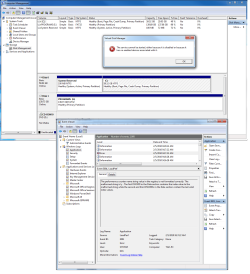
Any direction would be appreciated.
Thank You,
The error "The service cannot be started, either because it is disabled or because it has no enabled devices associated with it."
I have attached a screen shot of the error and the event viewer.
Any direction would be appreciated.
Thank You,
My Computer
- Computer Manufacturer/Model Number
- self
- OS
- Win 7 Pro 64
- CPU
- Intel QX9650 SLAN3 3 GHz. 1333 MHz 12 MB
- Motherboard
- Gigabyte EP45-UD3P rev. 1.6 - FD Bios
- Memory
- 8 GB. Gskill F2-8500CL5D-4BBPK (DDR2-1066 CL5-5-5-15)
- Graphics Card(s)
- NVIDIA Quadro FX 4600 R-A2, 768 MB GDDR3
- Sound Card
- onboard
- Monitor(s) Displays
- AL2016W
- Hard Drives
- 1- OCZ 60 GB. Vertex sataII ssd for O.S.
2 - 150 GB. WD. VelociRaptor 10,000 RPM SATA 16 MB
- PSU
- 750W Corsair CMPSU-750 PSU
- Case
- Cooler Master Cosmos
- Cooling
- Stock air (great case cooling)


 rb: and type Services in the search box and then press Ctrl+Shift+Enter. You will need to provide administrative credentials.


