
hi ,, i have 8 gb adata pen drive , when i tried to format it then it said it is write protected and a searchea software callded hdd low level format and formatted it and it was being shown in explorer . but when i tried to format it default way it was again saying write protected . then i got a suggestion in the net
''1.Go to Run->regedit
2.MyComputer->HKEY_LOCAL_MACHINE->SYSTEM->CurrentControlSet->Control -> StorageDevicePolicies
3.Delete the StorageDevicePolicies in Your Registry.''
and formatted it in the default way but when i ejected it and re connected then it was not being shown in the explorer...
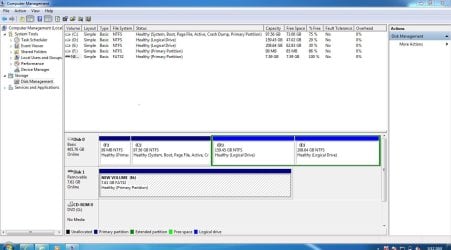
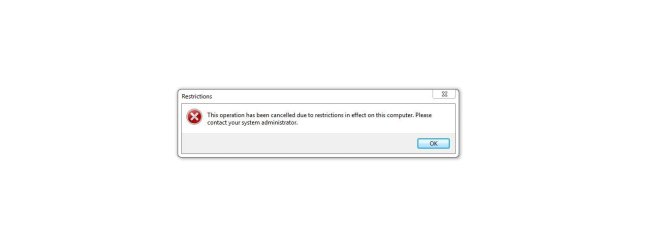
but when i connected it in the pc then disk security as well as antivirus detected it and when i went to disk management , every thing was healthy and ok . but the problem is it is not shown when i click my computer,,,,i took it to the another pc where it was detected and i formatted it but when conected to my pc then every where it detected except my computer.
''1.Go to Run->regedit
2.MyComputer->HKEY_LOCAL_MACHINE->SYSTEM->CurrentControlSet->Control -> StorageDevicePolicies
3.Delete the StorageDevicePolicies in Your Registry.''
and formatted it in the default way but when i ejected it and re connected then it was not being shown in the explorer...
but when i connected it in the pc then disk security as well as antivirus detected it and when i went to disk management , every thing was healthy and ok . but the problem is it is not shown when i click my computer,,,,i took it to the another pc where it was detected and i formatted it but when conected to my pc then every where it detected except my computer.
Attachments
My Computer
At a glance
win 7
- OS
- win 7


