on my AMD rig, disableing C1E did give me a little better frame rates. but the thing i noticed most was that stuttering stopped in games. there was a lot of micro stutter i was getiing and part of the cause was C1E. i also ran a benchmark, (cinebench) with C1E on and off and with it off i get a better score.
I don't know about that one but...
The overall purpose of power management is to manage the system's inactivates - that is power down things when not in use or low activity. Once those items are needed, power management is disengaged so to speak.
And actually I should have clarified the purpose of C1E/EIST which is actually related to Intel's CPU's. In short, it's an Intel CPU power saving mode, not a system power saving mode -
What you might not know is the purpose of some of the more obscure CPU-related BIOS settings. Both C1E and EIST relate to power-saving techniques employed by Intel CPUs. EIST, or Enhanced Intel SpeedStep Technology, is an offshoot of the notebook SpeedStep feature that lowers the CPU speed when it’s not under heavy use. C1E is an enhanced halt state that cuts the clock multiplier in the CPU to a preset value when the OS tells the chip that it has no work for it. Each has pros and cons. EIST is known for greater granularity, ramping up and down depending on load, but it does require driver support in the OS to manage it. Critics say EIST can actually reduce performance since it’s designed to operate the CPU at lower speeds whenever it’s not running at 100 percent capacity. The C1E state is issued by the OS when it’s idle, so C1E doesn’t require quite as much management. But some overclockers prefer to disable C1E since it can interfere with overclocks. We’ve seen older boards feature settings for both, but in our experience, newer chipsets from Intel contain settings only for C1E. Flipping off the features will force the CPU to always run at its maximum clock speed. Phenoms have similar features with Cool’n’Quiet (akin to EIST) and now C1E support. While you’re not supposed to, we’ve run with both settings on without issues, but your mileage may vary
Source: Maximum PC Essentials: Ultimate BIOS Tweaking Guide - Page 3 | Maximum PC
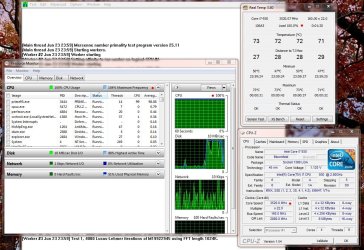
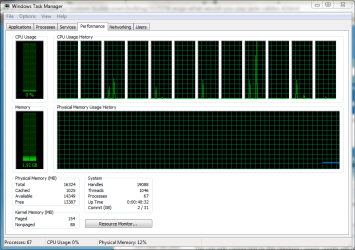
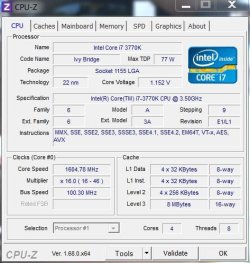
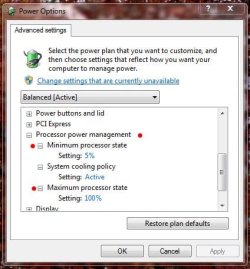
You can see a perfect example of this by disabling/enabling C1E/EIST in the BIOS and than using CPU-Z check the activity of the CPU. You'll notice the CPU running at full bore with it disabled, and Idle when enabled. This of course is provided you have the proper power management set up. particularly Processor Power Management Plan....
My Computer
At a glance
Windows 10 ProIntel Core i7-4770K (3.5Ghz)32 gig Corsair Dominator Platinum (4x8Gig)Sapphire Tri-X R9 Fury
- Computer type
- PC/Desktop
- Computer Manufacturer/Model Number
- Custom built by me.
- OS
- Windows 10 Pro
- CPU
- Intel Core i7-4770K (3.5Ghz)
- Motherboard
- Gigabyte G1 Sniper 5 (F10 Bios)
- Memory
- 32 gig Corsair Dominator Platinum (4x8Gig)
- Graphics Card(s)
- Sapphire Tri-X R9 Fury
- Sound Card
- Soundblaster ZXR
- Monitor(s) Displays
- NEC PA242W 24" LCD Monitor
- Screen Resolution
- 1920 x 1200
- Hard Drives
- Primary - Samsung 850 Pro (512gig), Samsung 840 Pro (256gig), 2TB WD Caviar Black.
- PSU
- EVGA Supernova 1000 G2
- Case
- Cooler Master HAF X
- Cooling
- Corsair H100i with Corsair Air Series SP120 Quiet Fans
- Keyboard
- Logitech Wireless Wave
- Mouse
- Logitech Performance MX
- Internet Speed
- High Speed Cable
- Antivirus
- Norton Security
- Browser
- IE11
- Other Info
- Memory Timings - 1866MHz @ 9-9-9-27-1T @ 1.5 volts