
mastacox
New member
Hey all,
So I'm running an ASUS M4N72-E mobo which has the Nvidia nForce 750a SLI chipset with built-in SATA RAID. I bought a pair of 1TB Samsung SATA hard drives to set up in a RAID 1 (mirrored) array for backing up pictures and the like, but I can't get the thing to show up in Windows for the life of me...
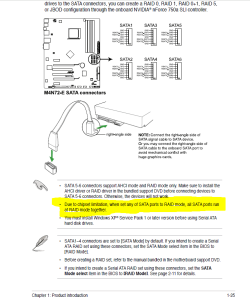
I first installed the nVidia driver set which supports in-Windows setup and configuration of RAID arrays (Nvidia Mediashield). With that all installed, I shutdown installed the two drives on SATA ports 5&6 which are supposedly for dedicated RAID according to the mobo manual. I went into the BIOS and set onboard SATA to RAID, and went to the RAID configuration utility to make sure both drives were showing up (they are). At first, I didn't set up the RAID in the BIOS config because I was going to do it in Mediashield.
Once I got back into windows the two drives show up as unpartitioned drives in Windows drive manager, and so I load up Nvidia Mediashield go through the steps to set up the array, and when I click "finish" the utility locks up for about 5 minutes (at first I thought formatting the array), but then closes with no messages. Once mediashield closes the drives no longer show up in the device manager or drive partitioner, and no RAID array shows up either. Rebooting is the only way to get them back. I've tried plugging the drives into different SATA ports, tried setting the RAID up in the BIOS config utility and then booting to Windows, and tried uninstalling and re-installing the Nvidia software/drivers... When I set the RAID up in the BIOS config utility and then boot to Windows, the drive just doesn't show up at all (but the BIOS post shows the drives set up in a healthy array).
So what gives? Is my onboard RAID bad? Do I need to update my BIOS? I'm stumped...
So I'm running an ASUS M4N72-E mobo which has the Nvidia nForce 750a SLI chipset with built-in SATA RAID. I bought a pair of 1TB Samsung SATA hard drives to set up in a RAID 1 (mirrored) array for backing up pictures and the like, but I can't get the thing to show up in Windows for the life of me...
I first installed the nVidia driver set which supports in-Windows setup and configuration of RAID arrays (Nvidia Mediashield). With that all installed, I shutdown installed the two drives on SATA ports 5&6 which are supposedly for dedicated RAID according to the mobo manual. I went into the BIOS and set onboard SATA to RAID, and went to the RAID configuration utility to make sure both drives were showing up (they are). At first, I didn't set up the RAID in the BIOS config because I was going to do it in Mediashield.
Once I got back into windows the two drives show up as unpartitioned drives in Windows drive manager, and so I load up Nvidia Mediashield go through the steps to set up the array, and when I click "finish" the utility locks up for about 5 minutes (at first I thought formatting the array), but then closes with no messages. Once mediashield closes the drives no longer show up in the device manager or drive partitioner, and no RAID array shows up either. Rebooting is the only way to get them back. I've tried plugging the drives into different SATA ports, tried setting the RAID up in the BIOS config utility and then booting to Windows, and tried uninstalling and re-installing the Nvidia software/drivers... When I set the RAID up in the BIOS config utility and then boot to Windows, the drive just doesn't show up at all (but the BIOS post shows the drives set up in a healthy array).
So what gives? Is my onboard RAID bad? Do I need to update my BIOS? I'm stumped...
My Computer
- Computer Manufacturer/Model Number
- Custom Box
- OS
- Windows 7 Professional, 64-Bit Install
- CPU
- AMD Phenom II X4 940 Black Edition, 3.5GHz OC
- Motherboard
- Asus M4N72-E
- Memory
- 8GB (4 x 2GB) OCZ Platinum Edition DDR2 800 SDRAM
- Graphics Card(s)
- XFX GeForce GTX 260 Core 216
- Sound Card
- Mobo On-Board 7.1
- Monitor(s) Displays
- 37" HDTV
- Hard Drives
- 160GB PATA (System Drive)
500GB PATA (Programs Drive)
2X Samsung 1TB SATA in RAID 1
- PSU
- Thermaltake Toughpower XT 775W Modular
- Case
- NZXT Full Tower
- Cooling
- Cooler Master Hyper 212+, lots of case fans
- Keyboard
- HP Wireless Elite
- Mouse
- Logitech MX1100
- Internet Speed
- Comcast Cable 18 Mbps
- Other Info
- Optical: LG WH10LS30K 10x Blu-Ray Burner




 Thank you Windows Update!


