
HardrivesOfHell
New member
- Local time
- 12:51 PM
- Messages
- 2
I recently built a new PC, using a SSD for my OS. Deciding I needed more space for games I installed an old hard drive that used to have my OS on it. I removed both the Programs Files and the Windows file from the old hard drive using IOBit Unlocker, and shut down my computer with out a problem.
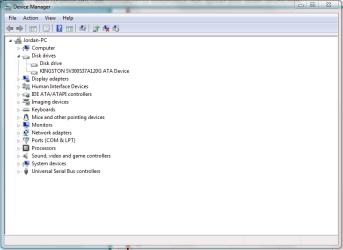
When I came to start it up again I found that it doesn't boot past the windows loading icon, doesn't load system restore, or safe mode. After removing the hard drive it works fine! I have tried hot switching it while windows had already started but it doesn't install (althought it is detected, all the information is left empty in the device manager). I have tried different cables and SATA slots, I have tried booting just the SSD while the HDD is still installed, and I have tried changing the boot order. Help!
When I came to start it up again I found that it doesn't boot past the windows loading icon, doesn't load system restore, or safe mode. After removing the hard drive it works fine! I have tried hot switching it while windows had already started but it doesn't install (althought it is detected, all the information is left empty in the device manager). I have tried different cables and SATA slots, I have tried booting just the SSD while the HDD is still installed, and I have tried changing the boot order. Help!
Attachments
My Computer
At a glance
Windows 7Intel Core i3-4160
- Computer type
- PC/Desktop
- Computer Manufacturer/Model Number
- custom build
- OS
- Windows 7
- CPU
- Intel Core i3-4160
- Hard Drives
- Kingston
[?] Samsung HD321KJ
- Browser
- Google Chrome


