
Afternoon all from a reasonably decent day (weather wise) in the UK.
Using an old business PC i was given by I.T at work, it had W7 64bit Ultimate on.
I'm trying to re-install W7 but am unable to.
Spec of system in question:
HP - Compaq D7800
CPU - E4500 @ 2.20GHz
RAM - DDR2 3gb (3 modules of 1gb)
HDD - 1tb Spinpoint F1
BIOS options have been searched through and i can't find anything that helps me with
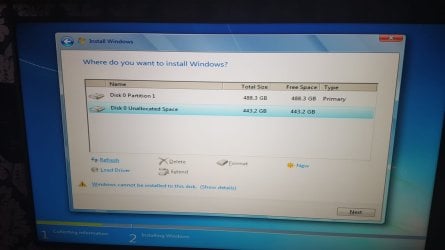
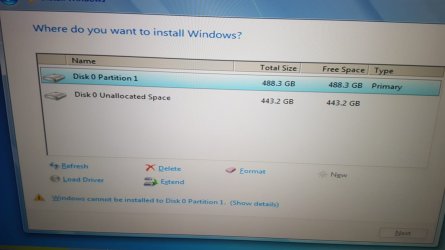
"windows cannot be installed to this disk. this computer's hardware may not support booting to disk. Ensure that the disk controller is enabled in the computer's BIOS menu"
the drive is fully working as it was both a C drive for a short period in my PC and also a backup drive for my current SSD.
I've tried to look for the option to change to AHCI but i cannot locate it, the closest thing i can find is under 'Storage options' where i can change SATA emulation from IDE to RAID, but that's it.
I have tried to install W7 via CD & USB.
Thought the USB might have been playing up but i installed W7 from it to my laptop only a couple of days ago so i know its not the USB.
The USB i have tried is what previously installed W7 to this PC.
On the screen for choosing where i install the OS i have deleted, formatted, created new etc etc but still see this issue.
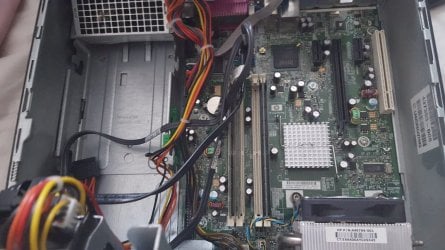
I've also experimented with having the SAT cables connected differently, but from what i understand they need to be connected as:
Light Blue port on Mobo - HDD
Dark Blue port on Mobo - CD/DVD Drive
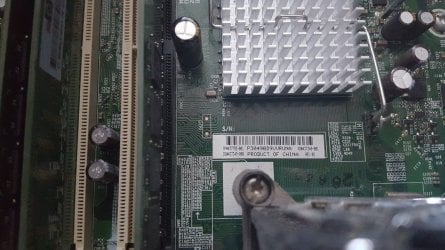
Have attached a few images if they help
Would love to get some feedback on this if possible
Kind Regards
Rich
Using an old business PC i was given by I.T at work, it had W7 64bit Ultimate on.
I'm trying to re-install W7 but am unable to.
Spec of system in question:
HP - Compaq D7800
CPU - E4500 @ 2.20GHz
RAM - DDR2 3gb (3 modules of 1gb)
HDD - 1tb Spinpoint F1
BIOS options have been searched through and i can't find anything that helps me with
"windows cannot be installed to this disk. this computer's hardware may not support booting to disk. Ensure that the disk controller is enabled in the computer's BIOS menu"
the drive is fully working as it was both a C drive for a short period in my PC and also a backup drive for my current SSD.
I've tried to look for the option to change to AHCI but i cannot locate it, the closest thing i can find is under 'Storage options' where i can change SATA emulation from IDE to RAID, but that's it.
I have tried to install W7 via CD & USB.
Thought the USB might have been playing up but i installed W7 from it to my laptop only a couple of days ago so i know its not the USB.
The USB i have tried is what previously installed W7 to this PC.
On the screen for choosing where i install the OS i have deleted, formatted, created new etc etc but still see this issue.
I've also experimented with having the SAT cables connected differently, but from what i understand they need to be connected as:
Light Blue port on Mobo - HDD
Dark Blue port on Mobo - CD/DVD Drive
Have attached a few images if they help
Would love to get some feedback on this if possible
Kind Regards
Rich
Attachments
My Computer
- Computer type
- PC/Desktop
- OS
- W7 64bit Ultimate
- CPU
- Intel i7 3770k
- Motherboard
- Asus Rampage V Formula
- Memory
- Corsair Vengeance 24gb
- Graphics Card(s)
- Sapphire R9 290 Tri-x
- Hard Drives
- Samsung Evo 1tb SSD
- Antivirus
- Eset - NOD32
- Browser
- Chrome


