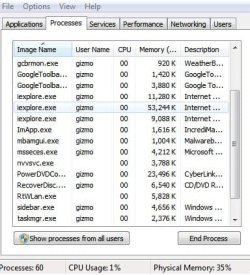
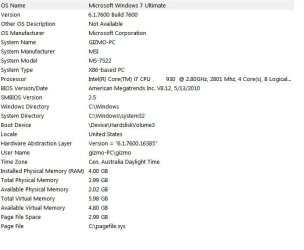
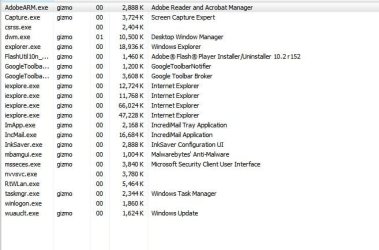
why so slow

3doz

New member
Local time
9:46 AM
Messages
17
I have done all the normal checks
this computer is running as stow as my old 10 year old model
I have attched some service screen in the hopw this helps

I have cleaned the files for virus and Malware and that did nothing to assist
I have checked to see if there is any problem with drivers all updated

this is nuts

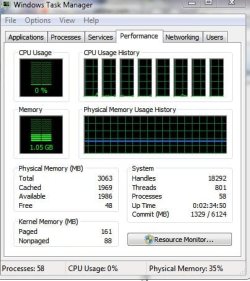
If I run two programs together it almost stops and the service shows almost no cup and memeory useage

appreciate any assistance
 

Attachments
  • 1.jpg
    1.jpg
    37.4 KB · Views: 6
  • 2.jpg
    2.jpg
    36.8 KB · Views: 4
  • 3.jpg
    3.jpg
    39.6 KB · Views: 8

My Computer

Computer Manufacturer/Model Number
abit
OS
7
Hi,

I noted that you said you have already scanned for malware. Which anti-malware/anti-virus software are you using?

What type of hard disk do you use? If its NOT an SSD, is there any chance it could be heavily defragmented? Have you check that recently?

Can you re-post your Processes screen, but this time maximise it a bit more, and sort it by the most Memory used?

Lastly, please don't bother with installing 3rd party PC optimisation software : they cause far more trouble than they are worth.

Regards,
Golden
 

My Computer

Computer type
PC/Desktop
Computer Manufacturer/Model Number
Golden Mk. I.4
OS
Windows 10 Pro x64 ; Xubuntu x64
CPU
Intel i7 860 @ 2.80 GHz O/C'ed to 4.0GHz
Motherboard
Gigabyte P55A-UD3R Rev.1. Award BIOS F13
Memory
16GB Corsair Vengance DDR3 @ 661 MHz Dual Channel (9-9-9-24)
Graphics Card(s)
EVGA NVidia GTX 560 1024MB
Sound Card
Realtek Integrated
Monitor(s) Displays
Dual Samsung SyncMaster 2494HS
Screen Resolution
1920*1080 and 1920*1080
Hard Drives
1*Samsung 840 EVO 120GB SSD;
1*OCZ Vertex 2 60GB SSD;
2*Samsung F3 SpinPoint 1TB in RAID0;
1*Samsung F1 SpinPoint 1TB;
2*Western Digital 1TB External USB 3.0
1*Western Digital 500GB External USB 3.0
1*Seagate 500GB External USB 2.0
PSU
Thermaltake ToughPower QFan 750W
Case
Thermaltake Element S VK60001W2Z
Cooling
Corsair H60 Water Cooling, 2*230mm and 2*80mm case fans
Keyboard
Logitech G110
Mouse
Logitech MX518
thanks

will try a defrag
her is a update screen as attachment

it even slows more when the printer is running and causes a error with a disc burn if it running at the same time at 16 speed not 1 8 strange that
 

Attachments

  • 6.jpg
    6.jpg
    43.1 KB · Views: 5

My Computer

Computer Manufacturer/Model Number
abit
OS
7
Back
Top