- Local time
- 10:42 AM
- Messages
- 163
Thanks again. I am able to complete the long test using seatools. It took more than 4.5 hours. It crashed two times, so I repeated the test. The crash test time in not included in 4.5 hours. It passed the test. No errors found. You can review the attached screenshot(LongtestLog.jpg, LogTestResult,jpg). 
As I pressed ESC during startup. It showed CPU Intel Core
Memory 8192 MB passed
256 KB L2 Cache
System BIOS Shadowed
Video BIOS Shadowed
As I do not have a repair CD, I am using F8 ===> Repair Computer===> Command Prompt
As I am entering command prompt via Repair computer option, is it causing
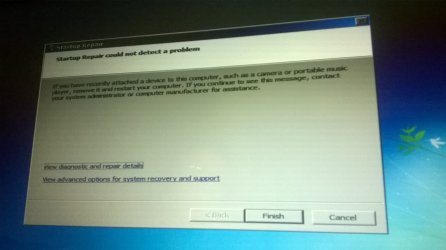
I did run F8 ===> Repair Computer===> Startup Repair ==> Resulted in "Startup Repair Could not detect the problem "
The logs says "Root cause found:
---------------------------
Boot status indicates that the OS booted successfully."
I am attaching the Startup Repair log also for your review (StartuprepairLog.txt, StratupRepair.jpg).
I run the SFC /SCANNOW ===> Resulted in "There is a system repair pending which requires reboot to complete. Restart windows and run it again."
Is there a way to get this SFC /SCANNOW to work, so I can produce minidump?
I restarted the computer after this startup repair==> Black screen with cursor in the middle
Thanks for helping.
Awaiting for your directions
As I pressed ESC during startup. It showed CPU Intel Core
Memory 8192 MB passed
256 KB L2 Cache
System BIOS Shadowed
Video BIOS Shadowed
As I do not have a repair CD, I am using F8 ===> Repair Computer===> Command Prompt
As I am entering command prompt via Repair computer option, is it causing
Code:
Beginning system scan. This process will take some time

There is a system repair pending which requires reboot to complete. Restart windows and run it again.

for d:\windows sfc/scannow ?The logs says "Root cause found:
---------------------------
Boot status indicates that the OS booted successfully."
I am attaching the Startup Repair log also for your review (StartuprepairLog.txt, StratupRepair.jpg).
I run the SFC /SCANNOW ===> Resulted in "There is a system repair pending which requires reboot to complete. Restart windows and run it again."
Is there a way to get this SFC /SCANNOW to work, so I can produce minidump?
I restarted the computer after this startup repair==> Black screen with cursor in the middle
Thanks for helping.
Awaiting for your directions
Attachments


My Computer
At a glance
Win 7 64 bit, 6.1.7601 Service Pack 1 Build 76011 Processor(s) Installed. [01]: Intel64 Famil...8,056 MBIntel HD 4000
- Computer type
- Laptop
- Computer Manufacturer/Model Number
- Lenovo IdeaPad Z580, x64-based PC
- OS
- Win 7 64 bit, 6.1.7601 Service Pack 1 Build 7601
- CPU
- 1 Processor(s) Installed. [01]: Intel64 Family 6 Model 58 St
- Memory
- 8,056 MB
- Graphics Card(s)
- Intel HD 4000
- Antivirus
- Windows Security Essential
- Browser
- FireFox, Chrome