Hello, glad to be apart of this forum, have came here alot in the past for issues and never had to register to solve one...until now lol
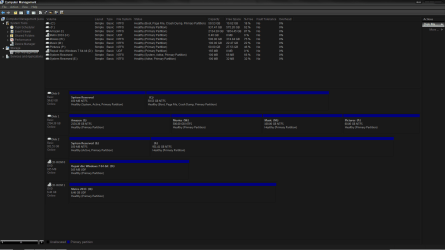
Ok, so recently i put together a custom build and did a fresh install of windows 7 OS Home Premium onto my SSD by creating a install disc from my old one. Had everything running fine and then i put my old HDD in the new PC and again no problems.
Then like always, i get bored and and start customizing my new toy/OS and ended up tweaking the login screen (like on my old system- but i think i used a different method) and then windows goes X.X
Luckily i made a image of the OS right before i did so and restored the OS back to normal. But now, and only now, do i have the boot manager up everytime i boot.
so i opened up msconfig.exe and peeps over to the boot tab and saw that instead of picking up the original OS and the iso, its picking up the one from my old HDD that never showed up before, and its labeled *recovered*

im am lost lol
i dont wanna delete it as that may cause problems if i ever need to use it as a master, but i dont want it to show up everytime i boot.
and also im not sure if it is booting off the backup or the SSD, though i have made sure that my Bios is pointing to the SSD and not the HDD.
Thanx for your time and help.
Ok, so recently i put together a custom build and did a fresh install of windows 7 OS Home Premium onto my SSD by creating a install disc from my old one. Had everything running fine and then i put my old HDD in the new PC and again no problems.
Then like always, i get bored and and start customizing my new toy/OS and ended up tweaking the login screen (like on my old system- but i think i used a different method) and then windows goes X.X
Luckily i made a image of the OS right before i did so and restored the OS back to normal. But now, and only now, do i have the boot manager up everytime i boot.
so i opened up msconfig.exe and peeps over to the boot tab and saw that instead of picking up the original OS and the iso, its picking up the one from my old HDD that never showed up before, and its labeled *recovered*
im am lost lol
i dont wanna delete it as that may cause problems if i ever need to use it as a master, but i dont want it to show up everytime i boot.
and also im not sure if it is booting off the backup or the SSD, though i have made sure that my Bios is pointing to the SSD and not the HDD.
Thanx for your time and help.
My Computer
- Computer type
- PC/Desktop
- Computer Manufacturer/Model Number
- Custom Build
- OS
- Windows 7 Home Premium x64
- CPU
- AMD 8350-FX
- Motherboard
- MSI 990XA-GD55
- Memory
- Patriot Viper 3 1866 16GB
- Graphics Card(s)
- Gigabyte HD 7970 3GB OC
- Monitor(s) Displays
- Sync Master BX2331 23' 2MS
- Hard Drives
- 3 TB-WD-72k-64MB-6.0-3.5
1 TB WD-72k-64MB-6.0-2.5
500 GB WD-72k-64MB-3.0-2.5
64 GB ScanDisk SSD 2.5
- PSU
- OC Z Series 1000W
- Case
- Thermaltake MS-1 Commander Snow
- Cooling
- Cooler Master V6 GT
- Antivirus
- Bitdefender 2013
- Browser
- Firefox