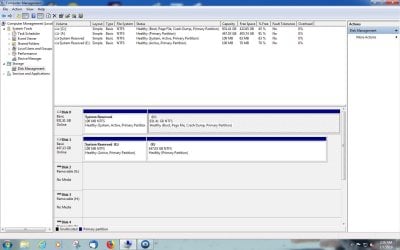
I have done exactly what you want to do for few years now on 2 of my laptop, since every other method sucks big time one way or another and there are 2 issues you need to resolve: Install Win 7 on 1 partition only (no EFI partition etc, I think it's called legacy boot or something similar). You need to do install Win7 with 1 disk present (take out the other disk for a moment). Once you install both Windows, put both disks back. You choose either permanent boot order in BIOS, or hit escape and get boot order for this boot only. No stupid menus, no delay in boot-up time unless disk order change, no 2 pages of some ridiculous instructions to follow to the letter, no extra programs to buy, install and later break with no way to boot your system (had that happen to me). I set 2 of my laptops like that, but it was few years ago and I don't remember exactly, but I think it was pretty straight forward, except for making sure all is on 1 partition only. I have another laptop setup as dual boot win7/Win10 and Win 10 have all those stupid little partitions for EFI etc, but Win7 is all in one partition only and here all I do is choose between legacy and UEFI boot to get either one. I think your problem is, you somehow installed 2 EFI partitions and that won't work. If you want some details, I try to dig some more info. Good luck and trust me this is the best simplest way to do it and it works perfect.