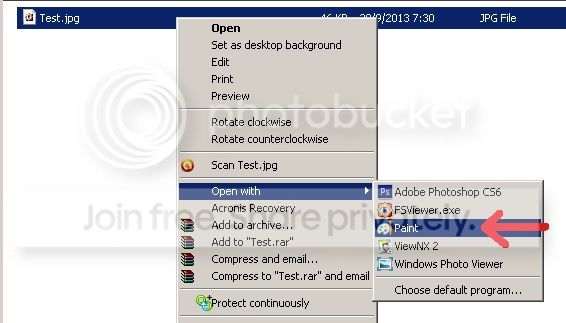
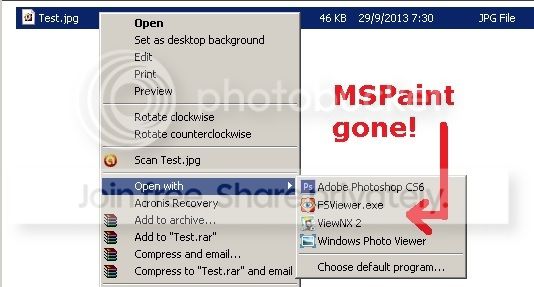
I do not want MSPaint to be an OpenWith option when right-clicking a .jpg file. I have tried the following (and many other) approaches without success -
4. Also tried both OpenWithView and Unassoc freeware
The MSPaint option just refuses to go away. This is supposedly only a simple task, but is frustratingly difficult for me to find a solution. Could anyone help me please? Thank you.
Welcome to Seven Forums lof. You have a sticky problem, no pun intended. You have done the right steps. Have a look at this article, see if it has other options you haven't tried
Thank you so much A Guy and Layback Bear for the pointers!
I tried the 7 locations in the link posted by A Guy. Unfortunately, they did not work. As A Guy suggested, I also looked at Boo's reply. Yes, that's it - it solved my problem! The relevant key is:
I know i know, this thread is 1852 days old, but I took a deep dive into the "remove-all-unwanted-programs-in-open-with-context-menu" and now I'm only stuck with MS Paint