scottgbelbin
New member
- Local time
- 3:49 AM
- Messages
- 1
Afternoon all,
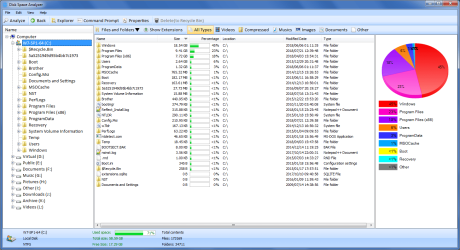
I have an issue with my Windows 7 user profile in that it is 331GB in size. I'm on Windows 7 Pro, SP1 and it's all running on a Dell Optiplex 7040. As you can imagine, it's having an effect on the speed and general performance of my machine. I've compressed everything on my C:\ as well as running CCleaner. Any further ideas as to what could be causing this bloat? It is a roaming profile.
Many thanks,
I have an issue with my Windows 7 user profile in that it is 331GB in size. I'm on Windows 7 Pro, SP1 and it's all running on a Dell Optiplex 7040. As you can imagine, it's having an effect on the speed and general performance of my machine. I've compressed everything on my C:\ as well as running CCleaner. Any further ideas as to what could be causing this bloat? It is a roaming profile.
Many thanks,
Attachments
My Computer
- Computer type
- PC/Desktop
- Computer Manufacturer/Model Number
- Dell
- OS
- Windows 7 Pro SP1
- CPU
- Intel i7-6700 @ 3.4GHz
- Memory
- 8GB
- Browser
- Chrome Beta