

I was using Process Explorer in place of Task Manager. I decided that I no longer wanted Process Explorer so I just deleted the files (it was a standalone .exe). Now when I press <CTRL>+<SHIFT>+<ESC> nothing happens, no error message, no task manager. The same thing happens when I press <CTRL>+<ALT>+<DELETE> and choose "Start Task Manager."
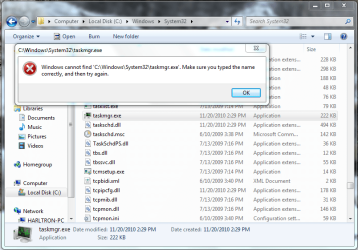
Now if I go to C:\Windows\System32\taskmgr.exe and try and open it I get this error:
Any ideas??
Thanks!
P.S. This is happening on my laptop running Windows 7 Ultimate x86
Now if I go to C:\Windows\System32\taskmgr.exe and try and open it I get this error:
Any ideas??
Thanks!
P.S. This is happening on my laptop running Windows 7 Ultimate x86
My Computer
- Computer type
- PC/Desktop
- Computer Manufacturer/Model Number
- Custom Built
- OS
- Windows 7 Ultimate x64
- CPU
- AMD Phenom 9850 x4 2.50GHz
- Motherboard
- ASUS M4A785-M
- Memory
- 4GB DDR2
- Graphics Card(s)
- nVidia GeFore 210
- Sound Card
- Onboard
- Monitor(s) Displays
- Samsung SyncMaster BX2031 20" LED
- Screen Resolution
- 1600x900
- Hard Drives
- Western Digital Caviar Blue 500 GB SATA III 7200 RPM
- PSU
- 450 Watt
- Case
- Raygo R12-40835 ATX Mid-Tower Case
- Cooling
- Air
- Antivirus
- Microsoft Security Essentials
- Browser
- Google Chrome
- Other Info
- Laptop:
Intel Core Duo T2450 @ 2.00GHz
2GB RAM
Windows 7 Ultimate x86


