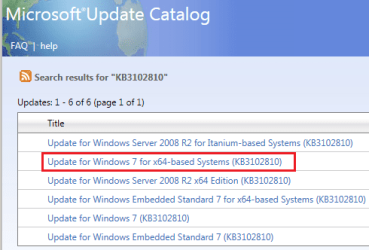
In a post a while back UsernameIssues referred to the Windows Catalog Website. http://www.sevenforums.com/windows-updates-activation/385734-update-issues.html. It is in post #6.
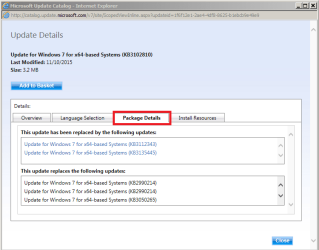
What I am trying to get a handle on is when a KB update is updated, how can you find out what KB number is for the updated version? For example KB3102810 appears to have been updated to a newer one. I accidently found it searching around the web. Instead of using the older KB3102810, I would prefer to use the latest update rather than the KB3102810. I could not find the answer to this question by visiting the Windows Catalog Website. https://catalog.update.microsoft.com/v7/site/Home.aspx
What I am trying to get a handle on is when a KB update is updated, how can you find out what KB number is for the updated version? For example KB3102810 appears to have been updated to a newer one. I accidently found it searching around the web. Instead of using the older KB3102810, I would prefer to use the latest update rather than the KB3102810. I could not find the answer to this question by visiting the Windows Catalog Website. https://catalog.update.microsoft.com/v7/site/Home.aspx
My Computer
- Computer type
- PC/Desktop
- Computer Manufacturer/Model Number
- All
- OS
- Windows 7 Home Premium
- Other Info
- I work on many PCs/Laptops for people to get hands on experience. I am a student at a technical college learning about computers and networks.