OK Chuck
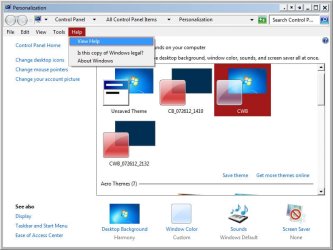
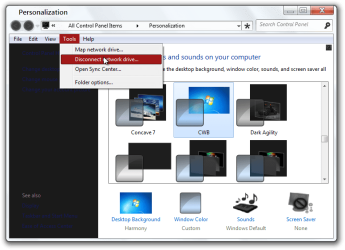
1st switch to the default Aero theme and then log off and log on, download and extract the zip folder at the bottom of this post, inside will be a CBW.msstyles
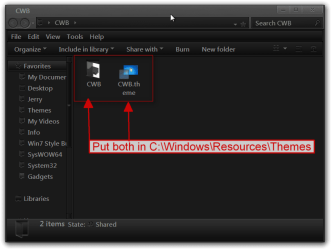
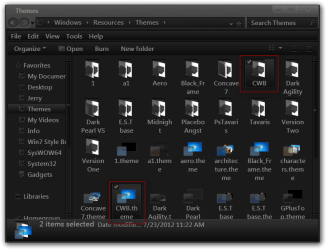
Now go to C:\Windows\Resources\Themes\CWB folder and delete or move the CBW.msstyles in that folder and replace it with the one from the new zip folder.
Let me know how it turns out.
Jerry
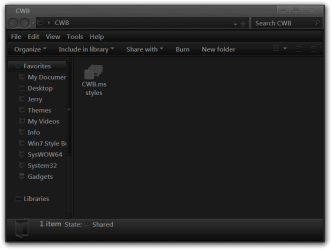
1st switch to the default Aero theme and then log off and log on, download and extract the zip folder at the bottom of this post, inside will be a CBW.msstyles
Now go to C:\Windows\Resources\Themes\CWB folder and delete or move the CBW.msstyles in that folder and replace it with the one from the new zip folder.
Let me know how it turns out.
Jerry
Last edited:
My Computer
At a glance
Win 7 Pro x64 / Win 10 ProIntel(R) Core(TM) i7-3630QM CPU @ 2.40GHz12 GB(1) Intel(R) HD Graphics 4000 (2) NVIDIA GeFo...
- Computer type
- Laptop
- Computer Manufacturer/Model Number
- Sager NP9170
- OS
- Win 7 Pro x64 / Win 10 Pro
- CPU
- Intel(R) Core(TM) i7-3630QM CPU @ 2.40GHz
- Motherboard
- CLEVO P170EM
- Memory
- 12 GB
- Graphics Card(s)
- (1) Intel(R) HD Graphics 4000 (2) NVIDIA GeForce GTX 675M
- Sound Card
- (1) Realtek High Definition Audio (2) Intel(R) Display Aud
- Monitor(s) Displays
- 17.3
- Screen Resolution
- 1920x1080
- Hard Drives
- (1) Samsung 860 EVO 500GB(OS) (1) Samsung 860 EVO 500GB(Data)
- Keyboard
- Backlite
- Antivirus
- MSE, Malwarebytes Pro
- Browser
- Firefox
- Other Info
- DESKTOP: Custom-built.
OS: Win 10 Pro x64.
CASE: Rosewill R5.
CPU: Intel I5 4670K CPU @ 3.40GHz.
CPU COOLER: Cool Master Hyper 212 EVO.
MOTHERBOARD: Asus Z87-A.
MEMORY: Kingston HyperX 2x4 GB.
GPU: Nvidia Geforce 650 TI.
PSU: Corsair TX750.
DRIVES: (1) Samsung 840 120 GB SSD (2) Western Digital blue 500 GB 7200 RPM.

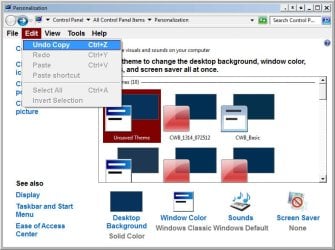
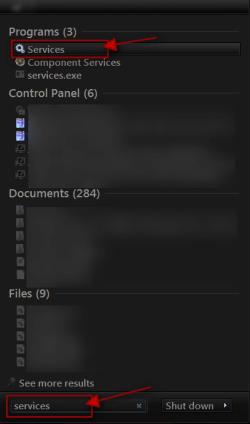
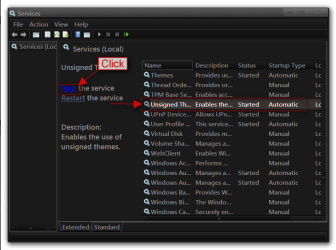
 rb: type in Services In the search box and then click on Services