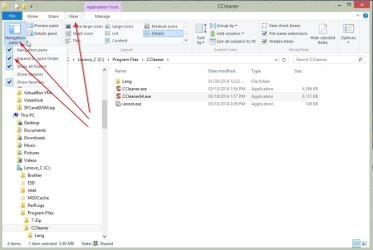
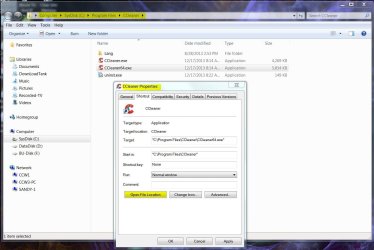
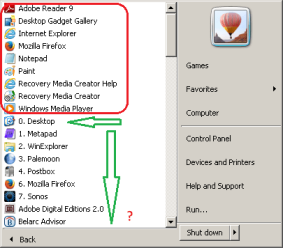
When opening Properties of a shortcut ...
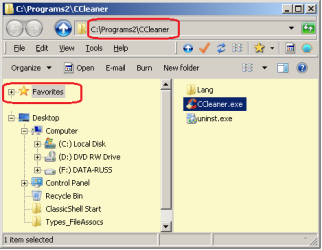
No amount of refreshing or coaxing will show the actual "containing folder"
• Selecting the address + Enter/refresh ... no success
• Copy/pasting the folder address + Enter ... no success
There are two solutions:- ... that I know of
Admittedly solution #1 is relatively simpler (just discovered it after 2 years with Win-7)
Are there any fixes for these problems ?
Thank you
---------------
SPECS:
Toshiba Satellite C665
OS pre-installed:= Windows 7 Home Premium (32-bit), sp1 (Build 7601) OEM
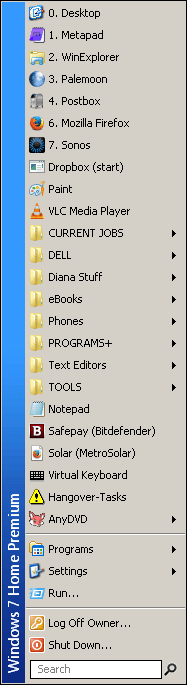
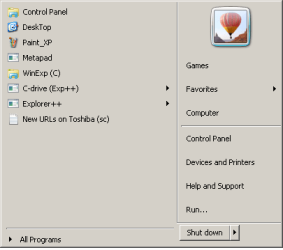
UI:=Classic Shell Start + Classic Explorer
Windows Indexing = disabled
Properties (dlg) > Shortcut (tab) > "Open File location"
... in the Navigation pane "Favorites" is ALWAYS hi-lited with the non-favorite EXE file in the results pane
No amount of refreshing or coaxing will show the actual "containing folder"
• Selecting the address + Enter/refresh ... no success
• Copy/pasting the folder address + Enter ... no success
There are two solutions:- ... that I know of
- add a backslash "\" to the address string > then "Enter" key
With an additional sore point ... the Navigation pane scrolls down, so the holding folder is not visible. - copy the address from the address bar > open a new instance of Win-Exp > past the path > Enter > manually locate the exe file > ... to finally display the intentions of "Open File location" > then close the first incorrect WinExp window.
Admittedly solution #1 is relatively simpler (just discovered it
after 2 years with Win-7)Are there any fixes for these problems ?
Thank you
---------------
SPECS:
Toshiba Satellite C665
OS pre-installed:= Windows 7 Home Premium (32-bit), sp1 (Build 7601) OEM
UI:=Classic Shell Start + Classic Explorer
Windows Indexing = disabled
Last edited:
My Computer
At a glance
XP Pro (x86) | 7 HP (x86) & (x64) | 7 Pro (x64)
- Computer type
- PC/Desktop
- Computer Manufacturer/Model Number
- Toshiba, Lenovo (laptops) + 4 rigs
- OS
- XP Pro (x86) | 7 HP (x86) & (x64) | 7 Pro (x64)