
Cannot partition unallocated space on 4TB hard drive

tahaminey

New member
Local time
12:21 PM
Messages
17
I just bought a 4TB hard drive to replace my old one which was damaged. However it only allows me to partition 2TB and leaves the remaining 1.64TB as unallocated. I've tried easeus but it does not allow me to do anything with the unallocated space. I want to create 3 partitions with that unallocated space and use it to store my files.

Any help please as I'm about to pull my hair out. I'm not too good with computers.
 

My Computer My Computer

At a glance

Windows 7 Home Premium 64 bitIntel(R) Core(TM) i7 CPU 930 @ 2.80GHz 2.65 GHz
Computer type
PC/Desktop
OS
Windows 7 Home Premium 64 bit
CPU
Intel(R) Core(TM) i7 CPU 930 @ 2.80GHz 2.65 GHz
Did you format it MBR instead of GPT?
 

My Computer My Computer

At a glance

Win 7 Ultimate 64 bitIntel i7-3930KKingston HyperX Genesis 32GB Kit (8x4GB Modul...MSI R7850 Twin Frozr 2GD5/OC Radeon HD 7850 2...
Computer type
PC/Desktop
Computer Manufacturer/Model Number
Custom Build
OS
Win 7 Ultimate 64 bit
CPU
Intel i7-3930K
Motherboard
ASUS P9X79 WS
Memory
Kingston HyperX Genesis 32GB Kit (8x4GB Modules) 1600MHz DDR
Graphics Card(s)
MSI R7850 Twin Frozr 2GD5/OC Radeon HD 7850 2GB 256-bit GDDR
Sound Card
Asus Xonar Essence STX
Monitor(s) Displays
3x Asus VG248QE 24", Vizio 32" TV
Screen Resolution
1920 x 1080, ?
Hard Drives
Samsung 128GB 840 Pro SSD (1),
Samsung 4TB 850 EVO SSDs (4)
Samsung 4TB 850 EVO SSDs (16) external backup drives used in 2.5" hot swap bays in the computer.
PSU
Corsair HX750w
Case
Antec Two Hundred v2 (modified)
Cooling
Cooler Master GeminII S524 120mm (fan replaced with a 140mm)
Keyboard
Logitech G510s
Mouse
Logitech M525 (two in use)
Internet Speed
=< 32Mbps down, 8Mbps up
Antivirus
AVAST!, MBAM, SAS, Spybot S&D (all but MBAM free) Glary Util
Browser
IE11
Other Info
LSI 9211-8i HBA card (8 SATA III ports), 2.5" & 3.5" Hot Swap Bays, HooToo HT-CR001 PCI-E to USB 3.0 Internal Hub + 6 Slot Card Reader, and LG Model CH12LS28 BD-ROM Optical Drive. Also, ScanSnap S1500 ADF duplexing scanner, Canon 9000F flat bed scanner, Corsair SP2500 2.1 speakers, Samsung CLP 415nw laser color printer, Cyberpower PP2200SW UPS
Sorry double posted and don't know how to delete this post.
 
Last edited:

My Computer My Computer

At a glance

Windows 7 Home Premium 64 bitIntel(R) Core(TM) i7 CPU 930 @ 2.80GHz 2.65 GHz
Computer type
PC/Desktop
OS
Windows 7 Home Premium 64 bit
CPU
Intel(R) Core(TM) i7 CPU 930 @ 2.80GHz 2.65 GHz
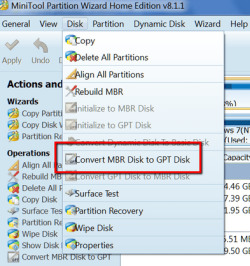
No, I've never done it before. I tried to follow the tutorial here http://www.sevenforums.com/tutorials/26193-convert-mbr-disk-gpt-disk.html. However the example shows Disc 0 which has the System Reserve and C drive and then Disc 1. Whereas my drive only shows Disk 0 which has the System Reserve and C drive and 2 partitions which I can create plus the rest of my 1.64TB unallocated space which I can't seem to touch.
 

My Computer My Computer

At a glance

Windows 7 Home Premium 64 bitIntel(R) Core(TM) i7 CPU 930 @ 2.80GHz 2.65 GHz
Computer type
PC/Desktop
OS
Windows 7 Home Premium 64 bit
CPU
Intel(R) Core(TM) i7 CPU 930 @ 2.80GHz 2.65 GHz
Sounds like you are trying to convert a disk that you are booted from. In your case, disc 0. In the tutorial, the PC is booted from disc 0, but disc 1 is the one to be converted.

I don't think Windows is going to let you delete partitions that you are booted from.

You'd need to boot from something else, such as a Windows installation disc, and then delete the partitions on the 4 TB disc. Then initialize and format it as GPT.
 

My Computer My Computer

At a glance

Windows 7 Home Premium SP1, 64-bitIntel Skylake i5-6600K, not overclocked8 GB HyperX DDR4-2666 (2 x 4 GB)none; graphics are integrated on CPU
Computer type
PC/Desktop
Computer Manufacturer/Model Number
Ignatz Special; 4 speed manual gearbox; factory air conditioning; one of one
OS
Windows 7 Home Premium SP1, 64-bit
CPU
Intel Skylake i5-6600K, not overclocked
Motherboard
AsRock Z170M Extreme 4, micro ATX
Memory
8 GB HyperX DDR4-2666 (2 x 4 GB)
Graphics Card(s)
none; graphics are integrated on CPU
Sound Card
onboard: Realtek ALC1150; external: USB Behringer UF0-202
Monitor(s) Displays
Dell S2340M 23 inch IPS
Screen Resolution
1600 x 900
Hard Drives
System: Crucial MX100 series SSD, 128 GB;
Data: Samsung Spinpoint 103SJ, 1 TB;
Backup: WD Caviar Green WD30EZRX-00D8PB0, 3 TB
PSU
Rosewill SilentNight 500 watt fanless, semi-modular
Case
Antec Solo II
Cooling
Noctua NH-U12S; Noctua F12 intake, Noctua S12A exhaust
Keyboard
Microsoft 200 6JH-00001 USB
Mouse
Dell or Microsoft optical wired; USB
Antivirus
Microsoft Security Essentials and Malwarebytes Premium
Browser
Pale Moon
Other Info
All fans PWM; speeds at idle: CPU circa 500 rpm; intake circa 600 rpm; exhaust circa 600 rpm; CPU temps 27 idle and 47 C load in a warm room (27 C/81 F) when running Intel Extreme Tuning Utility stress test.
Sounds like you are trying to convert a disk that you are booted from. In your case, disc 0. In the tutorial, the PC is booted from disc 0, but disc 1 is the one to be converted.

I don't think Windows is going to let you delete partitions that you are booted from.

You'd need to boot from something else, such as a Windows installation disc, and then delete the partitions on the 4 TB disc. Then initialize and format it as GPT.

I have no idea how to do this. My computer knowledge is rather limited. I'm one of those people that needs step by step instructions with screenshots so I know what I'm doing.

I read that seagate discwizard can do this. Is it worth giving it s shot? I saw a video on YouTube.
 

My Computer My Computer

At a glance

Windows 7 Home Premium 64 bitIntel(R) Core(TM) i7 CPU 930 @ 2.80GHz 2.65 GHz
Computer type
PC/Desktop
OS
Windows 7 Home Premium 64 bit
CPU
Intel(R) Core(TM) i7 CPU 930 @ 2.80GHz 2.65 GHz
When you bought the drive, it had no partitions.

You had enough knowledge to partition it.

You can't change to GPT without first removing all partitions so that the drive is effectively as it was when you bought it.

Then you'd reformat, but choose GPT, not MBR. You apparently chose MBR at some point when you should have chosen GPT.

Is there anything on this drive now that you care about--that you have to save?

Do you have an ordinary Windows installation disc?

Do you have another PC into which you can temporarily install this drive?

Have you ever burned a DVD?

Does your PC have a DVD drive?

There is some chance your motherboard will balk at a 4 TB drive, but you'd have to go to the motherboard manufacturer's web site to find out. I'd just delete partitions and see if I succeeded with GPT.
 

My Computer My Computer

At a glance

Windows 7 Home Premium SP1, 64-bitIntel Skylake i5-6600K, not overclocked8 GB HyperX DDR4-2666 (2 x 4 GB)none; graphics are integrated on CPU
Computer type
PC/Desktop
Computer Manufacturer/Model Number
Ignatz Special; 4 speed manual gearbox; factory air conditioning; one of one
OS
Windows 7 Home Premium SP1, 64-bit
CPU
Intel Skylake i5-6600K, not overclocked
Motherboard
AsRock Z170M Extreme 4, micro ATX
Memory
8 GB HyperX DDR4-2666 (2 x 4 GB)
Graphics Card(s)
none; graphics are integrated on CPU
Sound Card
onboard: Realtek ALC1150; external: USB Behringer UF0-202
Monitor(s) Displays
Dell S2340M 23 inch IPS
Screen Resolution
1600 x 900
Hard Drives
System: Crucial MX100 series SSD, 128 GB;
Data: Samsung Spinpoint 103SJ, 1 TB;
Backup: WD Caviar Green WD30EZRX-00D8PB0, 3 TB
PSU
Rosewill SilentNight 500 watt fanless, semi-modular
Case
Antec Solo II
Cooling
Noctua NH-U12S; Noctua F12 intake, Noctua S12A exhaust
Keyboard
Microsoft 200 6JH-00001 USB
Mouse
Dell or Microsoft optical wired; USB
Antivirus
Microsoft Security Essentials and Malwarebytes Premium
Browser
Pale Moon
Other Info
All fans PWM; speeds at idle: CPU circa 500 rpm; intake circa 600 rpm; exhaust circa 600 rpm; CPU temps 27 idle and 47 C load in a warm room (27 C/81 F) when running Intel Extreme Tuning Utility stress test.
When you bought the drive, it had no partitions.

You had enough knowledge to partition it.

You can't change to GPT without first removing all partitions so that the drive is effectively as it was when you bought it.

Then you'd reformat, but choose GPT, not MBR. You apparently chose MBR at some point when you should have chosen GPT.

Is there anything on this drive now that you care about--that you have to save?

Do you have an ordinary Windows installation disc?

Do you have another PC into which you can temporarily install this drive?

Have you ever burned a DVD?

Does your PC have a DVD drive?

There is some chance your motherboard will balk at a 4 TB drive, but you'd have to go to the motherboard manufacturer's web site to find out. I'd just delete partitions and see if I succeeded with GPT.

Yes, I have the windows installation disc. The hard drive is currently empty and only had windows and the antivirus and Firefox installed do I won't lose anything important. My computer has a DVD drive.

How do I reformat and choose GPT? I don't remember choosing MBR at all. I just let it run automatically whrn
It was installing windows.
 

My Computer My Computer

At a glance

Windows 7 Home Premium 64 bitIntel(R) Core(TM) i7 CPU 930 @ 2.80GHz 2.65 GHz
Computer type
PC/Desktop
OS
Windows 7 Home Premium 64 bit
CPU
Intel(R) Core(TM) i7 CPU 930 @ 2.80GHz 2.65 GHz
Yes, I have the windows installation disc. The hard drive is currently empty and only had windows and the antivirus and Firefox installed do I won't lose anything important. My computer has a DVD drive.

How do I reformat and choose GPT? I don't remember choosing MBR at all. I just let it run automatically whrn
It was installing windows.


Refer to that tutorial you earlier mentioned.

Locate the "OPTION TWO" section. You'll need to follow those steps at the command prompt.

To get to a command prompt without booting from your hard drive, you need to boot from your Windows install disc.

Do you know how to do that?

Once booted from the Windows install disc, the first screen should be where you are asked to choose a language. At that point, hit Shift F10 on your keyboard.

That will take you to a command prompt. Then begin with step 3 under OPTION TWO in that tutorial. Those are the commands to delete all partitions and convert to GPT.
 

My Computer My Computer

At a glance

Windows 7 Home Premium SP1, 64-bitIntel Skylake i5-6600K, not overclocked8 GB HyperX DDR4-2666 (2 x 4 GB)none; graphics are integrated on CPU
Computer type
PC/Desktop
Computer Manufacturer/Model Number
Ignatz Special; 4 speed manual gearbox; factory air conditioning; one of one
OS
Windows 7 Home Premium SP1, 64-bit
CPU
Intel Skylake i5-6600K, not overclocked
Motherboard
AsRock Z170M Extreme 4, micro ATX
Memory
8 GB HyperX DDR4-2666 (2 x 4 GB)
Graphics Card(s)
none; graphics are integrated on CPU
Sound Card
onboard: Realtek ALC1150; external: USB Behringer UF0-202
Monitor(s) Displays
Dell S2340M 23 inch IPS
Screen Resolution
1600 x 900
Hard Drives
System: Crucial MX100 series SSD, 128 GB;
Data: Samsung Spinpoint 103SJ, 1 TB;
Backup: WD Caviar Green WD30EZRX-00D8PB0, 3 TB
PSU
Rosewill SilentNight 500 watt fanless, semi-modular
Case
Antec Solo II
Cooling
Noctua NH-U12S; Noctua F12 intake, Noctua S12A exhaust
Keyboard
Microsoft 200 6JH-00001 USB
Mouse
Dell or Microsoft optical wired; USB
Antivirus
Microsoft Security Essentials and Malwarebytes Premium
Browser
Pale Moon
Other Info
All fans PWM; speeds at idle: CPU circa 500 rpm; intake circa 600 rpm; exhaust circa 600 rpm; CPU temps 27 idle and 47 C load in a warm room (27 C/81 F) when running Intel Extreme Tuning Utility stress test.
Refer to that tutorial you earlier mentioned.

Locate the "OPTION TWO" section. You'll need to follow those steps at the command prompt.

To get to a command prompt without booting from your hard drive, you need to boot from your Windows install disc.

Do you know how to do that?

Once booted from the Windows install disc, the first screen should be where you are asked to choose a language. At that point, hit Shift F10 on your keyboard.

That will take you to a command prompt. Then begin with step 3 under OPTION TWO in that tutorial. Those are the commands to delete all partitions and convert to GPT.


How do I get to command prompt without booting from hard drive. I'm not sure how to get it to boot from disc.
 

My Computer My Computer

At a glance

Windows 7 Home Premium 64 bitIntel(R) Core(TM) i7 CPU 930 @ 2.80GHz 2.65 GHz
Computer type
PC/Desktop
OS
Windows 7 Home Premium 64 bit
CPU
Intel(R) Core(TM) i7 CPU 930 @ 2.80GHz 2.65 GHz
How do I get to command prompt without booting from hard drive. I'm not sure how to get it to boot from disc.

You get to a command prompt exactly as I told you: Boot from the install disc and hit Shift F10 at the language screen.

You boot from the install disc by putting the Windows install disc in your DVD drive and restarting the PC.

As the reboot procedure begins, you will need to get to a "boot menu" where you choose the DVD drive as the boot drive, NOT the hard drive.

You get to the boot menu by hitting a key on your keyboard as the reboot begins. Hold that key down.

What key? It varies. So experiment.

It's probably an F key or maybe delete. I'd try F8 first. If that fails, try F2. If that fails, try delete. If that fails, try other F keys. Just hold it down. If you don't see a menu pop up, you chose the wrong key.

When you see the menu, use your arrow keys to select the DVD drive and then hit the enter key.
 

My Computer My Computer

At a glance

Windows 7 Home Premium SP1, 64-bitIntel Skylake i5-6600K, not overclocked8 GB HyperX DDR4-2666 (2 x 4 GB)none; graphics are integrated on CPU
Computer type
PC/Desktop
Computer Manufacturer/Model Number
Ignatz Special; 4 speed manual gearbox; factory air conditioning; one of one
OS
Windows 7 Home Premium SP1, 64-bit
CPU
Intel Skylake i5-6600K, not overclocked
Motherboard
AsRock Z170M Extreme 4, micro ATX
Memory
8 GB HyperX DDR4-2666 (2 x 4 GB)
Graphics Card(s)
none; graphics are integrated on CPU
Sound Card
onboard: Realtek ALC1150; external: USB Behringer UF0-202
Monitor(s) Displays
Dell S2340M 23 inch IPS
Screen Resolution
1600 x 900
Hard Drives
System: Crucial MX100 series SSD, 128 GB;
Data: Samsung Spinpoint 103SJ, 1 TB;
Backup: WD Caviar Green WD30EZRX-00D8PB0, 3 TB
PSU
Rosewill SilentNight 500 watt fanless, semi-modular
Case
Antec Solo II
Cooling
Noctua NH-U12S; Noctua F12 intake, Noctua S12A exhaust
Keyboard
Microsoft 200 6JH-00001 USB
Mouse
Dell or Microsoft optical wired; USB
Antivirus
Microsoft Security Essentials and Malwarebytes Premium
Browser
Pale Moon
Other Info
All fans PWM; speeds at idle: CPU circa 500 rpm; intake circa 600 rpm; exhaust circa 600 rpm; CPU temps 27 idle and 47 C load in a warm room (27 C/81 F) when running Intel Extreme Tuning Utility stress test.
Okay. I will give it a try and see how I how. This is nerve racking. I'm so worried I'm going to stuff it up.
 

My Computer My Computer

At a glance

Windows 7 Home Premium 64 bitIntel(R) Core(TM) i7 CPU 930 @ 2.80GHz 2.65 GHz
Computer type
PC/Desktop
OS
Windows 7 Home Premium 64 bit
CPU
Intel(R) Core(TM) i7 CPU 930 @ 2.80GHz 2.65 GHz
Okay. I will give it a try and see how I how. This is nerve racking. I'm so worried I'm going to stuff it up.

I just tested on my own PC. It uses F12 to access the menu.

The boot menu can be cranky to bring up. Sometimes you have to tap the key once a second. Or maybe twice a second. Or maybe just hold it down. It varies, as I said.


Don't worry about fouling things up. You've already said there is nothing on the drive you care about. If you enter a bad command in diskpart, it will just tell you it doesn't recognize the command. In which case, re-read the tutorial or ask questions. There's not much you can do to the drive to ruin it. After all, your intent is to delete everything on it anyway.

Print out or write down the relevant portions of that tutorial if it makes you more confident.
 

My Computer My Computer

At a glance

Windows 7 Home Premium SP1, 64-bitIntel Skylake i5-6600K, not overclocked8 GB HyperX DDR4-2666 (2 x 4 GB)none; graphics are integrated on CPU
Computer type
PC/Desktop
Computer Manufacturer/Model Number
Ignatz Special; 4 speed manual gearbox; factory air conditioning; one of one
OS
Windows 7 Home Premium SP1, 64-bit
CPU
Intel Skylake i5-6600K, not overclocked
Motherboard
AsRock Z170M Extreme 4, micro ATX
Memory
8 GB HyperX DDR4-2666 (2 x 4 GB)
Graphics Card(s)
none; graphics are integrated on CPU
Sound Card
onboard: Realtek ALC1150; external: USB Behringer UF0-202
Monitor(s) Displays
Dell S2340M 23 inch IPS
Screen Resolution
1600 x 900
Hard Drives
System: Crucial MX100 series SSD, 128 GB;
Data: Samsung Spinpoint 103SJ, 1 TB;
Backup: WD Caviar Green WD30EZRX-00D8PB0, 3 TB
PSU
Rosewill SilentNight 500 watt fanless, semi-modular
Case
Antec Solo II
Cooling
Noctua NH-U12S; Noctua F12 intake, Noctua S12A exhaust
Keyboard
Microsoft 200 6JH-00001 USB
Mouse
Dell or Microsoft optical wired; USB
Antivirus
Microsoft Security Essentials and Malwarebytes Premium
Browser
Pale Moon
Other Info
All fans PWM; speeds at idle: CPU circa 500 rpm; intake circa 600 rpm; exhaust circa 600 rpm; CPU temps 27 idle and 47 C load in a warm room (27 C/81 F) when running Intel Extreme Tuning Utility stress test.
Okay I don't know what I did wrong but it's still not working.

In the command prompt it said successfully converted to GPT so I exit and restart and then install windows but when I went to check the disc it still says 1.64 unallocated and it stills says MBR.

The Bly thing I did different was I had to select disk 0 instead of select disk 1 because it said disc 1 had no media.

Should I have installed windows after converting to GPT without restarting?

Should I try converting again?
 

My Computer My Computer

At a glance

Windows 7 Home Premium 64 bitIntel(R) Core(TM) i7 CPU 930 @ 2.80GHz 2.65 GHz
Computer type
PC/Desktop
OS
Windows 7 Home Premium 64 bit
CPU
Intel(R) Core(TM) i7 CPU 930 @ 2.80GHz 2.65 GHz
Okay I don't know what I did wrong but it's still not working.

In the command prompt it said successfully converted to GPT so I exit and restart and then install windows but when I went to check the disc it still says 1.64 unallocated and it stills says MBR.

The Bly thing I did different was I had to select disk 0 instead of select disk 1 because it said disc 1 had no media.

Should I have installed windows after converting to GPT without restarting?

Should I try converting again?

What, exactly, do you mean by "it still says MBR"? What is "it" and where are you getting that information?

I assume you now have Windows installed on this 4 TB disk.

When you exited disk part, did you then reboot with the Windows install disk in the DVD drive and again choose the DVD drive as the boot device?

Or did you just continue with the installation without rebooting?

I wouldn't think you could have converted the disk from MBR to GPT if your motherboard didn't support it. But I'm no expert on Diskpart. I'll take your word for it that you in fact successfully converted from MBR to GPT.

It certainly can't hurt to redo it.
 

My Computer My Computer

At a glance

Windows 7 Home Premium SP1, 64-bitIntel Skylake i5-6600K, not overclocked8 GB HyperX DDR4-2666 (2 x 4 GB)none; graphics are integrated on CPU
Computer type
PC/Desktop
Computer Manufacturer/Model Number
Ignatz Special; 4 speed manual gearbox; factory air conditioning; one of one
OS
Windows 7 Home Premium SP1, 64-bit
CPU
Intel Skylake i5-6600K, not overclocked
Motherboard
AsRock Z170M Extreme 4, micro ATX
Memory
8 GB HyperX DDR4-2666 (2 x 4 GB)
Graphics Card(s)
none; graphics are integrated on CPU
Sound Card
onboard: Realtek ALC1150; external: USB Behringer UF0-202
Monitor(s) Displays
Dell S2340M 23 inch IPS
Screen Resolution
1600 x 900
Hard Drives
System: Crucial MX100 series SSD, 128 GB;
Data: Samsung Spinpoint 103SJ, 1 TB;
Backup: WD Caviar Green WD30EZRX-00D8PB0, 3 TB
PSU
Rosewill SilentNight 500 watt fanless, semi-modular
Case
Antec Solo II
Cooling
Noctua NH-U12S; Noctua F12 intake, Noctua S12A exhaust
Keyboard
Microsoft 200 6JH-00001 USB
Mouse
Dell or Microsoft optical wired; USB
Antivirus
Microsoft Security Essentials and Malwarebytes Premium
Browser
Pale Moon
Other Info
All fans PWM; speeds at idle: CPU circa 500 rpm; intake circa 600 rpm; exhaust circa 600 rpm; CPU temps 27 idle and 47 C load in a warm room (27 C/81 F) when running Intel Extreme Tuning Utility stress test.
after exiting command prompt I restarted with the disc still I the dvd drive and then it installed windows. When I went into disk management it still showed 1.64tb as unallocated and when on click on properties in that space it said MBR. My excitement deflated after I saw that it was still unallocated.

Anyways I went to that YouTube tutorial showing how to access full capacity using seagate disc-wizard and it looks like it has worked now. I have access to the unallocated space snd have been able to partition in into 3 more partitions. If made the unallocated dosce as a second disk.

So now I'm disk management it says disk 0 which is the first 2tb and disk 1 which us the 1.64tb which was previously unallocated.

The only thing is in the disk 0 row it still shows 1.64tb as unallocated like before but you can't do anything to it. However that space is now disk 1. On the tutorial after completion theirs didn't show the unallocated space in the originsl disk 0 was gone.

Apart from that, it send to be working. I don't know if it's ok to use it as is since I can access all the space now. When I click on my computer it shows all the partitions thst I've created. Only whe I go into disk management it shows that unallocated space.

Should I leave it and start installing my programs?
 

My Computer My Computer

At a glance

Windows 7 Home Premium 64 bitIntel(R) Core(TM) i7 CPU 930 @ 2.80GHz 2.65 GHz
Computer type
PC/Desktop
OS
Windows 7 Home Premium 64 bit
CPU
Intel(R) Core(TM) i7 CPU 930 @ 2.80GHz 2.65 GHz
I'd say you have an MBR disk and have also used auxiliary Seagate software that will allow you to see and use the entire disk in some way. It artificially created a disk 1, when in fact you have only disk 0.

What it won't do is allow you to use all 4 TB as part of a single disk.

I don't understand why your supposedly successful conversion to GPT did not stick.

Are you willing to try this:

Reboot from your install disk again, using that F key that brings up the menu.

Select the DVD drive from that menu and boot. Again delete all partitions and convert to GPT, just as you did before.

Immediately after getting the notification that the conversion to GPT was successful, make a 4 TB partition, while still in diskpart.

The following commands should work, entered one at a time:

create partition primary

Or if you have some idea of how large you want C to be, instead of "create partition primary", you would enter "create partition primary size=120000"

That would create one partition of 120 GB instead of making a 4 TB partition of the entire disk.

select partition 1 (this selects the partition you just made)

active (this marks that partition active)

format fs=ntfs quick (this formats that partition)

exit (this quits the diskpart program)

That should drop you back into the Windows installation at the language screen. Select your language and continue. When you come to the screen asking "where do you want to install Windows", choose the partition you just made in diskpart.
 

My Computer My Computer

At a glance

Windows 7 Home Premium SP1, 64-bitIntel Skylake i5-6600K, not overclocked8 GB HyperX DDR4-2666 (2 x 4 GB)none; graphics are integrated on CPU
Computer type
PC/Desktop
Computer Manufacturer/Model Number
Ignatz Special; 4 speed manual gearbox; factory air conditioning; one of one
OS
Windows 7 Home Premium SP1, 64-bit
CPU
Intel Skylake i5-6600K, not overclocked
Motherboard
AsRock Z170M Extreme 4, micro ATX
Memory
8 GB HyperX DDR4-2666 (2 x 4 GB)
Graphics Card(s)
none; graphics are integrated on CPU
Sound Card
onboard: Realtek ALC1150; external: USB Behringer UF0-202
Monitor(s) Displays
Dell S2340M 23 inch IPS
Screen Resolution
1600 x 900
Hard Drives
System: Crucial MX100 series SSD, 128 GB;
Data: Samsung Spinpoint 103SJ, 1 TB;
Backup: WD Caviar Green WD30EZRX-00D8PB0, 3 TB
PSU
Rosewill SilentNight 500 watt fanless, semi-modular
Case
Antec Solo II
Cooling
Noctua NH-U12S; Noctua F12 intake, Noctua S12A exhaust
Keyboard
Microsoft 200 6JH-00001 USB
Mouse
Dell or Microsoft optical wired; USB
Antivirus
Microsoft Security Essentials and Malwarebytes Premium
Browser
Pale Moon
Other Info
All fans PWM; speeds at idle: CPU circa 500 rpm; intake circa 600 rpm; exhaust circa 600 rpm; CPU temps 27 idle and 47 C load in a warm room (27 C/81 F) when running Intel Extreme Tuning Utility stress test.

Attachments

  • 2015-01-11_0048.png
    2015-01-11_0048.png
    50.8 KB · Views: 8

My Computer My Computer

At a glance

Vista, Windows7, Mint Mate, Zorin, Windows 8from 1.6GHz Duo to i7
Computer Manufacturer/Model Number
HP, Dell, Gateway, Toshiba - 4 laptops and 2 desktops
OS
Vista, Windows7, Mint Mate, Zorin, Windows 8
CPU
from 1.6GHz Duo to i7
Monitor(s) Displays
2x HP w2207
Hard Drives
5x HDD, 7x SSD, 12x Externals
Keyboard
with trackball - no mices
Mouse
Trackball mice
Internet Speed
DSL 6000
Ignatz, Maybe you want to suggest the bootable CD of Partition Wizard

I'm sure that would "work" WHS.

But the problem is, the OP already claims to have successfully converted from MBR to GPT per a message saying so in Diskpart and nonetheless could not then see all 4 TB of the drive after installing Windows. So he then went on to use Seagate Disk Wizard, a workaround for MBR.

So I have just suggested he again convert to GPT in Diskpart and immediately make at least a C partition in Diskpart, rather than letting Windows create partitions later on.

What do you think?

I don't understand why his Diskpart conversion from MBR to GPT did not take. I have to assume his motherboard and BIOS support GPT or else Diskpart would not have allowed the conversion (??)
 

My Computer My Computer

At a glance

Windows 7 Home Premium SP1, 64-bitIntel Skylake i5-6600K, not overclocked8 GB HyperX DDR4-2666 (2 x 4 GB)none; graphics are integrated on CPU
Computer type
PC/Desktop
Computer Manufacturer/Model Number
Ignatz Special; 4 speed manual gearbox; factory air conditioning; one of one
OS
Windows 7 Home Premium SP1, 64-bit
CPU
Intel Skylake i5-6600K, not overclocked
Motherboard
AsRock Z170M Extreme 4, micro ATX
Memory
8 GB HyperX DDR4-2666 (2 x 4 GB)
Graphics Card(s)
none; graphics are integrated on CPU
Sound Card
onboard: Realtek ALC1150; external: USB Behringer UF0-202
Monitor(s) Displays
Dell S2340M 23 inch IPS
Screen Resolution
1600 x 900
Hard Drives
System: Crucial MX100 series SSD, 128 GB;
Data: Samsung Spinpoint 103SJ, 1 TB;
Backup: WD Caviar Green WD30EZRX-00D8PB0, 3 TB
PSU
Rosewill SilentNight 500 watt fanless, semi-modular
Case
Antec Solo II
Cooling
Noctua NH-U12S; Noctua F12 intake, Noctua S12A exhaust
Keyboard
Microsoft 200 6JH-00001 USB
Mouse
Dell or Microsoft optical wired; USB
Antivirus
Microsoft Security Essentials and Malwarebytes Premium
Browser
Pale Moon
Other Info
All fans PWM; speeds at idle: CPU circa 500 rpm; intake circa 600 rpm; exhaust circa 600 rpm; CPU temps 27 idle and 47 C load in a warm room (27 C/81 F) when running Intel Extreme Tuning Utility stress test.
So do I do everything again in command prompt and when it says successful just do the added instructions to create primary partition as 4tb?

I will try. Give me some time. I am a bit slow.
 

My Computer My Computer

At a glance

Windows 7 Home Premium 64 bitIntel(R) Core(TM) i7 CPU 930 @ 2.80GHz 2.65 GHz
Computer type
PC/Desktop
OS
Windows 7 Home Premium 64 bit
CPU
Intel(R) Core(TM) i7 CPU 930 @ 2.80GHz 2.65 GHz
Back
Top