- Local time
- 11:30 AM
- Messages
- 168
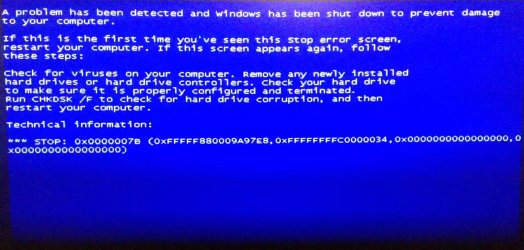
Hi, so I've been having boot issues and I finally think I know what's up.
I'm currently in the cmd right now and I've found that the system reserved partition is my C:, and my OS D: .
Anybody know how I fix this?
Guide me.
*UPDATE*
Now the local disk is on F:
I'm unable to make my OS partition the C:
Everytime I remove the C: letter from the system reserved partition and re-assign the F: local disk back to C: then restart, it doesn't work, I enter the repair disk and everything goes back to before.
The OS is sitll F: drive and the system reserved partition reverts back to C: drive.
I have no idea how to fix this!
I'm currently in the cmd right now and I've found that the system reserved partition is my C:, and my OS D: .
Anybody know how I fix this?
Guide me.
*UPDATE*
Now the local disk is on F:
I'm unable to make my OS partition the C:
Everytime I remove the C: letter from the system reserved partition and re-assign the F: local disk back to C: then restart, it doesn't work, I enter the repair disk and everything goes back to before.
The OS is sitll F: drive and the system reserved partition reverts back to C: drive.
I have no idea how to fix this!
Last edited:
My Computer
At a glance
Microsoft Windows 7 Professional 64-bit5960X @ 4.4GHz16.0 GBNVIDIA GeForce GTX 980 Ti
- Computer type
- PC/Desktop
- Computer Manufacturer/Model Number
- Custom
- OS
- Microsoft Windows 7 Professional 64-bit
- CPU
- 5960X @ 4.4GHz
- Motherboard
- X99 SABERTOOTH
- Memory
- 16.0 GB
- Graphics Card(s)
- NVIDIA GeForce GTX 980 Ti
- Hard Drives
- (1) OCZ-VERT EX460 SCSI Disk Device
(2) WDC WD1002FAEX-00Z3A SCSI Disk Device
(3) WDC WD1003FZEX-00MK2 SCSI Disk Device
- Internet Speed
- God Speed.
- Antivirus
- Glock 9