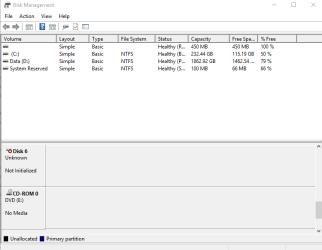
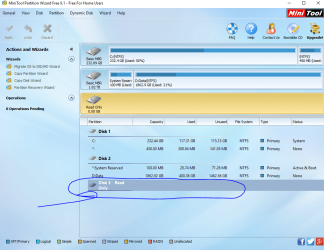
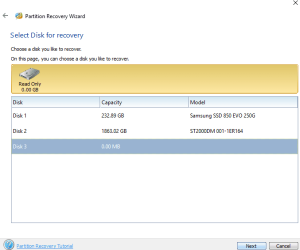
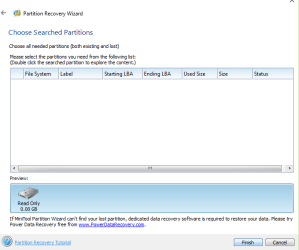
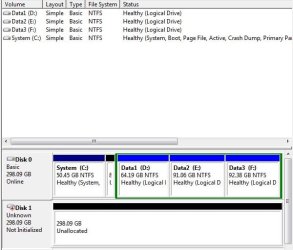
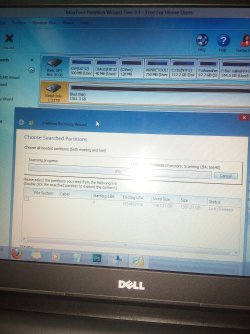
disk 1 is unknown, not initialized, unallocated

Recovery with Partition Wizard - great program worked first time thanks
jumanji
 

My Computer My Computer

Computer type
PC/Desktop
Computer Manufacturer/Model Number
Custom Build
OS
Microsoft Windows 7 Professional 64-bit
CPU
Intel Core i7 4770 Haswell @3.4GHz
Motherboard
ASUSTeK Z87-PRO LGA1150 ATX Motherboard
Memory
G.Skill 16GB Kit (2x8GB) DDR3 Ripjaws X C10 1600MHz
Graphics Card(s)
Leadtek Quadro 410 192-CUDA Core 512MB DDR3 DVI
Sound Card
Realtek® ALC1150 8-Channel High Definition Audio CODEC
Monitor(s) Displays
Asus MX239H 23" Full HD AH-IPS WS 5MS Frameless LED Monitor
Screen Resolution
1920 x 1080 x 32 bits (4294967296 color 50 Hz/75 Hz
Hard Drives
Samsung 840 Pro Series 2.5" 7mm 256GB SSD
Hitachi HDS722020ALA330 ATA Device 2TB
WDC WD2002FAEX-007BA0 ATA Device 2TB
PSU
XFX Core Edition 550W 80PLUS Bronze Power Supply
Case
Gigabyte GZ-X7 Black Mid Tower Case -
Cooling
Standard Fans in Case
Keyboard
Microsoft Wireless Desktop 2000
Mouse
Microsoft Wireless Desktop 2000
Internet Speed
Reasonable
Antivirus
Trend Micro Titanium Maximum Security
Browser
Firefox 95% - Exploror 5%
Other Info
On board Wi-Fi 802.11 a/b/g/n Qualcomm Atheros AR946x Wireless Ethernet 802.3 Network Adapter
Supports dual band frequency 2.4/5 GHz
I am glad whatever I had written here helped - I don't remember what I had written.:D
 

My Computer My Computer

OS
Windows 7 Home Premium 32 bit
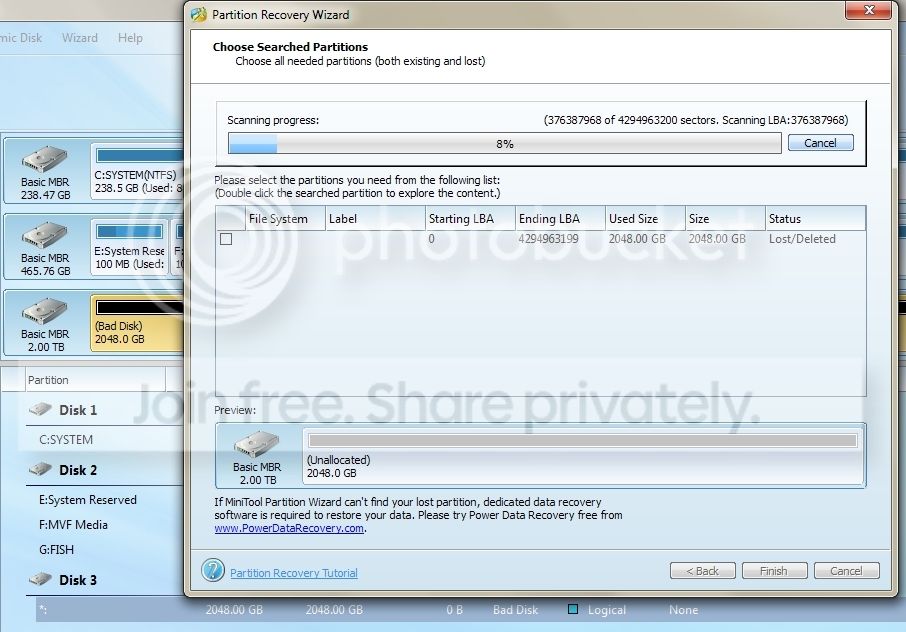
This thread is giving me hope. Currently experiencing the OP's problem. 1TB WD ext drive, unallocated on disk management, showing as bad disk with MiniTools Partition Wizard. Hoping something good will come out after this scan... It's taking forever. :(

baddisk_zpsw9x8rbfg.jpg


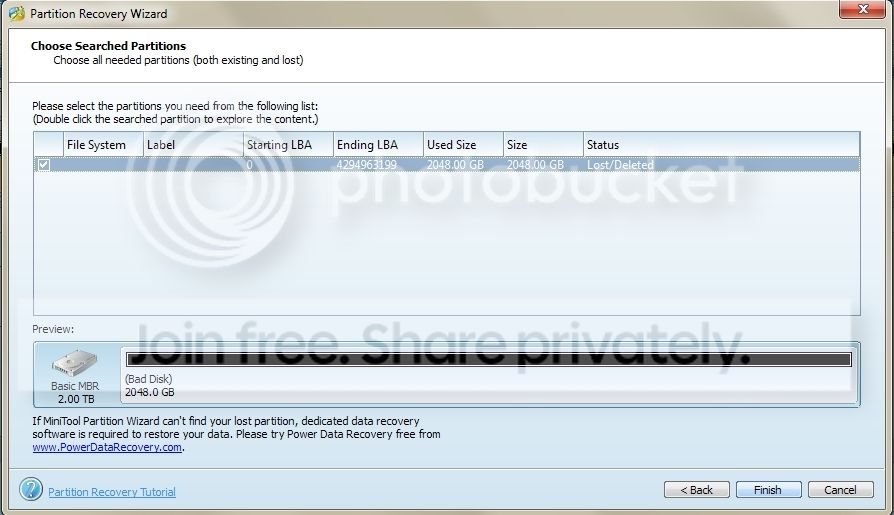
After a while I decided to cancel the scan as I'm sure there's only 1 partition in this ext HD but I can't double click it.

HELP!

baddiskcrop_zpsalmpozwt.jpg


Should I just try to reformat the drive?

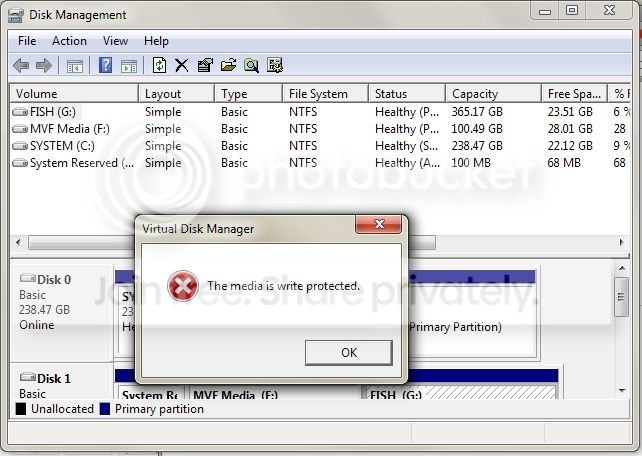
EDIT: Okay, so I tried to format it and this shows up:

writeprotect_zpshqaya0fg.jpg


Now I don't know what to do... :(
 
Last edited:

My Computer My Computer

Computer type
PC/Desktop
OS
Windows 7 Ultimate x64

My Computer My Computer

Computer type
PC/Desktop
Computer Manufacturer/Model Number
Self built custom
OS
64-bit Windows 11 Pro for Workstations
CPU
Intel i7-8700K OC'd to 5 GHz
Motherboard
ASUS ROG Maximus XI Formula Z390
Memory
64 GB (4x16GB) G.SKILL TridentZ RGB DDR4 3600 MHz
Graphics Card(s)
ASUS ROG-STRIX-GTX1080TI-O11G-GAMING
Sound Card
Integrated
Monitor(s) Displays
2 x Samsung Odyssey G7 27"
Screen Resolution
2560x1440
Hard Drives
1TB Samsung 990 PRO M.2,
4TB Samsung 990 PRO PRO M.2,
TerraMaster F8 SSD Plus NAS
PSU
Seasonic Prime Titanium 850W
Case
Thermaltake Core P3
Cooling
Corsair Hydro H115i
Keyboard
Logitech wireless K800
Mouse
Logitech MX Master 4
Internet Speed
2 Gb/s Download and 100 Mb/s Upload
Antivirus
Malwarebyte Anti-Malware Premium
Browser
Google Chrome
Other Info
Logitech Z625 speaker system,
Logitech BRIO 4K Pro webcam,
HP Color LaserJet Pro MFP M477fdn,
APC SMART-UPS RT 1000 XL - SURT1000XLI,
Galaxy S23 Plus phone
Hi MyMaria,

Try what Brink says, absolutely no harm and you should. ( but honestly I don't have any hope that that will work.. As always I am a pessimist when it comes to WD drives.:) )

1. What is the Model of your WD drive? Elements / My Book / Passport?

Except WD elements the rest of the models - in both the desktop and portable varieties - have Smartware and hardware encryption in it that can go cranky.

Did you install Smartware? Did you Password protect it?

2. Did you format your drive anytime before to any other file system other than NTFS?

My questions are based on this thread which you may read. How to remove write-protection - WD Community
 

My Computer My Computer

OS
Windows 7 Home Premium 32 bit
I can't get this to work for me. Any help?

HD Drive is a Fantom Drive 500GB (TFD200U2)
 

Attachments

  • Capture1.PNG
    Capture1.PNG
    9.5 KB · Views: 5
  • Capture2.PNG
    Capture2.PNG
    179 KB · Views: 1
  • Capture3.PNG
    Capture3.PNG
    9 KB · Views: 53
  • Capture4.PNG
    Capture4.PNG
    12.1 KB · Views: 54

My Computer My Computer

Computer type
PC/Desktop
Computer Manufacturer/Model Number
HP
OS
Windows 10 Home - 64 bit
I can't get this to work for me. Any help?

HD Drive is a Fantom Drive 500GB (TFD200U2)

Hi drjhawk2000,

Welcome to Seven Forums.

How old is the drive?

Is it still under warranty? If not you can open the enclosure, take the HDD out ( I presume that it is a 3.5" SATA drive and can be separated from the SATA to USB Interface card inside the enclosure ) plug it as a secondary drive on a desktop and check whether it shows up and is accessible. ( In this case we don't know whether the interface card or the HDD itself is faulty. And this is the only way we can determine that.)

Note: I shall not be visible in Seven Forums for the next two days. An unscheduled visit to Chennai. Hope others can help you in the meantime.
 

My Computer My Computer

OS
Windows 7 Home Premium 32 bit
Thanks Jumanji. The drive is about 3 years old so it's out of warranty. I'll try your recommendation when I get a chance.
 

My Computer My Computer

Computer type
PC/Desktop
Computer Manufacturer/Model Number
HP
OS
Windows 10 Home - 64 bit
1.jpg

2.jpg

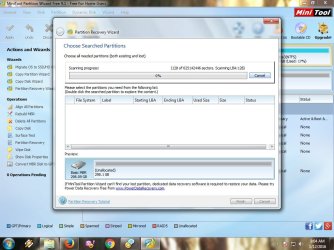
hi guys, i have this problem with my hdd ext, seagate free agent go 320gb, can anyone help me?if possible i don't want to format this because i need the files :cry::cry:

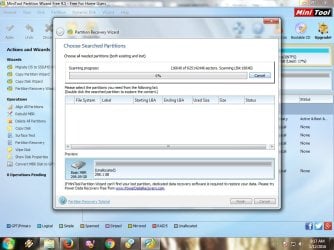
i already try minitool partition wizard but the scanning is too long, 6 hours and it's stiil 0%, any other method?thx before and sorry for bad english :o
 

My Computer My Computer

Computer type
Laptop
Computer Manufacturer/Model Number
Asus
OS
Windows 7 Ultimate x64
Memory
4GB
A quick scan should normally take no longer than five minutes.

Safely remove your Seagate Freeagent Go, and Shutdown your PC. After about half an hour, power on your PC, Plug in only your Seagate external and rerun Partition Recovery Wizard.

Launch Partition Wizard > Click on Partition Recovery Wizard in the Left Pane > Select your external drive >Next > Full Disk > Next > Quick Scan > Next. If on this repeated attempt also the scan does not progress, cancel the scan after five minutes and report.

If the scan is completed successfully, post the screen that shows the found partitions and then Cancel it. Close PW. We can rerun PRW after I examine the posted screenshot .
 

My Computer My Computer

OS
Windows 7 Home Premium 32 bit
3.jpg

4.jpg

no luck, 10+ minutes and it's still stuck at 0% :cry: :cry:


i forgot to ask what do you mean by "Plug in only your Seagate external"?thanks
 

My Computer My Computer

Computer type
Laptop
Computer Manufacturer/Model Number
Asus
OS
Windows 7 Ultimate x64
Memory
4GB
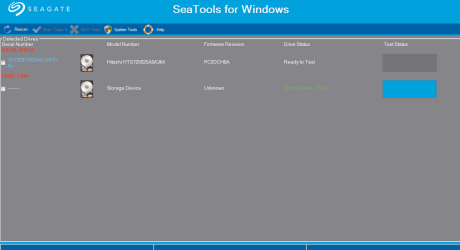
Check your drive with SeaTools for Windows SeaTools | Seagate
( Also read the Seatool for Windows guide without fail http://www.seagate.com/files/www-co...seatools/en-us/seatools-for-windows-en-us.pdf )

Run the Short Generic test and then the Long Generic Test with Repair All option selected. Long Generic Test will take a long time. Leave it alone and wait patiently for it to finish. If it finds bad sectors which could not be repaired then the Test will terminate and will not proceed further.

Report what happens.. You may also post the screenshots.

Note 1: Be aware that if it finds bad sectors , you have already lost the data on it even if it is repaired. If it gives up saying can't be repaired, then you may have to try data recovery with ddrescue and try to get whatever data is recoverable..

Note 2: During all testing procedures you must remove all other external storage devices from the USB ports and have only the faulty drive connected so that you do not even by mistake select a wrong drive. That is what is meant by plug in / connect only your faulty drive.
 
Last edited:

My Computer My Computer

OS
Windows 7 Home Premium 32 bit
6274351f8da951c742d6371759a515e5.pngHello jumanji (or whomever this may concern!)

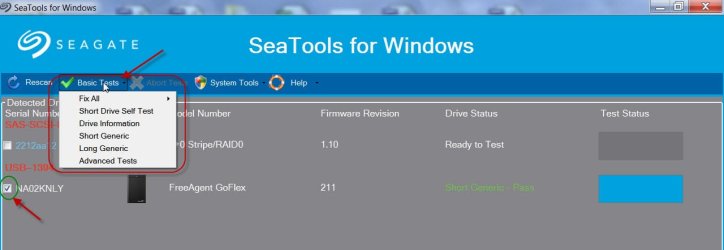
First of all thanks for all your help, indirect though it is. My situation is very similar, I daresay identical (showing as "Bad Disk" in MiniTool, quick scan still at 0% after 20 minutes). I have downloaded SeaTools and run a Short Generic which Passed - however I cannot see the Repair All option? Here's a screenshot, do I have the correct version?
 
Last edited:

My Computer My Computer

Computer type
PC/Desktop
OS
windows 7 home 64 bit
From what I see, I guess your drive electronics inside- the sata to USB bridge - has failed. If the drive is under warranty you may contact Seagate Tech support and get a replacement.

As for running SeaTools for windows, when you select the drive and hover your mouse on Basic Tests, are you not getting a menu showing all the tests you can run? You have to select the drive each time after a test and select the new test. Fix all is the repair option.Advanced Test is writing zeros to all sectors. (It is a pity that Seagate has not updated the User Guide.)

21-01-2016 08-01-53.jpg

The Short Generic Test and Long Generic Test will take a finite time but if it finishes it off in a blink of the eye and gives a PASS it only means the drive has not been read. It reads 0 sectors and gives a PASS.

There is a chance that your HDD inside by itself may be OK. If you are intent on recovering the data,you may pry open the case take the HDD out, connect the HDD as an internal drive on a desktop and check whether it can be accessed. If you are lucky and the drive itself is OK you can getback the data. If the drive also had gone bad, you hit a wall plus your warranty is void. So you will be doing it at your own risk. Don't blame jumanji.:)

( In some cases, the sata to USB bridge may be integrated with the HDD and you may not be able to separate the HDD from the bridge. Again you will hit a dead wall.)
 

My Computer My Computer

OS
Windows 7 Home Premium 32 bit
Unfortunately I only get 4 options from the drop down when I hover over the drive I want to recover - Advanced Test and Fix all are missing. I can screenshot if you like but that's basically it :D. Interestingly when I hover over the hard drive of the laptop I'm using, there is a fifth option, "S.M.A.R.T Drive".

I probably should have said, the hard drive I am trying to recover is a 2.5" and it's connected to another laptop. I have actually tried two different SATA to USB adapters. When I use the other one, the drive does not even show up in SeaTools.

Also, pardon my ignorance, but what exactly do you mean by prying open the case?

Many thanks in advance!
 

My Computer My Computer

Computer type
PC/Desktop
OS
windows 7 home 64 bit
Yep, what you have is not a Freeagent Go ( which comes factory-enclosed in sealed plastic box, hence you need to pry it open) but your own concoction with a 2.5" laptop HDD connected with a SATA to USB adapter. You have tried with two adapters and couldn't access the drive. Further the Fix all ( repair bad sectors) and Advanced Tests ( write zeros to all sectors) are not available. That confirms that your HDD had undergone a physical damage ( need not necessarily be a drop, could be a mechanical failure on its own) and a do-it yourself data recovery is not possible in such a case. You have to turn it to a Professional Data Recovery Service in case you need the data.
 
Last edited:

My Computer My Computer

OS
Windows 7 Home Premium 32 bit
I am still trying to understand your system.

Please furnish the following Information.

1. You have a Windows 10 System. Is it a custom-built one? Built by you?

2.In the Windows Disk Management I see three drives.Disk 0, Disk 1 and Disk 2. All three Internal?

3. You are now trying to plug-in /connect two drives. But both of these cannot be accessed. Right?

Now the crucial question. 4. Where were these drives before? Please give the history of both drives. Both drives data drives? What happened to the system from which they came?

I may not be able to deal with the drives connected to Windows 10 - for I don't know how it will treat alien drives. As I see it both drives are bad ( In Windows 10).

I do understand that you have a SATA to USB adapter. Can you just take one drive - mark it as No 1 --, connect it to a Windows 7 system and post the screenshots of Windows Disk Management and PW screenshot? Always post full screenshots with all information seen and not truncated/cut screenshots.

Mark the other drive as Drive 2, unplug drive No.1 , plug in drive No2 and again repeat the screenshots. We shall not mix drive 1 and drive 2 together. It will lead to confusion. We shall deal with only one at a time.

I would rather prefer to work within a known environment.
 

My Computer My Computer

OS
Windows 7 Home Premium 32 bit
I am still trying to understand your system.

Please furnish the following Information.

1. You have a Windows 10 System. Is it a custom-built one? Built by you?

2.In the Windows Disk Management I see three drives.Disk 0, Disk 1 and Disk 2. All three Internal?

3. You are now trying to plug-in /connect two drives. But both of these cannot be accessed. Right?

Now the crucial question. 4. Where were these drives before? Please give the history of both drives. Both drives data drives? What happened to the system from which they came?

I may not be able to deal with the drives connected to Windows 10 - for I don't know how it will treat alien drives. As I see it both drives are bad ( In Windows 10).

I do understand that you have a SATA to USB adapter. Can you just take one drive - mark it as No 1 --, connect it to a Windows 7 system and post the screenshots of Windows Disk Management and PW screenshot? Always post full screenshots with all information seen and not truncated/cut screenshots.

Mark the other drive as Drive 2, unplug drive No.1 , plug in drive No2 and again repeat the screenshots. We shall not mix drive 1 and drive 2 together. It will lead to confusion. We shall deal with only one at a time.

I would rather prefer to work within a known environment.

I will start a new post and reply at that thread instead. here is the link.
http://www.sevenforums.com/hardware...-management-device-not-ready.html#post3245428
 

My Computer My Computer

OS
Windows 7 Ultimate x64 SP1
CPU
Q6600
Motherboard
P5N-D
Memory
8GB
Graphics Card(s)
NVidia GTX 285
Monitor(s) Displays
2x DELL 22'' + Samsung 46" UE46D6500
Keyboard
Logitech G15
Mouse
Razer Mamba 4G
Partition recovery wizard

Hey jumanji

I am trying ur techniques to recover my partition
Using mini tool partition wizard

But its taking so much tym

And I have a WD harddisk of 160 GB
But its showing 1.33 TB
(BAD DISK )1361.3GB
 

Attachments

  • 1463135903451237394918.jpg
    1463135903451237394918.jpg
    1.5 MB · Views: 3

My Computer My Computer

Computer type
Laptop
Computer Manufacturer/Model Number
Dell
OS
Window 8.1
CPU
Intel
Motherboard
Dell
Back
Top