- Local time
- 1:00 PM
- Messages
- 5,915
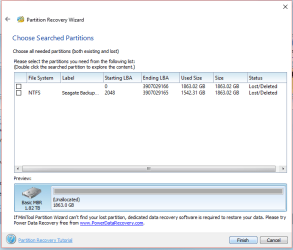
Internal drive? External drive? Please mention the exact model name/Number - something like My book/Passport/WDBUZG0010BBK-EESN. Read it from the drive label.
Was it working earlier? From when did it became inaccessible?
Was it formatted as a GPT drive or MBR?
On a hinch, I would say your WD drive appears to be a goner but let us get all the details.
Why are you taking a camera snap shot? Can you not take a snapshot with Windows Snipping tool and upload it?
Also post a screenshot of Windows Disk Management. http://www.sevenforums.com/tutorials/274797-disk-management-post-screen-capture-image.html
Snipping Tool: How to Use the Snipping Tool in Vista
With all the above info, I would suggest that you start a new thread. Nobody looks into an old thread. Further I am off from Seven Forums for the next one or two months and a new thread will be visible to many members who can help, even if I am unable to look into it. ( If you specifically ask for jumanji, others may abstain )
)
Was it working earlier? From when did it became inaccessible?
Was it formatted as a GPT drive or MBR?
On a hinch, I would say your WD drive appears to be a goner but let us get all the details.
Why are you taking a camera snap shot? Can you not take a snapshot with Windows Snipping tool and upload it?
Also post a screenshot of Windows Disk Management. http://www.sevenforums.com/tutorials/274797-disk-management-post-screen-capture-image.html
Snipping Tool: How to Use the Snipping Tool in Vista
With all the above info, I would suggest that you start a new thread. Nobody looks into an old thread. Further I am off from Seven Forums for the next one or two months and a new thread will be visible to many members who can help, even if I am unable to look into it. ( If you specifically ask for jumanji, others may abstain
)My Computer
- OS
- Windows 7 Home Premium 32 bit