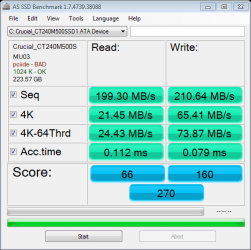
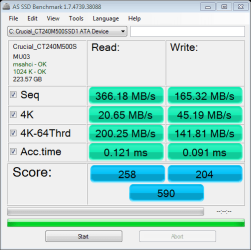
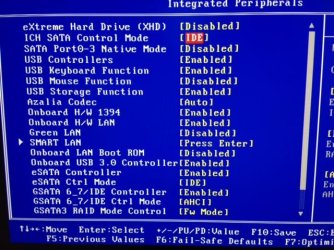
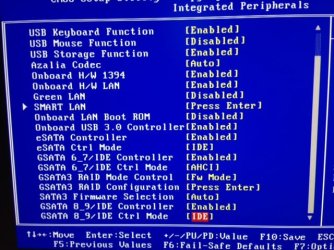
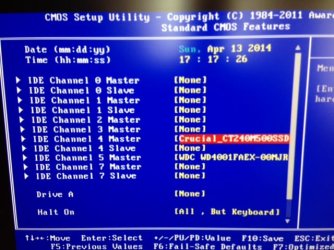
Yeah, I was wrong there. Still the reasoning to use ports 0 and 1 is still valid to get the benefit of the native chipset controller. Until the new Intel Z87 chipset there was native support for just 2 SATAIII ports, the rest coming from 3rd party once, Z87 can run up to 6. I'm unsure how AMD works.The BIOS may or may not enumerate disks in a specific order. There is no direct relationship between the BIOS order, and the order in which Windows numbers the disks. During startup, Windows switches from using the BIOS INT13 support to native Windows drivers to access disks. Windows waits for several seconds for the system disk to enumerate through Plug and Play. When there is a match within the time-out period, normal startup will proceed. Otherwise, the system will trigger a bug check with Stop error code of 0x7B. Windows uses other mechanisms to differentiate disks, as Windows has no control over the disk-numbering process before startup. Windows has no information about any changes to hardware when the computer is turned off. Therefore, Windows initiates its own query for device enumeration.
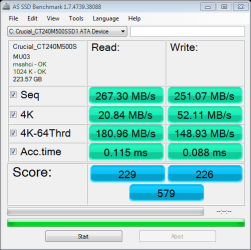
I have done my own tests and using anything other than the native controller results in very noticeable performance drops, in the time it takes apps to open, rendering an image, transcoding video, to reboot times.
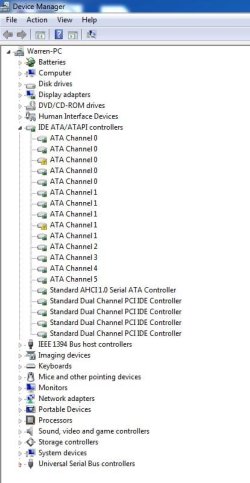
Still all this doesn't explain why the OP's drive drops out.
(jumanji, that thread is so old it's grown a long beard. That was when I had been here just a few months.)
My Computer
At a glance
Windows 7 Ultimate X64 SP1Intel i5-2550K, Differing ~4.4-4.8GHz No buil...16GB G.Skill Sniper 1866MHz @ 2133MHz 2x8GBASUS GTX650TIB-DC2OC-2GD5, (650TI Boost)
- Computer type
- PC/Desktop
- Computer Manufacturer/Model Number
- Home Built Desktop By DataTech
- OS
- Windows 7 Ultimate X64 SP1
- CPU
- Intel i5-2550K, Differing ~4.4-4.8GHz No built in GPU
- Motherboard
- ASUS P8Z68-V PRO/GEN3
- Memory
- 16GB G.Skill Sniper 1866MHz @ 2133MHz 2x8GB
- Graphics Card(s)
- ASUS GTX650TIB-DC2OC-2GD5, (650TI Boost)
- Sound Card
- Onboard Realtek 5-1
- Monitor(s) Displays
- Samsung P2570HD
- Screen Resolution
- 1920x1080
- Hard Drives
- Samsung 840 Pro 256GB SSD for OS, 500GB Seagate Constellation (Enterprise drive) for Data
- PSU
- Corsair HX650W
- Case
- Inwin Dragon Rider
- Cooling
- Hyper 212 EVO w/two Noctua fans, push-pull, @1300 RPM
- Keyboard
- E-Z Eyes, bright yellow keys with large characters
- Mouse
- steelseries SENSEI Laser Pro Gaming
- Internet Speed
- 48-51Mbs Mbs down, 11 Mbs up Xfinity Cable
- Antivirus
- Norton Internet Security 2013
- Browser
- IE 10, Opera, Pale Moon if needed
- Other Info
- 4 case fans, LG BluRay-RE, ASUS DVD-RW, Mr. Fusion power supply, 1.21 gigawatts.

 I usually point up the need for the OC drive to be disk 0 if it's not, hence me starting that old thread.