Thanks,
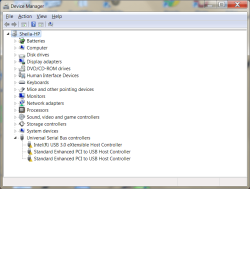
re: Spyder - I started digging deeper and looked at anything USB. Not necessarily looking for an error message, just things that might have some effect on another device. I wasn't familiar with that device so I asked.
If you're ok with it, then I'm ok with it.
I would like to do some housekeeping before you re-enable the things we disabled.
Please open an elevated command prompt and issue the following commands:
C:
cd \
set > %USERPROFILE%\Downloads\envSet.txt
dir /a > %USERPROFILE%\Downloads\listDriveC.txt
exit
There won't be any output on the screen, it's being redirected to the files.
%USERPROFILE% is an environment variable that points to your User folder. Both outputs are written to the User sub-folder, Downloads. The '%' define the word to be a variable.
C: makes sure you're on the C: drive
cd \ makes sure you're at the root of C:
set reports all environment variables.
dir lists the files on C:\
Why? We made quite a mess on C:\ - lots of output files, a few install files, a copy of Swsetup. These are no longer necessary and I'm willing to build a cleanup batch file for you.
Then I suggest that you defrag your drive. Piriform Defraggler is my favorite, but the Windows built in defrag works fine too, it takes a few more iterations that Defraggler to get the best results.
After that, you can put the other things back in order.
As always, this is your thread, your machine, and your time. If you don't want to do more (other than put things back in order), that's what you want to do

It has been a real pleasure working through this issue with you Sheila. I enjoyed the challenge.
I would grade you very high on trouble shooting if this were a course (it almost is really!).
Not only were you able to keep track of some very technical and new information, you weren't crabby once

The thread will be here - leave it unsolved for now. You have a workaround, but that's not the same thing as solved.
Things disabled:
System Configuration (msconfig / Clean startup Services and Startup tabs)
Most of this is junk anyway - I don't run anything at startup except the touchpad, and that's only to use the extra feature of turning off the touchpad when a USB mouse is connected.
The application will load what it needs, the items in this just pre-load things to make them appear faster when launched.
One exception might be an Anti-Virus program (some do check at boot) so you would want that enabled. The rest - not so much
Hibernation - probably should be turned back on
- and -
System Protection - probably should be turned back on
I don't use either and there's always a debate on the added value. In your case, with no viable backup, I recommend both be on.
Windows Update - another area of debate.
The way it is currently set is fine as long as you manually check for updates. The "Hey there's a Windows Update" alerts still come through and most updates come on the 2nd Tuesday of every month. Checking every day - is it necessary? Some say yes.
Device Installation settings - probably want to set this back to automatic
That's not too bad really. A little dusting of C:\ and some decisions on how you operate your machine.
All you really have to remember is the DSE workaround.
When you get back north, you should do a clean install - that will solve the issue completely
Best Regards
Bill
.