7isntheaven
New member
- Local time
- 12:25 PM
- Messages
- 16
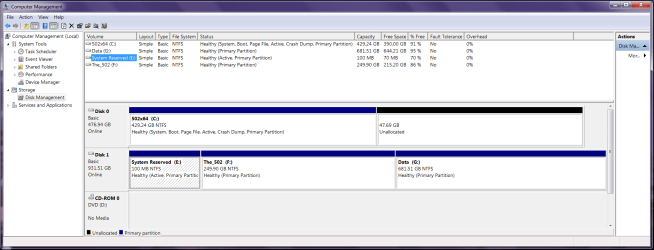
Hello, I'm getting a Samsung 850 Pro 512 SATA SSD today (should have went with ssd 5 years ago) & after reading up on everything about going from hdd os to ssd os for a few days now, in advance of installing it, I'm curious as to if I can use Win7 (from a Home Premium 64-bit retail DVD) to dual-boot using both drives? Why would I? Because I'd like to keep the OS installed on the HDD and be able to boot from it easily using the F11 boot device menu (never from changing boot order in BIOS) on startup to choose the hdd to boot to if needed, in case the SSD has or develops problems later on. Also about activation, if ssd install turns out well and once the OS on the SSD is validated by MS (before reconnecting the HDD later on I would assume) and then I choose to boot to the HDD os if the ssd fails, will I run into any product activation problems with the product key licensing or using the OS on the HDD from another drive letter, or is it 'illegal' to use the same OS activation key if in fact, I can dual-boot to both drives?
I mean it's not a big deal if I can't dual-boot for whatever reason (only one active partition, product activation, soft or hardware issues, etc.) but I keep thinking it would be a good backup plan (along with regular backups to an external drive) to be able to keep using Win7 on the hdd in case the ssd ever fails. And also, is it ok to leave Windows installed on the HDD for a few weeks (if advised that I should never use it to boot to) before removing it? And is it as simple as deleting the folders from Explorer or should I just reformat the partition to remove all traces? And will I be able to delete the 100mb system partition from Win7 on the hdd once I boot to the ssd drive from Explorer, since they're 'system files'? have a 1Tb WD SATA Black HDD partitioned into 250G for windows (C) & the rest as a data storage partition (E). Thanks!
I mean it's not a big deal if I can't dual-boot for whatever reason (only one active partition, product activation, soft or hardware issues, etc.) but I keep thinking it would be a good backup plan (along with regular backups to an external drive) to be able to keep using Win7 on the hdd in case the ssd ever fails. And also, is it ok to leave Windows installed on the HDD for a few weeks (if advised that I should never use it to boot to) before removing it? And is it as simple as deleting the folders from Explorer or should I just reformat the partition to remove all traces? And will I be able to delete the 100mb system partition from Win7 on the hdd once I boot to the ssd drive from Explorer, since they're 'system files'? have a 1Tb WD SATA Black HDD partitioned into 250G for windows (C) & the rest as a data storage partition (E). Thanks!
My Computer
At a glance
Windows 7 HP x64AMD Phenom II X6 1100T BECorsair XMS3 12GB (4x2GB) (2x2GB) DC DDR3 1333HzEVGA Geforce GTX 950 FTW
- Computer type
- PC/Desktop
- Computer Manufacturer/Model Number
- custom bulid
- OS
- Windows 7 HP x64
- CPU
- AMD Phenom II X6 1100T BE
- Motherboard
- ECS A890GXM-A v2.0 Black Series
- Memory
- Corsair XMS3 12GB (4x2GB) (2x2GB) DC DDR3 1333Hz
- Graphics Card(s)
- EVGA Geforce GTX 950 FTW
- Sound Card
- Realtek ALC892 8-Channel HD Audio
- Monitor(s) Displays
- Viewsonic VX2253 - 22" Flat panel - 144Hz
- Screen Resolution
- 1920x1080 (native)
- Hard Drives
- Samsung 850 Pro 512GB
WD Caviar Black 1TB SATA 7200rpm
- PSU
- 500w Thermaltake TR2
- Case
- Thermaltake Armor A90
- Cooling
- 2 x 20" Walmart Wind Machines on HIGH
- Internet Speed
- Spectrum 300/30
- Antivirus
- Norton 360
- Browser
- IE 11