Thanks guys. I'll reboot later today.
My Computer
- Computer type
- PC/Desktop
- Computer Manufacturer/Model Number
- Custom built 2011
- OS
- Windows 7 64-bit
- CPU
- Intel Core i5-2500K 3300 Mhz
- Motherboard
- Gigabyte P67A-UD3-B3
- Memory
- 16Gb Patriot PC3-12800 1600 Mhz
- Graphics Card(s)
- EVGA GeForce GTX 560 Ti (Fermi)
- Sound Card
- On Motherboard
- Monitor(s) Displays
- Dell U2412M & NEC EA232WMi
- Screen Resolution
- DELL 1920x1200 - NEC 1920x1080
- Hard Drives
- Crucial 128 Gb SSD
Hitachi Deskstar 2Tb 7200 RPM 32MB Cache
Seagate Barracuda 500Gb 7200 RPM
Hitachi GST Deskstar 1.5TB 7200 RPM 64MB Cache
- PSU
- Seasonic M1211-620 Bronze
- Case
- Antec Solo
- Cooling
- Tuniq Tower 120 Extreme Rev 1
- Keyboard
- Apple
- Mouse
- Microsoft
- Internet Speed
- 5mbs
- Other Info
- Sunbeam PL-RS-3 Rheosmart 3 Fan Controller 3.5" Bay 3 Channel 30W Fan Controller Panel


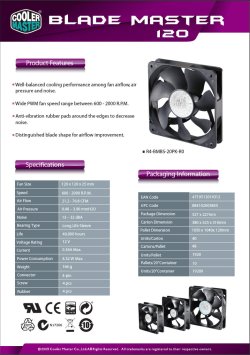
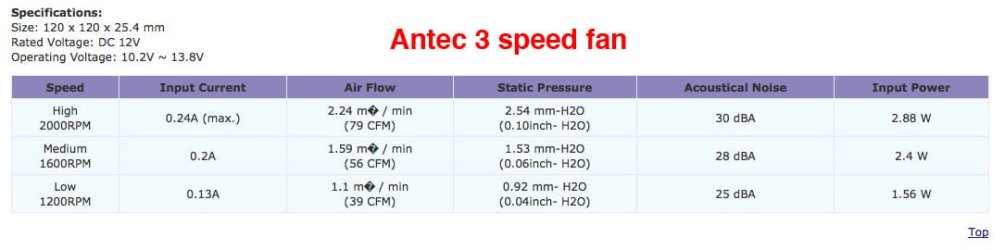
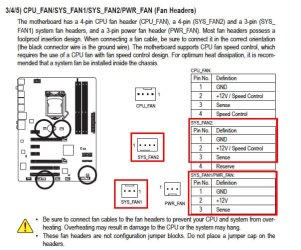
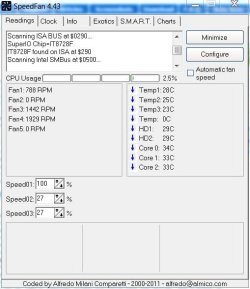
 I mean it turns about a quarter turn, pauses & repeats - never completing a full turn much less a constant speed. Can this be controlled manually with BIOS? It is a 4 pin that plugs in PWR_FAN2 on the MB which is set to AUTO in BIOS. There's a 3-pin nearby but I'm not sure if that would work with a 4-pin.

 ...Only fan that has PPM ? or whatever is the CPU fan..case/sys fans are set at one speed unless changed in the BIOS.
 I should of remembered that! Anyway, new BIOS defaulted Integrated Peripherals/PCH SATA Control Mode to [IDE] instead of AHCI, needed for SSDs. Made the change & it booted fine. Needless to say, no more using Gigabyte's HELPFUL apps. :sarc: