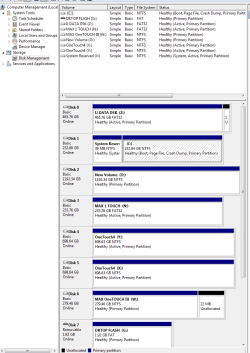
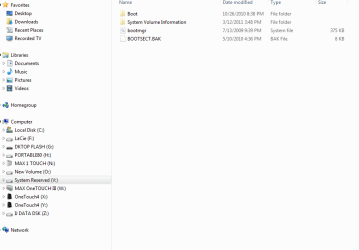
Your SysReserved partition is showing only 39mb size when it's supposed to be 100mb minimum. We cannot confirm this because the Disk Management window is not maximized so we can't see the Listings columns showing sizes.
If your System Reserved partition is truly only 39mb then your options are to expand your System Reserved partition to make it spacious enough it doesn't cause any more problems, or delete it to recover its space and the System boot files into Win7.
Back up your files and backup image so you can start over if necessary:
http://www.sevenforums.com/tutorials/663-backup-complete-computer-create-image-backup.html Make a Repair CD if you don't already have a Win7 DVD.
System Repair Disc - Create - Windows 7 Forums
To expand SysReserved use
free Partition Wizard bootable CD to rightclick>Resize Win7 partition, drag left grey border to the right to free up enough space to add to your SysReserved to make it 200mb, click OK.
Next rightclick System Reserved>Resize, drag right grey border to the right to add the extra space you made, OK. Apply all Steps. If Win7 won't start, boot the DVD/REpair CD to
http://www.sevenforums.com/tutorials/105541-startup-repair-run-3-separate-times.html
To delete SysReserved and recover its space and System boot files into Win7, boot PW CD, rightclick SysReserved to Delete, OK. Then rightclick Win7 to Resize, drag left grey border all the way to left, OK, again rightclick Win7 partition to Modify>Set to Active, OK, Apply all Steps.
Now boot the Win7 DVD/Repair CD, accept any offered Repair, if it doesn't start boot back in to
http://www.sevenforums.com/tutorials/105541-startup-repair-run-3-separate-times.html