1. The recovery DVD (actually a CD works too)is usually good for quite some time. If they update Macrium, they will alert you (in the release change log) if you need to burn a new recovery CD. But that is rare. The CD I am currentlly using is at least a year old.Thank you both again
So you don't burn DVDs for every OS image you make right?
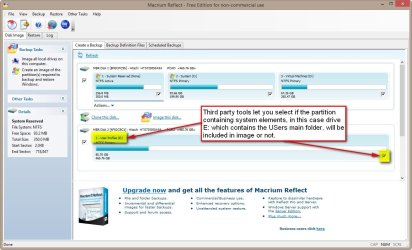
If I store the image on an external hard disk, will Macrium FREE be able to restore it ?
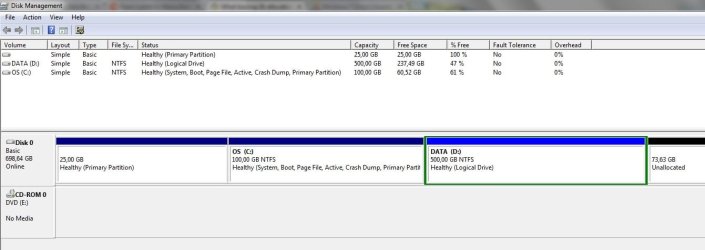
And a third question: I don't seem to have a boot partition. Is that possible? I have :
- factory recovery 25GB
- C (os) 100 GB NTFS
- D (data) 500 GB NTFS
- unallocated space 73GB - in case i'd like to install another OS

2. You initiate the restore process with the recovery CD (WinPE version). That is fully self contained with it's own mini Windows 7.
3. Yes it is possible that you do not have the 100MB system partition. In that case your C partition is the active partition containing the bootmgr. You can check that in Disk Management.
My Computer
- Computer Manufacturer/Model Number
- HP, Dell, Gateway, Toshiba - 4 laptops and 2 desktops
- OS
- Vista, Windows7, Mint Mate, Zorin, Windows 8
- CPU
- from 1.6GHz Duo to i7
- Monitor(s) Displays
- 2x HP w2207
- Hard Drives
- 5x HDD, 7x SSD, 12x Externals
- Keyboard
- with trackball - no mices
- Mouse
- Trackball mice
- Internet Speed
- DSL 6000

 Ohmigosh no! That would take too long and too many disks!