
Windows 7 Installation help "Disk 0 Unallocated"

1stTimePCbuild

New member
Local time
6:23 AM
Messages
3
I have a problem with my new custom built pc. I got Windows 7 64bit and tried to install it using the cd. It boots up and everything but when I get to decide on what harddrive to put it there is nothing. The only thing that appears is this ( Disk 0 Unallocated Space , Total size: 0.0MB , Free Space 0.0MB. I went to bios and checked to see if everything was alright but still my hard drive didn't show up. My hard drive is a Western Digital Caviar Black 1TB HDD. It is working fine because it is still spinning. I check all the connections even on the Mother Board manual and everything is correct. But my HDD still doesn't show up :confused: .
 

My Computer

Computer type
PC/Desktop
Computer Manufacturer/Model Number
custom build
OS
Windows 7 Home Premium 64bit
CPU
AMD FX 6350 @ 3.9Ghz
Motherboard
Asus M5A99X EVO R2.0
Memory
G.Skill Sniper 2x4GB DDR3-2133Mhz
Graphics Card(s)
Ati Radeon HD 5770 1GB GDDR5
Hard Drives
Western Digital Caviar Black 1TB 64MB Cache 7200RPM

My Computer

Computer type
PC/Desktop
Computer Manufacturer/Model Number
Golden Mk. I.4
OS
Windows 10 Pro x64 ; Xubuntu x64
CPU
Intel i7 860 @ 2.80 GHz O/C'ed to 4.0GHz
Motherboard
Gigabyte P55A-UD3R Rev.1. Award BIOS F13
Memory
16GB Corsair Vengance DDR3 @ 661 MHz Dual Channel (9-9-9-24)
Graphics Card(s)
EVGA NVidia GTX 560 1024MB
Sound Card
Realtek Integrated
Monitor(s) Displays
Dual Samsung SyncMaster 2494HS
Screen Resolution
1920*1080 and 1920*1080
Hard Drives
1*Samsung 840 EVO 120GB SSD;
1*OCZ Vertex 2 60GB SSD;
2*Samsung F3 SpinPoint 1TB in RAID0;
1*Samsung F1 SpinPoint 1TB;
2*Western Digital 1TB External USB 3.0
1*Western Digital 500GB External USB 3.0
1*Seagate 500GB External USB 2.0
PSU
Thermaltake ToughPower QFan 750W
Case
Thermaltake Element S VK60001W2Z
Cooling
Corsair H60 Water Cooling, 2*230mm and 2*80mm case fans
Keyboard
Logitech G110
Mouse
Logitech MX518
Thanks but this won't help at all. I cannot create a new Partition because it says that I have (0.0MB) total space and (0.0MB) Free space. I am looking for a solution on how I can get my 1TB Hard drive to show it's memory back. Thanks though.
 

My Computer

Computer type
PC/Desktop
Computer Manufacturer/Model Number
custom build
OS
Windows 7 Home Premium 64bit
CPU
AMD FX 6350 @ 3.9Ghz
Motherboard
Asus M5A99X EVO R2.0
Memory
G.Skill Sniper 2x4GB DDR3-2133Mhz
Graphics Card(s)
Ati Radeon HD 5770 1GB GDDR5
Hard Drives
Western Digital Caviar Black 1TB 64MB Cache 7200RPM
Hello 1stTime:

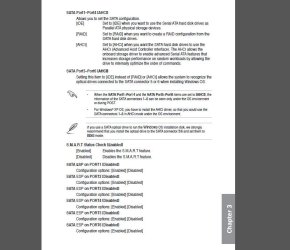
Having looked at your manual for your motherboard might it be possible that you have the hard drive settings incorrect? That board supports UEFI as well as raid and AHCI settings any of which can make windows 7 installer hiccup without the proper drivers. Try setting the driver to AHCI or IDE and see if that cures the read issue. If the drive is set for UEFI or raid it is possible the bios might not see it correctly. Lastly just for chuckles I would see if that drive reads on an established machine. Would not be the first time someone has gotten a bum drive.
 

Attachments

  • asusmobo.JPG
    asusmobo.JPG
    73.5 KB · Views: 4

My Computer

Computer type
PC/Desktop
Computer Manufacturer/Model Number
Custom Build MPCBS AMII
OS
Windows 7 Professional x64
CPU
AMD Athlon II x4 3.00 GHz
Motherboard
MSI GF615M-p33
Memory
16GB Kingston DDR3
Graphics Card(s)
Nvidia 8600 (dual DVI out for 2 monitors)
Sound Card
Onboard
Monitor(s) Displays
Acer H233H 23", ASUS 23"
Screen Resolution
1366 x 768
Hard Drives
(2) WD Blue 1 TB 3 partitions, (1) Seagate 7200 500GB with 2 partitions for useless and frequently deleted data Looking forward do an ssd for os soon.
PSU
Corsair 1100Watt
Case
Apevia HAF
Cooling
HAF AMD High Profile Heat sink and fan
Keyboard
wireless Logitech
Mouse
wireless Logitech
Internet Speed
16 mbps
Antivirus
eSet, AVG, Clam and Clamwin (depends on machine)
Browser
Firefox
Other Info
(9) Win 7 machines all x64 (POS Updated to Windows 7 pro YEA), (4) Linux machines x64 and x86 including a v3000 compaq lappy brought back to life with Mint 9 used to scan drives, (1) Linux Machine dual boot XP Pro (for testing and destroying), (1) Win 7 pro x64/Win 8.1 Lenovo Laptop Dual Boot.
Okay thank you for getting back at me. And I did try all of these different settings but they don't seem to work.
My guess now is that my HDD is not working though the disks do spin, but thank you anyways.
 

My Computer

Computer type
PC/Desktop
Computer Manufacturer/Model Number
custom build
OS
Windows 7 Home Premium 64bit
CPU
AMD FX 6350 @ 3.9Ghz
Motherboard
Asus M5A99X EVO R2.0
Memory
G.Skill Sniper 2x4GB DDR3-2133Mhz
Graphics Card(s)
Ati Radeon HD 5770 1GB GDDR5
Hard Drives
Western Digital Caviar Black 1TB 64MB Cache 7200RPM
Hi 1stTimePCbuild,

Try this and check whether you can access and format your hard drive.

Run MiniTools Partition Wizard Home edition. Download the bootable CD version from Free download Magic Partition Manager Software, partition magic alternative, free partition magic, partition magic Windows 7 and server partition software - Partition Wizard Online (the last one on this page)

You may either burn the ISO to a CD and boot from it or create a bootable pen drive with that ISO using Rufus Rufus - Create bootable USB drives the easy way

Note: If you had created a bootable pen drive, when booting with it you have to type linux0 against the boot prompt and press Enter for the boot process to continue. ( It is zero and not the alphabet O. You may press TAB key to see all available options linux0, linux1, local, I think.)
 

My Computer

OS
Windows 7 Home Premium 32 bit
Back
Top