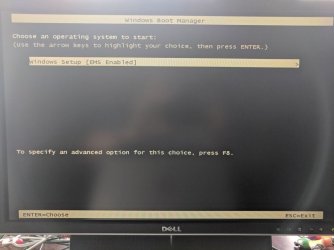
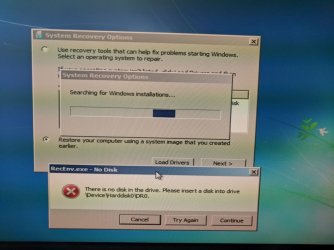
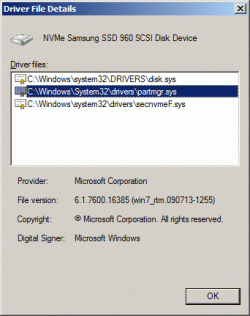
SIW2, when I boot the installation USB stick, it takes me to the Install now screen.
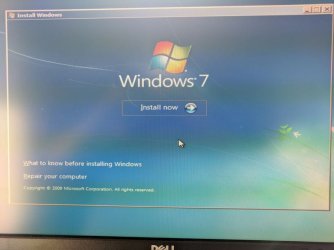
None of those options (that I can see) take me to the screen you have shown. Choosing "Repair your computer" brings up the compatibility error message and then back to the screen shown. If I close the window (with the upper-right X), the system reboots.
How do I get to the options you posted from the installation USB? They look like the options from teh Startup Repair menu. Can I create a startup repair disk that incorporates the drivers that are now on the Installation USB stick? Or, is there some way to boot the installation USB stick into startup repair mode?
None of those options (that I can see) take me to the screen you have shown. Choosing "Repair your computer" brings up the compatibility error message and then back to the screen shown. If I close the window (with the upper-right X), the system reboots.
How do I get to the options you posted from the installation USB? They look like the options from teh Startup Repair menu. Can I create a startup repair disk that incorporates the drivers that are now on the Installation USB stick? Or, is there some way to boot the installation USB stick into startup repair mode?
My Computer
- Computer type
- PC/Desktop
- Computer Manufacturer/Model Number
- custom
- OS
- Windows 7 Home Premium 64bit SP 1 (Version 6.1.7601)
- CPU
- Intel i7-5820K
- Motherboard
- ASUS X99-A (BIOS 3505)
- Memory
- 16 GB
- Graphics Card(s)
- NVidia GeForce GTX 970
- Sound Card
- MB default (Crystal Sound 2)
- Monitor(s) Displays
- Dell 2408 WFP
- Screen Resolution
- 1920x1280
- Hard Drives
- C:
Samsung 960 PRO 2 TB SSD
D:
Crucial M4 512GB SSD
- PSU
- Thermaltake Toughpower 750 W