
FlyDaddy145
New member
- Local time
- 10:39 AM
- Messages
- 2
I had this and here was my fix:
Symptom: Windows update would search forever, computer would get hot, and CPU at 100% (had this computer for years and didn't have an issue with this until the past year or so).
Ultimately, I did a complete hard drive format and OS reinstall (Win7 64bit).
All was good until the updates were getting caught back up and then it resumed.
I tried numerous fixes (stand-alone updates, etc), and finally, this one fixed it:
Windows 7 SP1 Windows Update stuck checking for updates - Super User
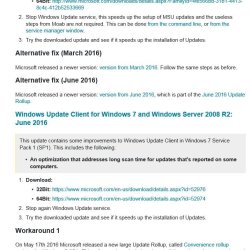
Go down to the "Alternative Fix (June 2016)" and select 32 or 64 bit.
I had previously tried the March one and it didn't work, but after installing the June one, things are back to normal. Updates occur normally, computer is cooler and CPU is back to normal levels.
Symptom: Windows update would search forever, computer would get hot, and CPU at 100% (had this computer for years and didn't have an issue with this until the past year or so).
Ultimately, I did a complete hard drive format and OS reinstall (Win7 64bit).
All was good until the updates were getting caught back up and then it resumed.
I tried numerous fixes (stand-alone updates, etc), and finally, this one fixed it:
Windows 7 SP1 Windows Update stuck checking for updates - Super User
Go down to the "Alternative Fix (June 2016)" and select 32 or 64 bit.
I had previously tried the March one and it didn't work, but after installing the June one, things are back to normal. Updates occur normally, computer is cooler and CPU is back to normal levels.
Attachments
My Computer
- Computer type
- PC/Desktop
- Computer Manufacturer/Model Number
- Dell XPS M1530
- OS
- Windows 7 64 bit


