Won't back up to disc

Codie

New member
Local time
2:49 AM
Messages
68
Location
Birmingham, England
Don't know where this goes so I am sorry if it's in the wrong place.

Im really annoyed with this now. Ive backed up to my external hard drive as I didnt have a disc drive, I have sine bought a disc drive so wanted to create back ups on disc aswell.

Everything goes fine for a bit but when it gets to 26% it just sits there with "copying files to (E:)". The first time I left it for an hour and it p****d me off as when I did my GF laptop it weren't that slow, so I pressed the stop back up and it cancelled on screen but my disk drive froze up, wouldn't open the drawer, disconnect - nothing. It did write something to the disc and when I checked it slowed right down/ froze up trying to open files (there were 4 unnamed ones).

I tried with a second DVD-R 4.7Gb disc (same as the first) and it stopped at 26% copying to E: again so I lef it for the past, like 4 hours or so and it still won't show any sign of working.

Help me please cus it's really starting to frustrate me now

Thank you.
 

My Computer

Computer Manufacturer/Model Number
Toshiba Satellite T130 13K. 13.3"
OS
Windows 7 Home Premium 64bit, 6.1 build (7600)
CPU
Intel Pentium U2700 1.3Ghz, ~1.3Ghz
Memory
3GB DDR3
Graphics Card(s)
Mobile Intel 4series express chipset
Monitor(s) Displays
LCD HD
Screen Resolution
1366 x 768
Hard Drives
250GB, 2.5" SATA (5400 RPM)
C:\ 116GB
D:\ 116GB
Internet Speed
802.11 b/g/n
System Image does not work on a DVD. I and many other posters have experienced the same problem. I had to plug the plug to get my computer back.

Stop trying, or eventually, you will be forced to pull the plug, like I was. Not the bes thing for a computer.

Its funny, always gets stuck at about 25%
 

My Computer

Computer type
PC/Desktop
Computer Manufacturer/Model Number
Dell XPS 420
OS
Windows 10, Home Clean Install
CPU
Intel Core2 processsor Q8200(2.33Ghz 1333FSB) Quad Core Tech
Motherboard
Dell
Memory
6 gb
Graphics Card(s)
ATI Radeon 256MB HD3650
Sound Card
Intergrated 7.1 Channel Audio
Monitor(s) Displays
Dell SP2009W 20"
Hard Drives
640 GB Serial ATA Hard drive
Cooling
Fan
Keyboard
Dell USB Keyboard
Mouse
Dell Premium Optical USB
Internet Speed
DSL 2.85
System Image does not work on a DVD. I and many other posters have experienced the same problem. I had to plug the plug to get my computer back.

Stop trying, or eventually, you will be forced to pull the plug, like I was. Not the bes thing for a computer.

Its funny, always gets stuck at about 25%

Damn, so whats the best disc to use do you think? shall I just use CD-R's instead? the problem is I have around 80 DVD-R's and have no use for them, it's frustrating cus it's a waste. May need to go buy me 100 CD-R's. I need to make a system image, system repair disc and full back up.
 

My Computer

Computer Manufacturer/Model Number
Toshiba Satellite T130 13K. 13.3"
OS
Windows 7 Home Premium 64bit, 6.1 build (7600)
CPU
Intel Pentium U2700 1.3Ghz, ~1.3Ghz
Memory
3GB DDR3
Graphics Card(s)
Mobile Intel 4series express chipset
Monitor(s) Displays
LCD HD
Screen Resolution
1366 x 768
Hard Drives
250GB, 2.5" SATA (5400 RPM)
C:\ 116GB
D:\ 116GB
Internet Speed
802.11 b/g/n

My Computer

Computer type
PC/Desktop
Computer Manufacturer/Model Number
Dell XPS 420
OS
Windows 10, Home Clean Install
CPU
Intel Core2 processsor Q8200(2.33Ghz 1333FSB) Quad Core Tech
Motherboard
Dell
Memory
6 gb
Graphics Card(s)
ATI Radeon 256MB HD3650
Sound Card
Intergrated 7.1 Channel Audio
Monitor(s) Displays
Dell SP2009W 20"
Hard Drives
640 GB Serial ATA Hard drive
Cooling
Fan
Keyboard
Dell USB Keyboard
Mouse
Dell Premium Optical USB
Internet Speed
DSL 2.85
You can make a system repair disk or burn the recovery partition to DVD-R's. But for system imaging, an external disk is recommended. If, however, you use Macrium for imaging, you can put images on DVDs. The same goes for burning the Macrium recovery disk (the little Linux program) although here, even a plain old CD will do.
Macrium has the advantage that it frees up the CD/DVD reader after it loaded the recovery program from the recovery disk. Then you can put your image disks in. Some other imaging programs seem to keep the CD/DVD tray shut (so I have heard).
Just be aware that imaging to DVDs can be a pain because they only hold 4.7GBs and an image can be anything from about 6GBs to 60GBs (I had that with Norton Ghost). But here again, Macrium does a good job with compression and you usually get about 50% of the size of the partition you image. Just make sure you label them right in terms of the sequence (e.g. 1/4, 2/4, etc.).
 

My Computer

Computer Manufacturer/Model Number
HP, Dell, Gateway, Toshiba - 4 laptops and 2 desktops
OS
Vista, Windows7, Mint Mate, Zorin, Windows 8
CPU
from 1.6GHz Duo to i7
Monitor(s) Displays
2x HP w2207
Hard Drives
5x HDD, 7x SSD, 12x Externals
Keyboard
with trackball - no mices
Mouse
Trackball mice
Internet Speed
DSL 6000
Sorry, basically if you want to use system image, you need a External Hard Drive or use this:

Free Backup Software: Paragon Backup & Recovery Free Edition - Overview

Its free and at least as good as System Image

I keep system image copy on my hard drive

and another in a safe place on DVD with Paragon

I have a 160GB SATA external freecom drive, NTFS. I have my system backed up to there but got advised by somebody on here to back up to disc aswell incase. I want to anyway, the more back ups the better.

Basically I need to know which option I have to do each of these whether its External HDD, CD or DVD.

Create a system image:-
Create a system repair disc:-
Create a new, Full back up:-

Thank you guys for your help by the way
 

My Computer

Computer Manufacturer/Model Number
Toshiba Satellite T130 13K. 13.3"
OS
Windows 7 Home Premium 64bit, 6.1 build (7600)
CPU
Intel Pentium U2700 1.3Ghz, ~1.3Ghz
Memory
3GB DDR3
Graphics Card(s)
Mobile Intel 4series express chipset
Monitor(s) Displays
LCD HD
Screen Resolution
1366 x 768
Hard Drives
250GB, 2.5" SATA (5400 RPM)
C:\ 116GB
D:\ 116GB
Internet Speed
802.11 b/g/n
Based upon my experience: A system image is best made on a hard drive

Repair Disc Best on DVD

Full back up best on HD.

I am not saying this is the only way. I can only say what worked best for me.
 

My Computer

Computer type
PC/Desktop
Computer Manufacturer/Model Number
Dell XPS 420
OS
Windows 10, Home Clean Install
CPU
Intel Core2 processsor Q8200(2.33Ghz 1333FSB) Quad Core Tech
Motherboard
Dell
Memory
6 gb
Graphics Card(s)
ATI Radeon 256MB HD3650
Sound Card
Intergrated 7.1 Channel Audio
Monitor(s) Displays
Dell SP2009W 20"
Hard Drives
640 GB Serial ATA Hard drive
Cooling
Fan
Keyboard
Dell USB Keyboard
Mouse
Dell Premium Optical USB
Internet Speed
DSL 2.85
Based upon my experience: A system image is best made on a hard drive

Repair Disc Best on DVD

Full back up best on HD.

I am not saying this is the only way. I can only say what worked best for me.

Done, Ill sort all that out when I get home, I did back up to my HDD but ill delete it and start again to make sure it's right.

Thanks Rich
 

My Computer

Computer Manufacturer/Model Number
Toshiba Satellite T130 13K. 13.3"
OS
Windows 7 Home Premium 64bit, 6.1 build (7600)
CPU
Intel Pentium U2700 1.3Ghz, ~1.3Ghz
Memory
3GB DDR3
Graphics Card(s)
Mobile Intel 4series express chipset
Monitor(s) Displays
LCD HD
Screen Resolution
1366 x 768
Hard Drives
250GB, 2.5" SATA (5400 RPM)
C:\ 116GB
D:\ 116GB
Internet Speed
802.11 b/g/n
Glad to help Codie, you are part of the family now. We help each other.
 

My Computer

Computer type
PC/Desktop
Computer Manufacturer/Model Number
Dell XPS 420
OS
Windows 10, Home Clean Install
CPU
Intel Core2 processsor Q8200(2.33Ghz 1333FSB) Quad Core Tech
Motherboard
Dell
Memory
6 gb
Graphics Card(s)
ATI Radeon 256MB HD3650
Sound Card
Intergrated 7.1 Channel Audio
Monitor(s) Displays
Dell SP2009W 20"
Hard Drives
640 GB Serial ATA Hard drive
Cooling
Fan
Keyboard
Dell USB Keyboard
Mouse
Dell Premium Optical USB
Internet Speed
DSL 2.85
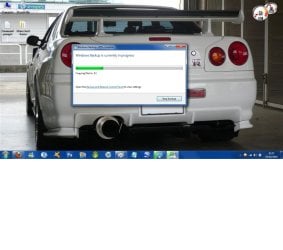
OK, Had it now. It still doesnt seem to be working. It didnt work on DVD-R and im using CD-R now and ive had this thing for a few hours now (attached). Just sits at 26% showing no progress.

Is back-up supposed to take this long? It let me create a system repair disc and that took munites so I don't see why it's taking hours to back up, and it wont even show me any progress to let me know it's actually working.

The first DVD I used and aborted back-up with showed around 1/5th of the disc had been written to and that was after 1 hour or so and the second DVD that ran for around 4 hours was nearly full. now bear in mind the DVD's are 4.7 Gig of data space and took that long, CD's are only 700 Meg so why is it takin' the piss now? ARGH!
 

Attachments

  • Back-up.jpg
    Back-up.jpg
    103.3 KB · Views: 36

My Computer

Computer Manufacturer/Model Number
Toshiba Satellite T130 13K. 13.3"
OS
Windows 7 Home Premium 64bit, 6.1 build (7600)
CPU
Intel Pentium U2700 1.3Ghz, ~1.3Ghz
Memory
3GB DDR3
Graphics Card(s)
Mobile Intel 4series express chipset
Monitor(s) Displays
LCD HD
Screen Resolution
1366 x 768
Hard Drives
250GB, 2.5" SATA (5400 RPM)
C:\ 116GB
D:\ 116GB
Internet Speed
802.11 b/g/n
I can only tell you what happened to me. With system image (part of Windows 7), I tried to back up on DVD, it stalled at about 25%. I backed up to my internal hard drive (the one with the OS). This was not too secure. I backed up with Paragon to 4 DVD's, no problem. I am trying to find a reliable HD to back up in lieu of the DVD. That is all I can tell you for sure. Anything else I am guessing. I do not think that is fair to you.
 

My Computer

Computer type
PC/Desktop
Computer Manufacturer/Model Number
Dell XPS 420
OS
Windows 10, Home Clean Install
CPU
Intel Core2 processsor Q8200(2.33Ghz 1333FSB) Quad Core Tech
Motherboard
Dell
Memory
6 gb
Graphics Card(s)
ATI Radeon 256MB HD3650
Sound Card
Intergrated 7.1 Channel Audio
Monitor(s) Displays
Dell SP2009W 20"
Hard Drives
640 GB Serial ATA Hard drive
Cooling
Fan
Keyboard
Dell USB Keyboard
Mouse
Dell Premium Optical USB
Internet Speed
DSL 2.85
I am trying to find a reliable HD to back up in lieu of the DVD
Rich, I alternate my backups between 3 disks. Internal, external attached all the time and external attached only for backup. I think that is pretty safe. 3 disks failing at the same time would be very unusual. Besides, of my 6 externals, I never had any failing yet - knock on wood. DVDs are no good medium for system backups (too much data and messy to keep track of) - even if it would work.
 

My Computer

Computer Manufacturer/Model Number
HP, Dell, Gateway, Toshiba - 4 laptops and 2 desktops
OS
Vista, Windows7, Mint Mate, Zorin, Windows 8
CPU
from 1.6GHz Duo to i7
Monitor(s) Displays
2x HP w2207
Hard Drives
5x HDD, 7x SSD, 12x Externals
Keyboard
with trackball - no mices
Mouse
Trackball mice
Internet Speed
DSL 6000
I can only tell you what happened to me. With system image (part of Windows 7), I tried to back up on DVD, it stalled at about 25%. I backed up to my internal hard drive (the one with the OS). This was not too secure. I backed up with Paragon to 4 DVD's, no problem. I am trying to find a reliable HD to back up in lieu of the DVD. That is all I can tell you for sure. Anything else I am guessing. I do not think that is fair to you.

It's OK dude you can only go by what you know, Im beginning to think it won't do it cus my laptop didn't come with a disc drive but as it won't work i'll just abort the idea and back up to my External, it's at 18% atm and rising thank god. I know you did the best you could and I honestly do appreciate that. Ex HDD is the best option then. Last time it created the icons in the hard disk but they were empty folders so im trying again and il keep you posted. ;)
 

My Computer

Computer Manufacturer/Model Number
Toshiba Satellite T130 13K. 13.3"
OS
Windows 7 Home Premium 64bit, 6.1 build (7600)
CPU
Intel Pentium U2700 1.3Ghz, ~1.3Ghz
Memory
3GB DDR3
Graphics Card(s)
Mobile Intel 4series express chipset
Monitor(s) Displays
LCD HD
Screen Resolution
1366 x 768
Hard Drives
250GB, 2.5" SATA (5400 RPM)
C:\ 116GB
D:\ 116GB
Internet Speed
802.11 b/g/n
I can only tell you what happened to me. With system image (part of Windows 7), I tried to back up on DVD, it stalled at about 25%. I backed up to my internal hard drive (the one with the OS). This was not too secure. I backed up with Paragon to 4 DVD's, no problem. I am trying to find a reliable HD to back up in lieu of the DVD. That is all I can tell you for sure. Anything else I am guessing. I do not think that is fair to you.

It's OK dude you can only go by what you know, Im beginning to think it won't do it cus my laptop didn't come with a disc drive but as it won't work i'll just abort the idea and back up to my External, it's at 18% atm and rising thank god. I know you did the best you could and I honestly do appreciate that. Ex HDD is the best option then. Last time it created the icons in the hard disk but they were empty folders so im trying again and il keep you posted. ;)

Thank you, I would like to know what happened. I may learn from your experience, too. That is what this Forum is all about.
 

My Computer

Computer type
PC/Desktop
Computer Manufacturer/Model Number
Dell XPS 420
OS
Windows 10, Home Clean Install
CPU
Intel Core2 processsor Q8200(2.33Ghz 1333FSB) Quad Core Tech
Motherboard
Dell
Memory
6 gb
Graphics Card(s)
ATI Radeon 256MB HD3650
Sound Card
Intergrated 7.1 Channel Audio
Monitor(s) Displays
Dell SP2009W 20"
Hard Drives
640 GB Serial ATA Hard drive
Cooling
Fan
Keyboard
Dell USB Keyboard
Mouse
Dell Premium Optical USB
Internet Speed
DSL 2.85
I am trying to find a reliable HD to back up in lieu of the DVD
Rich, I alternate my backups between 3 disks. Internal, external attached all the time and external attached only for backup. I think that is pretty safe. 3 disks failing at the same time would be very unusual. Besides, of my 6 externals, I never had any failing yet - knock on wood. DVDs are no good medium for system backups (too much data and messy to keep track of) - even if it would work.


You are correct, Wolfgang, but for me, the DVD is a pain. It reminds me of the "floppy" days.

EDIT I bet 75% of the members are going to say. What is a floppy? We are getting old, my friend.
 

My Computer

Computer type
PC/Desktop
Computer Manufacturer/Model Number
Dell XPS 420
OS
Windows 10, Home Clean Install
CPU
Intel Core2 processsor Q8200(2.33Ghz 1333FSB) Quad Core Tech
Motherboard
Dell
Memory
6 gb
Graphics Card(s)
ATI Radeon 256MB HD3650
Sound Card
Intergrated 7.1 Channel Audio
Monitor(s) Displays
Dell SP2009W 20"
Hard Drives
640 GB Serial ATA Hard drive
Cooling
Fan
Keyboard
Dell USB Keyboard
Mouse
Dell Premium Optical USB
Internet Speed
DSL 2.85
I can only tell you what happened to me. With system image (part of Windows 7), I tried to back up on DVD, it stalled at about 25%. I backed up to my internal hard drive (the one with the OS). This was not too secure. I backed up with Paragon to 4 DVD's, no problem. I am trying to find a reliable HD to back up in lieu of the DVD. That is all I can tell you for sure. Anything else I am guessing. I do not think that is fair to you.

It's OK dude you can only go by what you know, Im beginning to think it won't do it cus my laptop didn't come with a disc drive but as it won't work i'll just abort the idea and back up to my External, it's at 18% atm and rising thank god. I know you did the best you could and I honestly do appreciate that. Ex HDD is the best option then. Last time it created the icons in the hard disk but they were empty folders so im trying again and il keep you posted. ;)

Thank you, I would like to know what happened. I may learn from your experience, too. That is what this Forum is all about.

OK new problem, I had done the back up to HDD which windows says was completed successfully and shows the same 2 folders as before but again when I hower over the icons it says folder empty and no file size. Is that normal?
 

My Computer

Computer Manufacturer/Model Number
Toshiba Satellite T130 13K. 13.3"
OS
Windows 7 Home Premium 64bit, 6.1 build (7600)
CPU
Intel Pentium U2700 1.3Ghz, ~1.3Ghz
Memory
3GB DDR3
Graphics Card(s)
Mobile Intel 4series express chipset
Monitor(s) Displays
LCD HD
Screen Resolution
1366 x 768
Hard Drives
250GB, 2.5" SATA (5400 RPM)
C:\ 116GB
D:\ 116GB
Internet Speed
802.11 b/g/n
Did you open the folders and see what's inside?
 

My Computer

Computer Manufacturer/Model Number
HP, Dell, Gateway, Toshiba - 4 laptops and 2 desktops
OS
Vista, Windows7, Mint Mate, Zorin, Windows 8
CPU
from 1.6GHz Duo to i7
Monitor(s) Displays
2x HP w2207
Hard Drives
5x HDD, 7x SSD, 12x Externals
Keyboard
with trackball - no mices
Mouse
Trackball mice
Internet Speed
DSL 6000
We are getting old, my friend.

You can say that again - unfortunately. And try to talk to the yougsters about 80 column punch cards - 2000 per box. You had to have muscle as a programmer in those days.
 

My Computer

Computer Manufacturer/Model Number
HP, Dell, Gateway, Toshiba - 4 laptops and 2 desktops
OS
Vista, Windows7, Mint Mate, Zorin, Windows 8
CPU
from 1.6GHz Duo to i7
Monitor(s) Displays
2x HP w2207
Hard Drives
5x HDD, 7x SSD, 12x Externals
Keyboard
with trackball - no mices
Mouse
Trackball mice
Internet Speed
DSL 6000
We are getting old, my friend.

You can say that again - unfortunately. And try to talk to the yougsters about 80 column punch cards - 2000 per box. You had to have muscle as a programmer in those days.

What I remember the most are the big glass rooms to keep the computers in a safe environment.
 

My Computer

Computer type
PC/Desktop
Computer Manufacturer/Model Number
Dell XPS 420
OS
Windows 10, Home Clean Install
CPU
Intel Core2 processsor Q8200(2.33Ghz 1333FSB) Quad Core Tech
Motherboard
Dell
Memory
6 gb
Graphics Card(s)
ATI Radeon 256MB HD3650
Sound Card
Intergrated 7.1 Channel Audio
Monitor(s) Displays
Dell SP2009W 20"
Hard Drives
640 GB Serial ATA Hard drive
Cooling
Fan
Keyboard
Dell USB Keyboard
Mouse
Dell Premium Optical USB
Internet Speed
DSL 2.85
Did you open the folders and see what's inside?

I just opened a few in the imagebackup file and it's not opened files amounts and sizes but every folder I clicked says I dont have permission, press continue to get permission. Im admin so why wouldn't I have permission to view my own files? Theres binary files and xml files and all sorts in there but I don't wanna open something and have the system go bang. I'll leave em alone but yeah, I think it's worked. I have a system repair disc aswell now.

I owe you guys , Thank you.

One last thing, Is there something I can do to allow me access to everything so it doesn't prompt me all the time?
 

My Computer

Computer Manufacturer/Model Number
Toshiba Satellite T130 13K. 13.3"
OS
Windows 7 Home Premium 64bit, 6.1 build (7600)
CPU
Intel Pentium U2700 1.3Ghz, ~1.3Ghz
Memory
3GB DDR3
Graphics Card(s)
Mobile Intel 4series express chipset
Monitor(s) Displays
LCD HD
Screen Resolution
1366 x 768
Hard Drives
250GB, 2.5" SATA (5400 RPM)
C:\ 116GB
D:\ 116GB
Internet Speed
802.11 b/g/n
Back
Top