- Local time
- 8:40 AM
- Messages
- 180
I do that as a rule, ie connect only the SSD and 1 optical drive - and disconnect all HDD's. The operative expression here is "as a rule". I'll betcha that I hurried last time and neglected to do so, result being the 100 MB MS Boot Partition is scattered all over. Will do a reinstall - the right way - and let you know.When you installed Windows 7 fresh, did you have all other hard disconnected?
@essenbe
I really love it when somebody pushes me. Usually it's the other way around. Truth is, after having been up for three nights in a row till 3:00 am, I did crash. essenbe, you are indeed incredible - even more tenacious than I am. Thank you so much for giving so much of your time to my ongoing problems.Are we there yet? Or are we taking Christmas night off.
In the past few days I have developed a real, and well-founded, fear of failure. What to do next, so I don't end up reinstalling the rest of my remaining life?
Btw, there are some powerfully smart and scarily knowledgeable people in this forum and I thank you for tolerating me. I do think I can be useful in a way though. I seem to come across lots of problems that really end up being good teaching experiences for others. :shock:
1)
That's actually a relevant question - at least in my case. Why? Well, I have about 20 TB of HDD backup (all my work for the NSA, you knowIt would also be important to know if what the file table format of all the drives is - MBR format or GPT format - particularly the SDD.
 ). Anyway, I ran out of partition letters (26), so I needed to convert some of my drives (3 TB) to GPT so I could read them and then use "Folders". Answer: Only the 3 TB drive is GPT, no other choice, but my SSD is not tampered with since it's architecture in no way resembles a HDD - I did quite a study of SSD's a while back, my conclusion being just to let the darn things alone, since mine are all Gen 2 and above)
2) @TVeblen
As I mentioned, I think I dropped the ball there. Good point!When you installed W7 fresh, did you have all other hard disk drives disconnected
3) @ganjiri and theog http://www.sevenforums.com/tutorial...e-firmware-interface-install-windows-7-a.html Converting a BIOS is way above my pay grade. Never done it. Actually never knew it was possible. But I can follow instructions. Should I do that?
4) @theog I looked at your attachment and must say that I have not seen a BIOS that elementary since about 1991. Am I missing something?
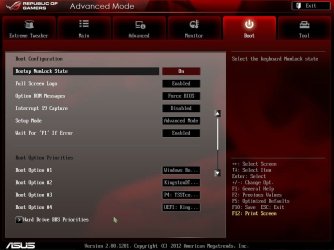
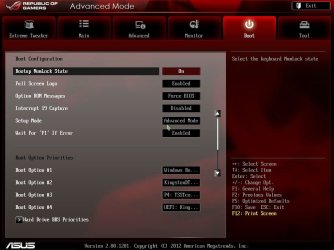
For what it's worth, I know what normal boot order looks like. I just don't understand the nonsense that I am now seeing. By the way, the ASUS Crosshair V motherboard BIOS I have reverted back to factory defaults, #1203 I think - rather ancient anyway. And still scrambled boot order (so I think the Boot Loader is partially installed on one or more of the HDD's and not on the SSD where it should be)
5) Should I disconnect all drives except the USB flash and then update the BIOS to #1703 (latest) and then connect the SSD and optical to reinstall Win 7 - or ....
My Computer
- OS
- Win 7-64