Is it possible that the Max installer be corrupted in any way? Try redownloading it?
Another thing comes to mind, did you restart PC after you made the changes to folders? Not sure if necessary but doesn't hurt to try.
Also check Preparing your System for Installation | Installation, Activation & Licensing | Autodesk Knowledge Network
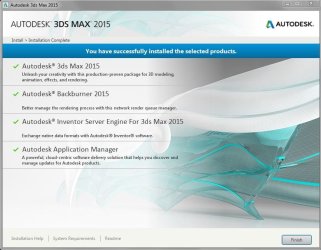
The installer should be fine, I had installed I had installed it on the SSD a few weeks back.But when I got the additional HDD installed yesterday, I did an uninstall of Max. But now it just will not work. I did a restart before the install too yes. No luck

Greg, when the install did eventually finish (without any errors given btw), it created folders in the old location - C:\Users\User\Documents\3dsMax
And also in the new one - F:\My Documents\3dsMax. Something is definitely up, it should only put the files in the new one, F.
Here is a screen grab to help:
Attachments

My Computer
- Computer type
- PC/Desktop
- Computer Manufacturer/Model Number
- Dell Precision Tower 7910 Workstation
- OS
- Microsoft Windows 7 Professional 64-bit
- CPU
- Dual Xeon(R) CPU E5-2687W v3 @ 3.10GHz
- Motherboard
- Dell Inc. 0215PR
- Memory
- 32.00 GB
- Graphics Card(s)
- NVIDIA Quadro K4200
- Sound Card
- (1) NVIDIA High Definition Audio (2) High Definition Audio
- Hard Drives
- (1) SK hynix SC210 2.5 7MM 256GB ATA Device
(2) ATA WDC WD4003FZEX-0 SCSI Disk Device
- Antivirus
- Avast Free and Malwarebytes Free
- Browser
- Chrome
- Other Info
- BIOS: BIOS Date: 04/14/15 18:58:26 Ver: A07.00